Tidy Up 6.0.10
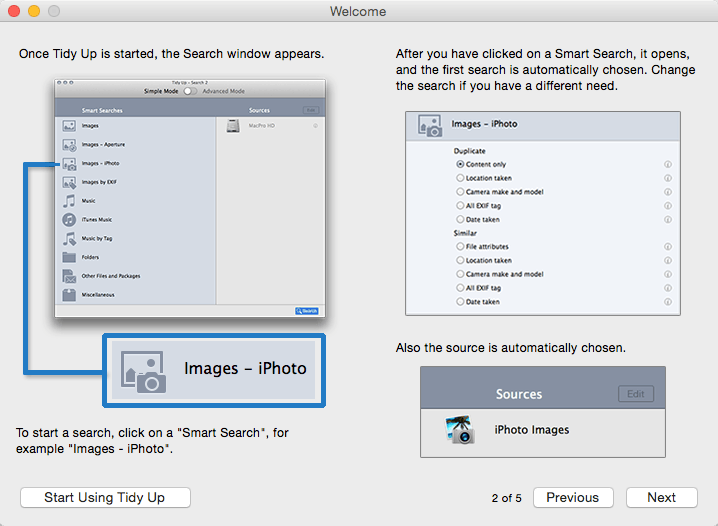
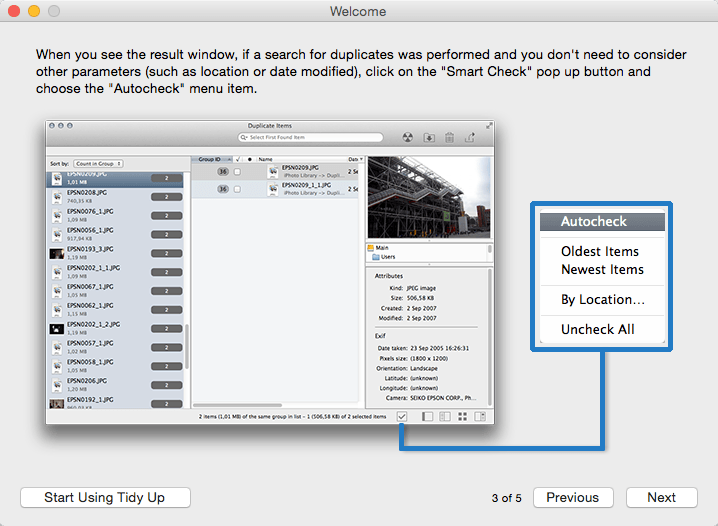
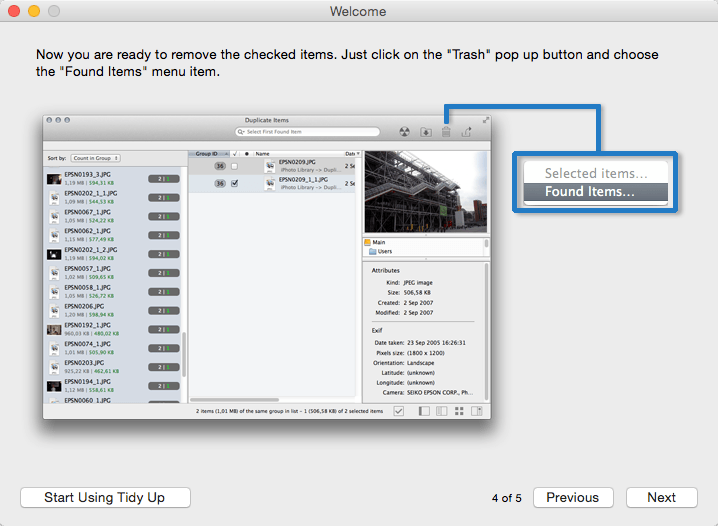
Tidy Up is a full-featured duplicate finder and disk-tidiness utility.
Features
- With Tidy Up you can search for duplicate files and packages by the owner application, content, type, creator, extension, time modified, time created, name, label, visibility, and date/age. You can also search by the tag, duration, and bit installments of MP3 and AAC sound files and EXIF metadata; search the contents of the Photos, iPhoto, Aperture, iTunes, iPod databases, and Mail mailboxes; and synchronize deletions with iPhoto, Mail, and iTunes.
- Tidy Up comes with a two search modes. Basic Mode includes more than 90 pre-defined searches. For a customized strategy, you can opt for the Strategy Wizard which based on your choices creates the appropriate criteria to search for duplicates.
- Tidy Up has a built-in security system that assures you will keep at least one file of the duplicate group on your disk, the ability to undo copied and moved items, and the ability to restore trashed items as long as the trash is not emptied, even after a restart of the computer.
- Tidy Up offers a full-size preview of the most commonly used files such as: audio, media, text, PDF, graphics, fonts and more... One of the most interesting features of Tidy Up is the capability to separate, for quick and easy organization, found items using custom criteria via "Smart Baskets." It also includes the possibility to choose from items belonging to the supported applications, a specific album, playlist, or mailbox.
- Tidy Up allows you to trash, move, replace the moved or trashed items with aliases or symbolic links, burn, assign colored Finder labels, and export into HTML and text files all found items. Tidy Up is fully customizable and allows you to create your preferred workspace.
Version 6.0.9:
- Bug fixes
Frequently asked questions
How do I install the app?
Mount the image, drag the app into the "Applications" folder and launch it. If the system blocks the launch, allow it in "System Settings → Privacy & Security".
The app is damaged or won't launch
Reinstalling from a fresh image usually helps. Make sure your macOS version matches the one listed in the compatibility specs.
How do I update?
Download the new version from the site and install it over the current one — your settings will be preserved.
The download link doesn't work
Try a mirror or a download manager. For large files the browser often drops the connection.
How do I completely remove the app?
Use an uninstaller utility — it cleans up the service files that remain after moving the app to the trash.




Choose a download source
Tidy Up 6.0.10 · 11.68 MB
Previous versions
Tidy Up 6.0.10
Previous versions are available to registered users.