
Simplify 3.4.0
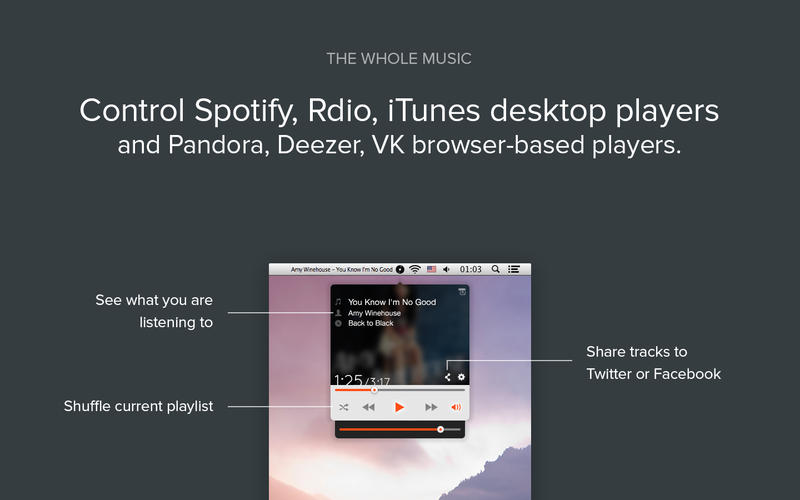
Simplify is the simplest way to control your music. It lets you know what's playing, switch and seek tracks, and control sound volume. Simplify is a great music controller, and it allows you to concentrate on your work, Internet browsing, or document editing without interruptions. No need to constantly switch to a player window to find out the current track or see its album art: it will always be on your desktop.
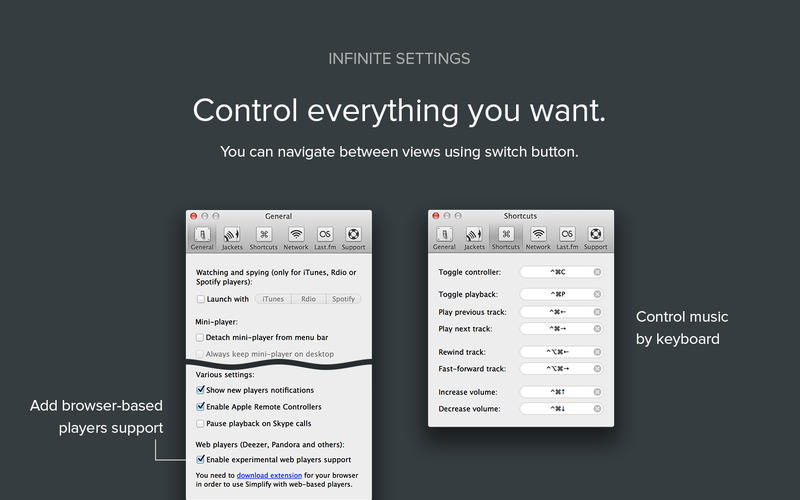
Is your desktop always filled with windows and documents? Don't worry, you can assign keyboard shortcuts for almost every action: playback toggle, track changes, sound volume levels.
Features
- Album cover and track title always on your desktop
- Desktop widget jackets: create your own look-and-feel for the desktop widget using HTML, CSS, and jаvascript. Follow the documentation on our site to create a jacket
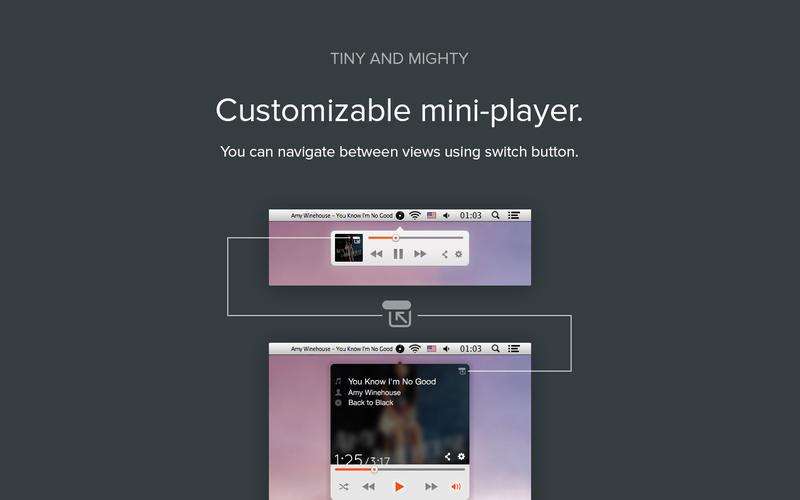
- Cute mini-player window (can be shown with a customizable keyboard shortcut) to control sound volume, switch tracks, seek tracks, toggle playback
- Customizable global shortcuts to control sound volume, switch tracks, toggle playback, and toggle mini-player
- Simplify may be automatically launched when Spotify starts
- Current song title in menu bar
- Easily copy track title and link to track to share with friends
WHAT’S NEW
Version 3.4.0:
- Fixed support of web-based players, so Pandora, Deezer, VK, and others get back into the game!
- Fixed Spotify artworks. You'll see!
- Some other under the hood improvements and fixes.
Screenshots
Frequently asked questions
How do I install the app?
Mount the image, drag the app into the "Applications" folder and launch it. If the system blocks the launch, allow it in "System Settings → Privacy & Security".
The app is damaged or won't launch
Reinstalling from a fresh image usually helps. Make sure your macOS version matches the one listed in the compatibility specs.
How do I update?
Download the new version from the site and install it over the current one — your settings will be preserved.
The download link doesn't work
Try a mirror or a download manager. For large files the browser often drops the connection.
How do I completely remove the app?
Use an uninstaller utility — it cleans up the service files that remain after moving the app to the trash.
VersionSimplify 3.4.0
DeveloperMaxim Melnikov
CompatibilityOS X 10.7 or later, 64-bit processor
LanguageEnglish
IncludesPre-K'ed





Information
Visitors in the group Guests cannot leave comments on this publication.
Choose a download source
Simplify 3.4.0 · 4.25 MB