
M4P to MP3 Converter 2.5.0
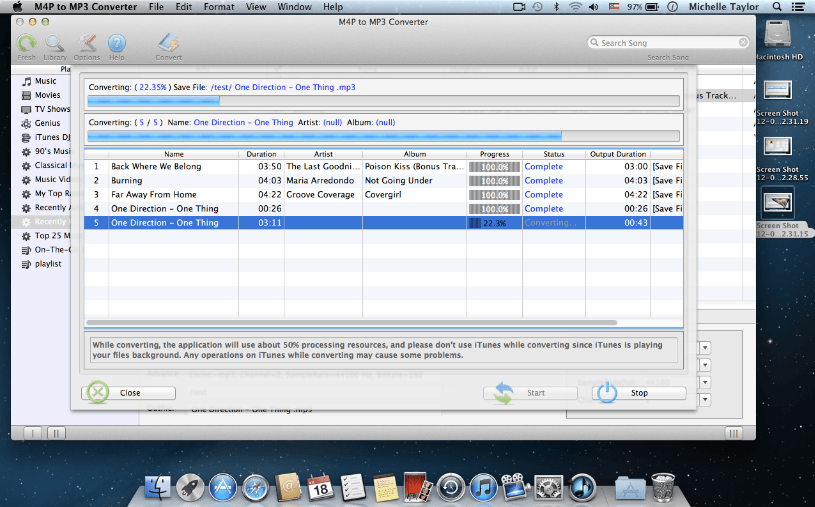
It is the ideal solution for people who purchase music, audio books and videos from Apple Store, but have problems of mobile device compatibility. This application can bypass iTunes DRM-protected and able to convert DRM M4P, M4B, M4V, AAC, AA, AAX files in the usual audio formats, including MP3, AAC, M4A, AC3, MKA, M4R, FLAC, AIFF, and AU for use on any other computer or digital music devices such as iPhone, iPad, Apple TV, Sonos, Android, tablet PCs, smart phones and car CD players, etc.
Discover more M4P to MP3 Converter for Mac features:
- [NEW] Supports DRM audio formats: M4P files downloaded from the new apple music service + M4A files that you buyed on apple store.
- The only legal way provided for you to remove DRM from iTunes M4P, M4B, M4A, M4V, protected AAC, AA and AAX files.
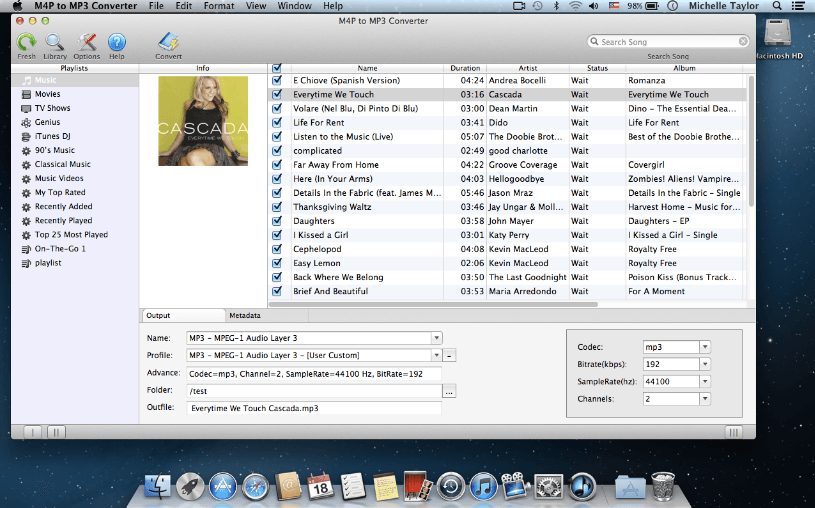
- Adjust advanced audio parameters like encoder bit rate, sample rate, codec, and audio channel to optimize your music conversion.
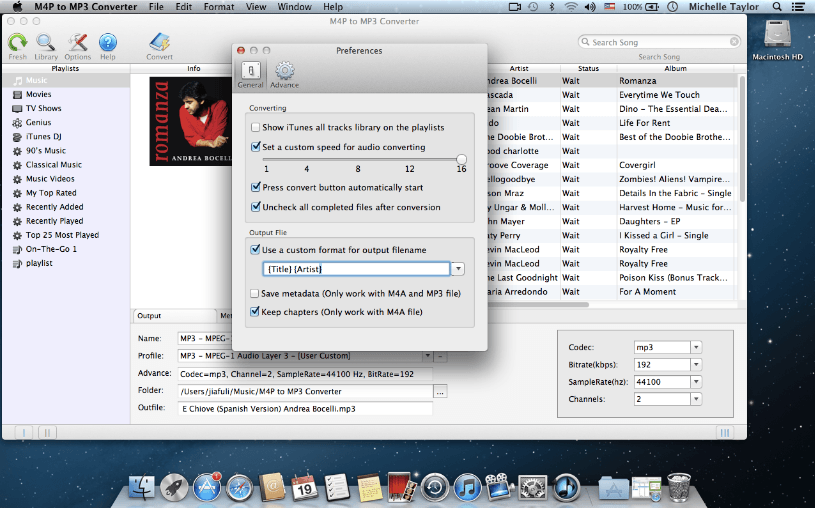
- Support customizing output file names.
- Export audio files for playback on any portable device.
- Set a range of parameters to customize your audio output
- Preserves ID3 tags for song names, artist, album, artworks, etc in MP3 and M4A output files after conversion.
- No matter what happens, your original music will not be harmed in any way.
- Convenient search function even scans your iTunes for any media files to be processed.
- It won't install any virtual drive, and needn't any extra hardware.
- Fast & Friendly technical support is available for every user.
- M4P converting is very simple and the software interface is user-friendly.
- All future updates are free to all registered users.
- Specially designed for Mac users & fully compatible with the latest Mac OS X 10.11 El Capitan.
Screenshots
Frequently asked questions
How do I install the app?
Mount the image, drag the app into the "Applications" folder and launch it. If the system blocks the launch, allow it in "System Settings → Privacy & Security".
The app is damaged or won't launch
Reinstalling from a fresh image usually helps. Make sure your macOS version matches the one listed in the compatibility specs.
How do I update?
Download the new version from the site and install it over the current one — your settings will be preserved.
The download link doesn't work
Try a mirror or a download manager. For large files the browser often drops the connection.
How do I completely remove the app?
Use an uninstaller utility — it cleans up the service files that remain after moving the app to the trash.
VersionM4P to MP3 Converter 2.5.0
DeveloperM4P-to-MP3-Converter
CompatibilitymacOS 10.8 or later, 64-bit processor
LanguageEnglish
IncludesPre-K'ed





Information
Visitors in the group Guests cannot leave comments on this publication.
Choose a download source
M4P to MP3 Converter 2.5.0 · 11.66 MB