
Muse 2.2.0
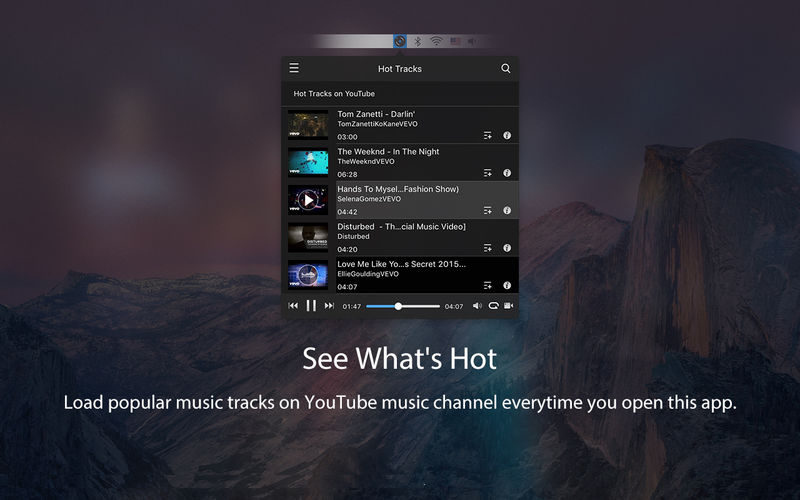
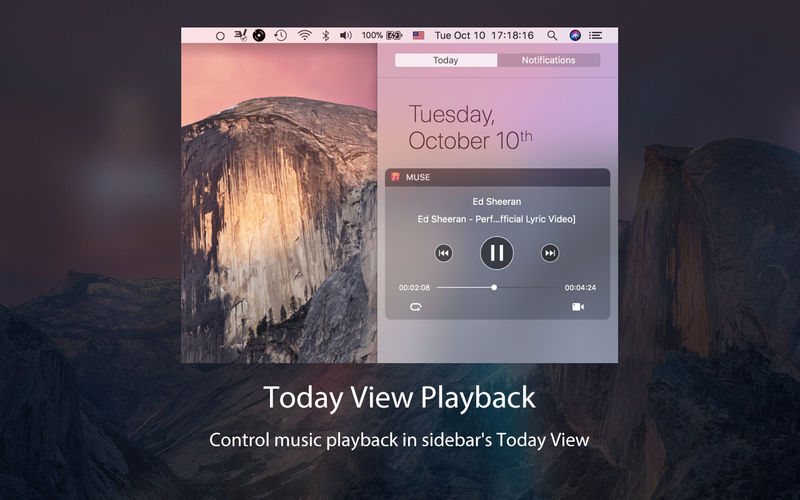
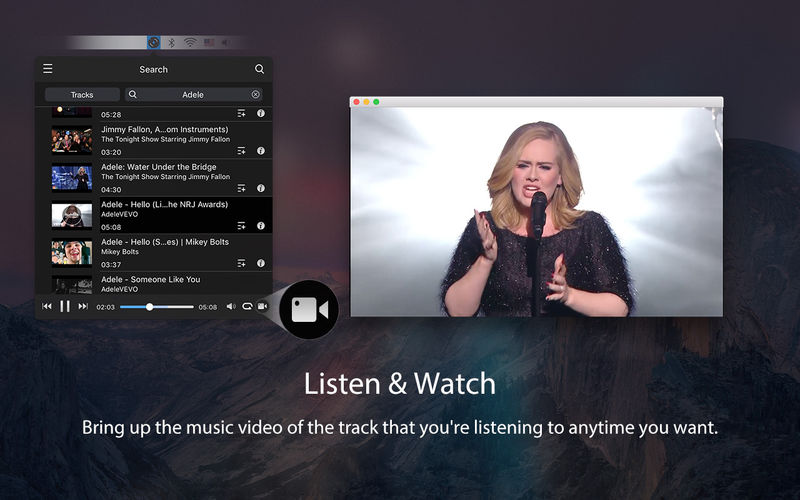
Muse is the native desktop client for YouTube Music. It plays and organizes music directly from YouTube. In it you can get recommendation for the hottest songs, find tracks you seek, build your personal playlists, and more. Best of all? It lives right in your menu bar and is super easy to control!
Here is a brief overview of awesome features:
- See what’s hot on YouTube’s music channel in your country.
- Find and stream any track from YouTube.
- Create, edit, and organize infinite personal playlists.
- Control playback with customizable shortcuts
- Control playback with media keys (F7, F8, F9).
- Playback widget in Sidebar’s Today View.
- Bring up the corresponding music video from YouTube anytime you wish.
Download Muse now and access the entire YouTube music library right in your menu bar!
Note: Muse is a third party app that is not developed by, endorsed by, or associated with YouTub.
Version 2.2.0
- macOS High Sierra Compatibility
- Various bug fixes.
Frequently asked questions
How do I install the app?
Mount the image, drag the app into the "Applications" folder and launch it. If the system blocks the launch, allow it in "System Settings → Privacy & Security".
The app is damaged or won't launch
Reinstalling from a fresh image usually helps. Make sure your macOS version matches the one listed in the compatibility specs.
How do I update?
Download the new version from the site and install it over the current one — your settings will be preserved.
The download link doesn't work
Try a mirror or a download manager. For large files the browser often drops the connection.
How do I completely remove the app?
Use an uninstaller utility — it cleans up the service files that remain after moving the app to the trash.
VersionMuse 2.2.0
DeveloperWang Fu Chi
CompatibilityOS X 10.9 or later 64-bit
LanguageEnglish, Spanish
IncludesK'ed by TNT





Information
Visitors in the group Guests cannot leave comments on this publication.
Choose a download source
Muse 2.2.0 · 2.25 MB