
Autostarter 1.2
Screenshots
Click to enlarge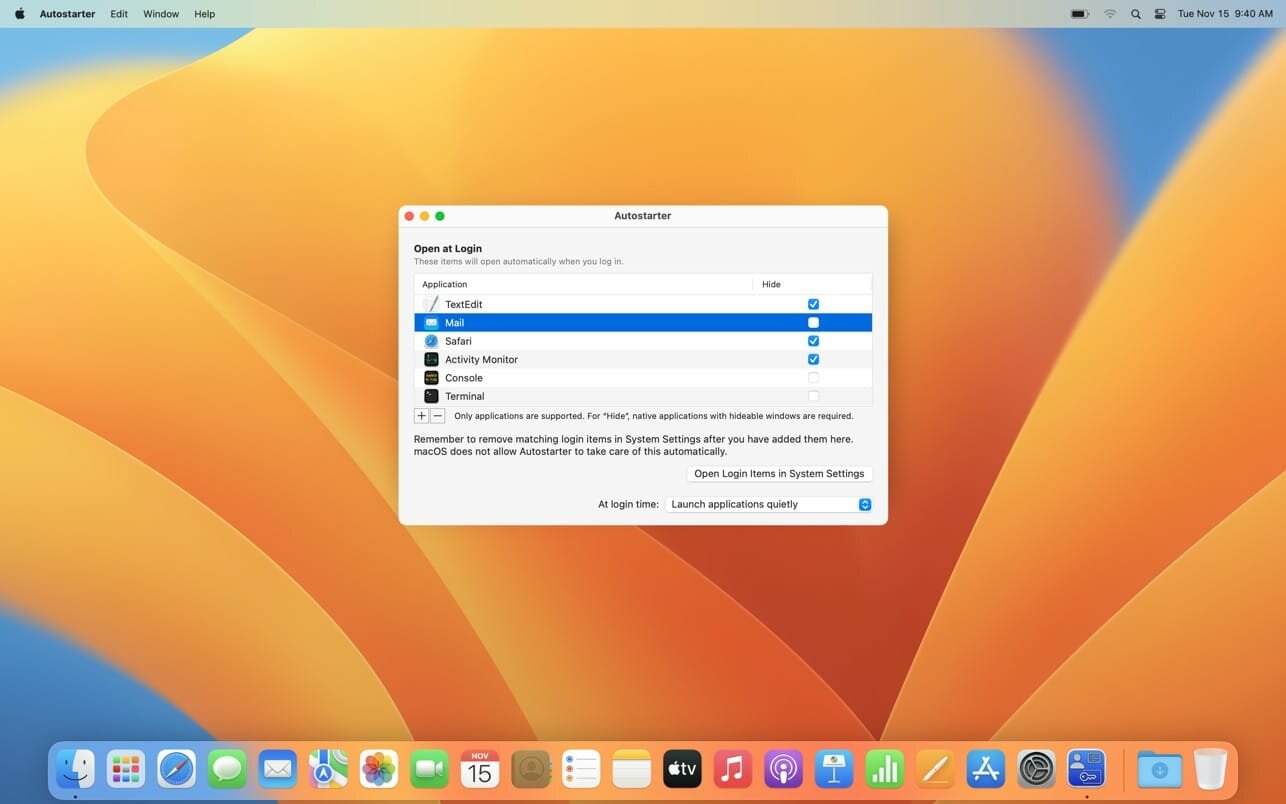
Autostarter is a small app that makes it possible to launch applications automatically during login without letting the applications show windows, even with macOS Ventura or later. Brings back autostarting applications with hidden windows.
This feature, which Mac users loved, can now still be used, although it had been dropped with the introduction of macOS 13.
Autostarter can fully supersede the function "Login Items" for the launch of applications. The automatic start of other objects, for example server connections, can still remain in System Settings.
Version 1.3
- Added new optional feature to show Autostarter activity at login item, helping to indicate the exact period when macOS allows the App to become active.
- Added new optional feature to show the status of each automatically started application at login time. If desired, the status display can be kept open for diagnostic purposes.
- Added new feature to create an optional log report for diagnostic purposes. The report can be saved to a text file if necessary.
- Added new, innovative assistant that can help to detect why a specific application may not have performed an automatic start correctly.
- When adding new startup items, the application now warns if it detects Web App technologies that are not fully compatible with macOS.
- The required operating system is now macOS 13.3 or later.
Comments
No comments yet. Be the first.
Information
Visitors in the group Guests cannot leave comments on this publication.