
AI Transcription 2.16
AI Transcription — offline audio transcription software for private, accurate text

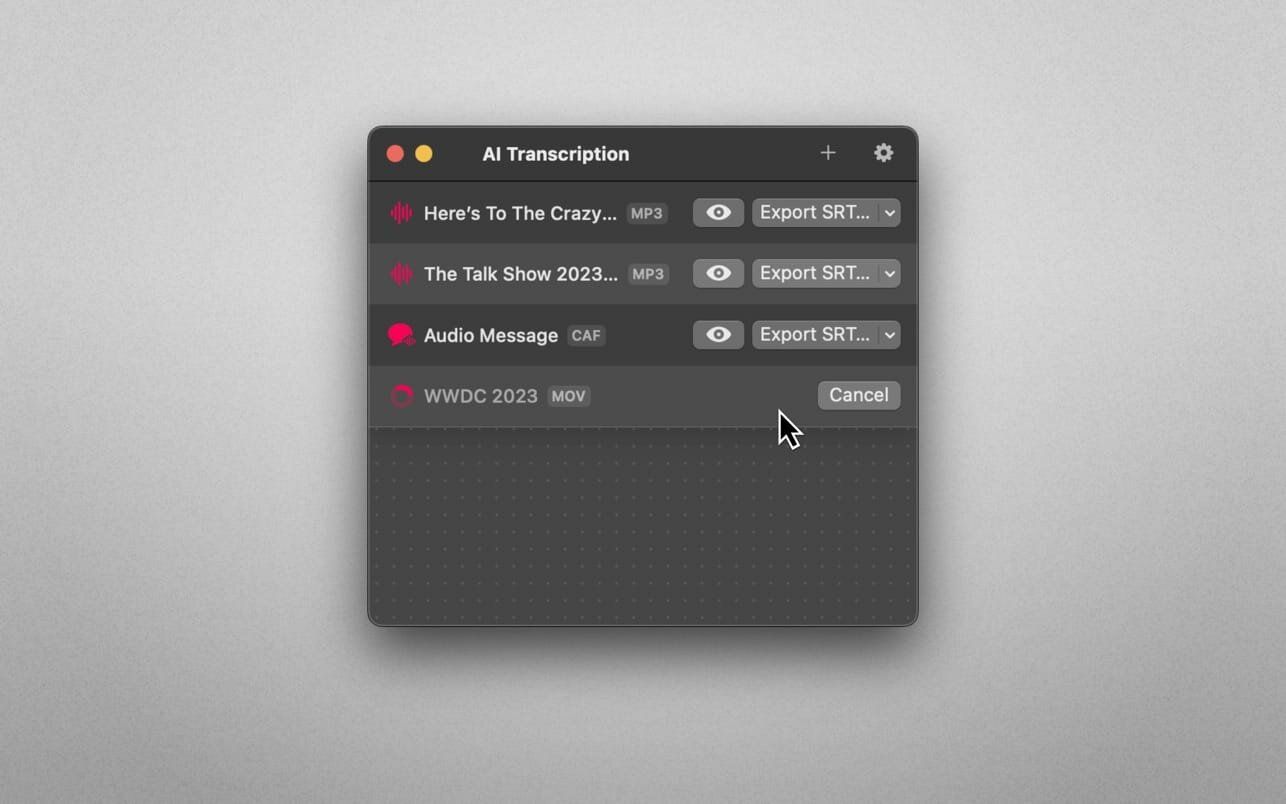
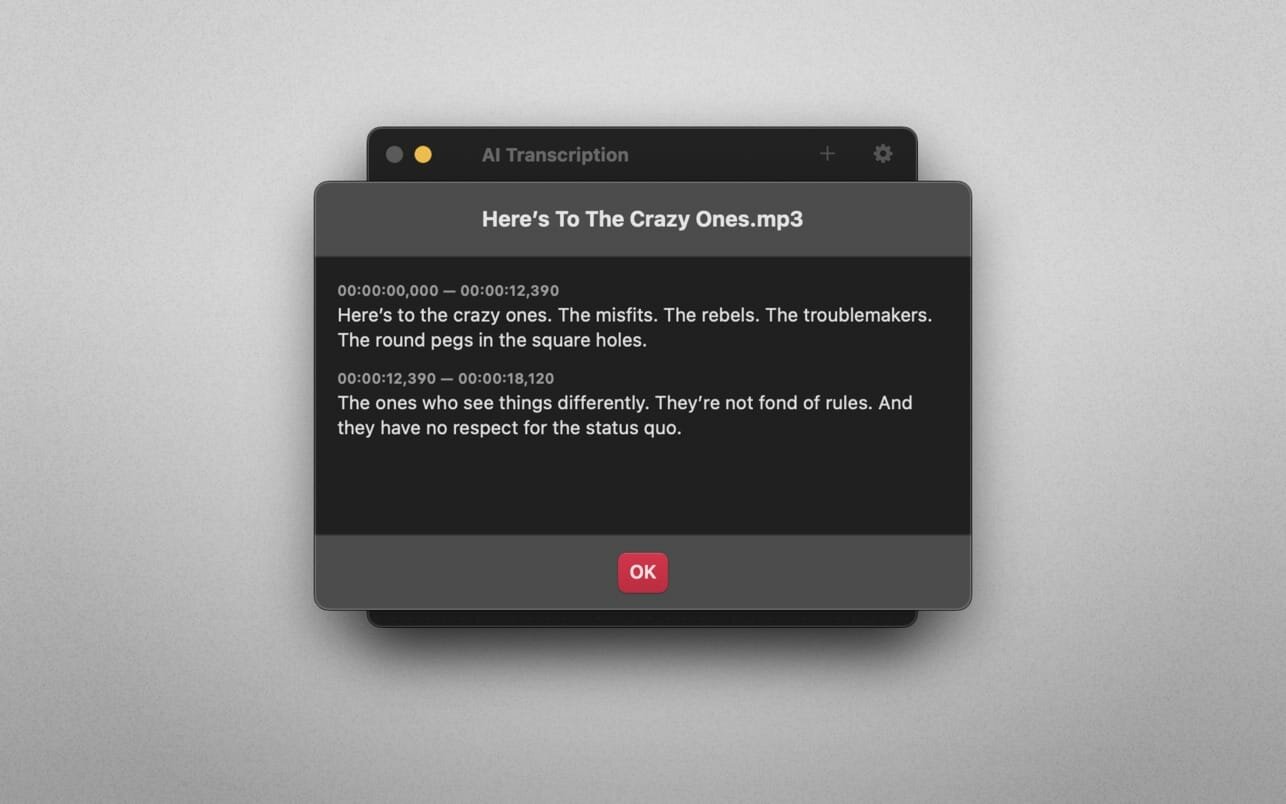
Transcribe audio and video files with remarkable accuracy-completely offline and designed with privacy in mind.
Powered by OpenAI’s advanced Whisper speech-recognition technology, AI Transcription converts podcasts, presentations, meetings, lectures, interviews, and voice messages into editable text and subtitles. Everything is processed directly on your Mac, so your audio never leaves your device.
Features
- AI-powered audio and video transcription
- Drag and drop files to start transcribing automatically
- Powered by OpenAI’s Whisper automatic speech recognition technology
- Accurate results for accents, background noise, and domain-specific terminology
- Fully offline, on-device processing for enhanced privacy
- Lightweight, intuitive, and easy to use
- Export transcripts as TXT, CSV, SBV, SRT, or WebVTT files
- Split transcripts by words, sentences, or time segments
- Supports MP3, WAV, CAF, AIFC, M4A, and MP4 files
Version 2.16
- Minor refinements throughout, so the app stays as reliable as you're used to.
Frequently asked questions
How do I install the app?
Mount the image, drag the app into the "Applications" folder and launch it. If the system blocks the launch, allow it in "System Settings → Privacy & Security".
The app is damaged or won't launch
Reinstalling from a fresh image usually helps. Make sure your macOS version matches the one listed in the compatibility specs.
How do I update?
Download the new version from the site and install it over the current one — your settings will be preserved.
The download link doesn't work
Try a mirror or a download manager. For large files the browser often drops the connection.
How do I completely remove the app?
Use an uninstaller utility — it cleans up the service files that remain after moving the app to the trash.




Choose a download source
AI Transcription 2.16 · 5.07 GB
Previous versions
AI Transcription 2.16
Previous versions are available to registered users.