
Speech 1.11.0 U2B
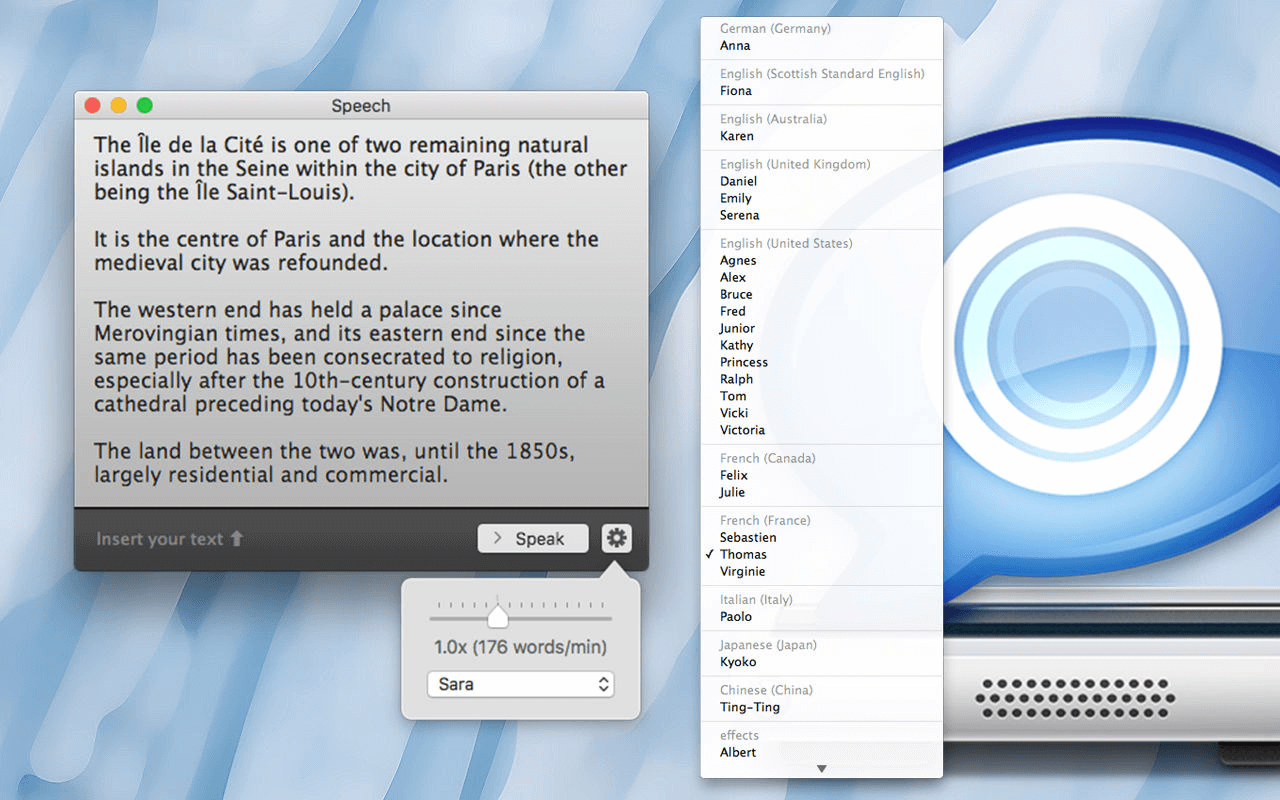

Speech combines all the features of the speech synthesizer of Mac OS into a single, easy-to-use interface.
Many languages are available: choose among more than 40 voices and languages.
Drag or paste text into Speech and start reading. You can change at any time the voice and the speech rate. Click on a word to playback from a specific point of the text.
Export the text into an audio file, share or listen on a digital audio player.
- Save time, listening a text is faster than reading.
- Efficient to learn and be sure of the pronunciation.
Some Tips
Keyboard shortcuts :
- cmd+s : Speak
- cmd+e : Edit
- cmd+r : Restart
Version 1.11.0
- Added support for macOS Ventura high-quality voices
Frequently asked questions
How do I install the app?
Mount the image, drag the app into the "Applications" folder and launch it. If the system blocks the launch, allow it in "System Settings → Privacy & Security".
The app is damaged or won't launch
Reinstalling from a fresh image usually helps. Make sure your macOS version matches the one listed in the compatibility specs.
How do I update?
Download the new version from the site and install it over the current one — your settings will be preserved.
The download link doesn't work
Try a mirror or a download manager. For large files the browser often drops the connection.
How do I completely remove the app?
Use an uninstaller utility — it cleans up the service files that remain after moving the app to the trash.




Choose a download source
Speech 1.11.0 U2B · 6.75 MB
Previous versions
Speech 1.11.0 U2B
Previous versions are available to registered users.