
Bevy 1.1.2
Bevy is a launcher that shows you all of your application icons in a single window that can be opened with a global hot key, from the menu bar or by clicking its dock icon. You just specify folders where your applications are located and Bevy creates visual groups of icons for each folder. To help you quickly find the application you're looking for, a key press will highlight applications with matching names or you can drag-and-drop a file to highlight compatible applications. How cool is that? In addition, you can hide rarely used apps and un-installers so they won't clutter your window. And Bevy is always up-to-date because it uses Spotlight to keep track of changes so you don't have to.
WHAT’S NEW
Version 1.1.2:
- Fixed - Various fixes for macOS 10.12 Sierra quirks
- Changed - Alphabetical app sort is now based on the localized name
Screenshots
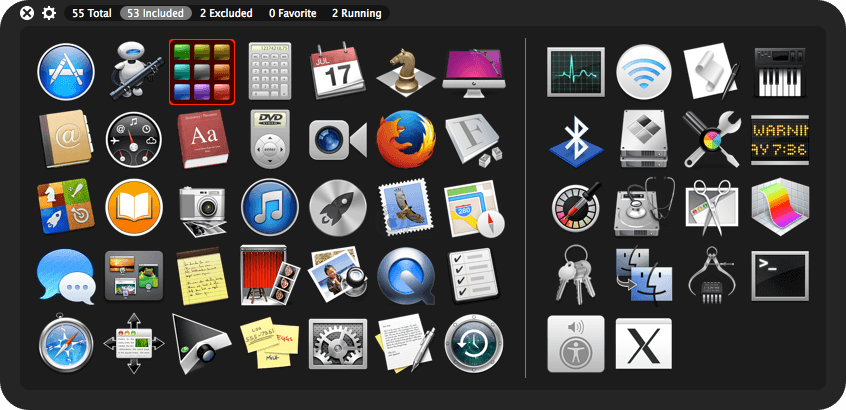
Frequently asked questions
How do I install the app?
Mount the image, drag the app into the "Applications" folder and launch it. If the system blocks the launch, allow it in "System Settings → Privacy & Security".
The app is damaged or won't launch
Reinstalling from a fresh image usually helps. Make sure your macOS version matches the one listed in the compatibility specs.
How do I update?
Download the new version from the site and install it over the current one — your settings will be preserved.
The download link doesn't work
Try a mirror or a download manager. For large files the browser often drops the connection.
How do I completely remove the app?
Use an uninstaller utility — it cleans up the service files that remain after moving the app to the trash.
VersionBevy 1.1.2
Developerbergdesign inc.
CompatibilityOS X 10.7 or later, 64-bit processor
LanguageEnglish
IncludesK





Information
Visitors in the group Guests cannot leave comments on this publication.
Choose a download source
Bevy 1.1.2 · 6.39 MB