
PrimeFile 4.0.1
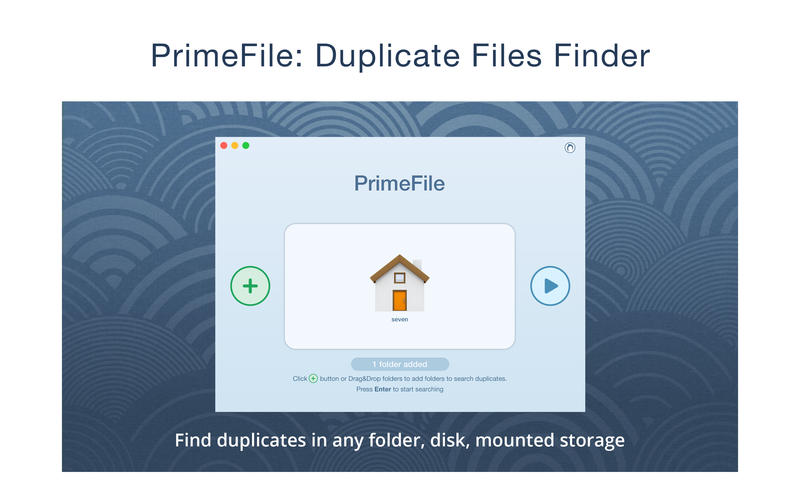
PrimeFile is a free utility that finds duplicate files on your Mac in just 3 clicks. Drag & drop as many folders as you wish and click SCAN. Within a minute the app will give a report with all duplicate files by categories: images, videos, music, archives, documents, and all other specific extensions. It's really easy to see how much space each file takes.
SCANNING
- fast scanning algorithm
- scanning for duplicates in multiple folders or drives
- external drives & mounted network folders support
- "Recent Folders List" for scanned folders
- animated scanning process
- skip list for various files & folders
RESULTS OVERVIEW
- visual chart report when scanning
- duplicate files list
- duplicate files by types
DUPLICATES
- built-in duplicates search
- preview & quick look for every file
- sort duplicates (by name, size, total size, type, and duplicates count)
REMOVING
- visual progress bar of selected files for removal
- one-click selection of multiple duplicate files
- smart duplicates autoselection
- "always select" & "never select" autoselect options
- confirmation list of deleted files
- moving to Trash or permanent removal option
UPGRADE TO PRO, In-app purchase
- preview & use visual report on duplicates scan
- find duplicates in hidden folders
- find duplicate folders
- find SIMILAR folders (folders that have both unique & duplicate files)
- use intelligent cleanup hints
SCREENSHOTS


Frequently asked questions
How do I install the app?
Mount the image, drag the app into the "Applications" folder and launch it. If the system blocks the launch, allow it in "System Settings → Privacy & Security".
The app is damaged or won't launch
Reinstalling from a fresh image usually helps. Make sure your macOS version matches the one listed in the compatibility specs.
How do I update?
Download the new version from the site and install it over the current one — your settings will be preserved.
The download link doesn't work
Try a mirror or a download manager. For large files the browser often drops the connection.
How do I completely remove the app?
Use an uninstaller utility — it cleans up the service files that remain after moving the app to the trash.
VersionPrimeFile 4.0.1
DeveloperSergiy Savenko © Nektony
CompatibilityOS X 10.9 or later, 64-bit processor
LanguageEnglish
IncludesPre-K'ed





Information
Visitors in the group Guests cannot leave comments on this publication.
Choose a download source
PrimeFile 4.0.1 · 13.79 MB