Air Printer - Printer Server 6.7.9


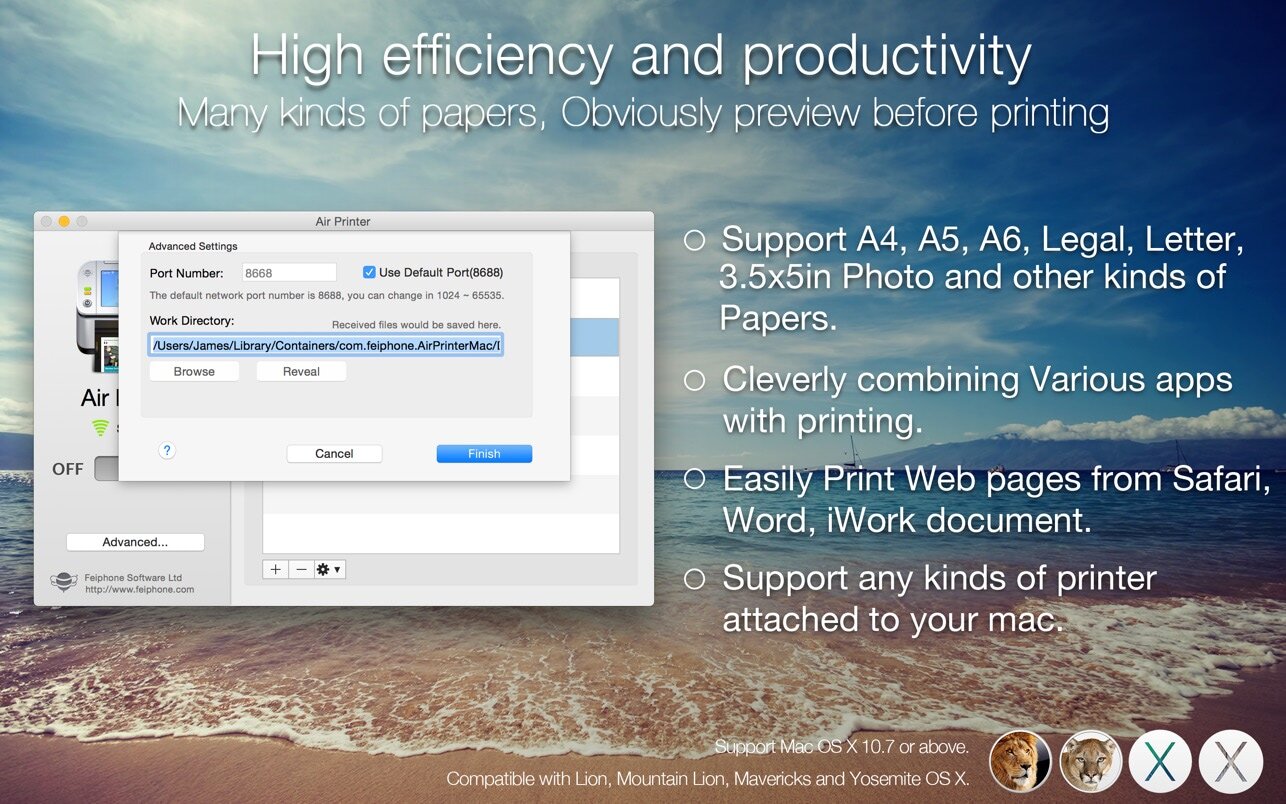
Air Printer can turn your Mac to an virtual printer, Run Air Printer on your Macbook, iMac to share its printer to your nearby Mac or other devices, Then whether you’re on the other side of the room or the other side of the house, you can print what you need, when you need it.
Air Printer enables wireless printing documents, photos, web pages, emails and more right from your computer to ALL your printers Anywhere.
Air Printer can print any documents to pdf too, save you money and papers, you don't need to buy papers and physical printer from HP, Epson, and Canon anymore!
Air Printer displays many printer options that apply to the document or image being printed. Details such as paper type, page range, print quality, and orientation are automatically determined at search time.
You can wirelessly print photos, email, web pages, and documents to this virtual printer directly. It creates a PDF document that saves to the Mac disk, the PDF files could be opened in saved in iBook, PDF Reader for best reading experience. Also, you can send PDFs by e-mail, open in other apps and even transfer to iPhone or iPad over USB using iTunes File Sharing.
New Features in V1.9.0
You can custom printer properties, such as color, two-sided, quality and paper sizes. and the grayscale printing would reduce your printing-costs significantly.
With Air Printer you can print:
- Email content & attachments
- iWork and MS Office documents
- Web pages from Safari
- Files from other applications
- Photos
- Documents on Dropbox and Google driver.
Upgrade to Pro?
You could instantly print 2-page, B&W documents, and other great features for free, If you feel good, you can upgrade it to our paid version to create documents with more pages directly without ads. That may satisfy you without bringing you expense risks.
Version 6.6.9
- Compatible with the latest macOS 27.x
- Known bug fixes and performance improvements
Frequently asked questions
How do I install the app?
Mount the image, drag the app into the "Applications" folder and launch it. If the system blocks the launch, allow it in "System Settings → Privacy & Security".
The app is damaged or won't launch
Reinstalling from a fresh image usually helps. Make sure your macOS version matches the one listed in the compatibility specs.
How do I update?
Download the new version from the site and install it over the current one — your settings will be preserved.
The download link doesn't work
Try a mirror or a download manager. For large files the browser often drops the connection.
How do I completely remove the app?
Use an uninstaller utility — it cleans up the service files that remain after moving the app to the trash.
Choose a download source
Air Printer - Printer Server 6.7.9 · 45.87 MB
Previous versions
Air Printer - Printer Server 6.7.9
Previous versions are available to registered users.