PrinTao CANON 17 Edition 8.0r12
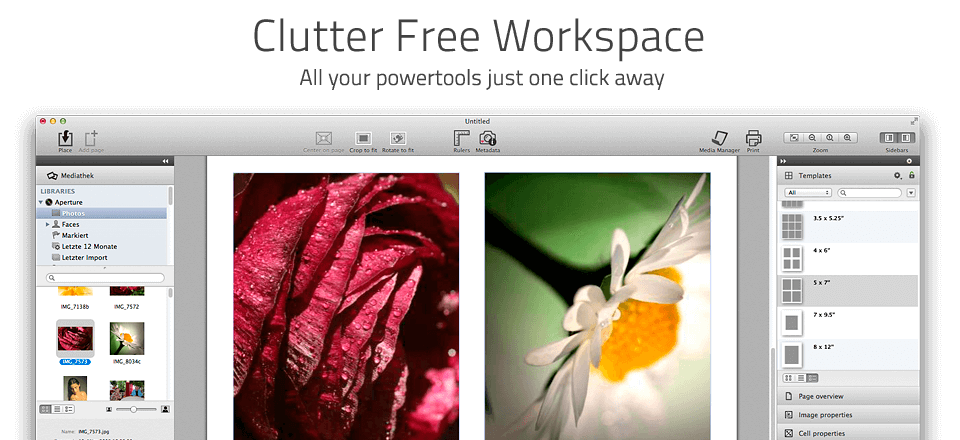

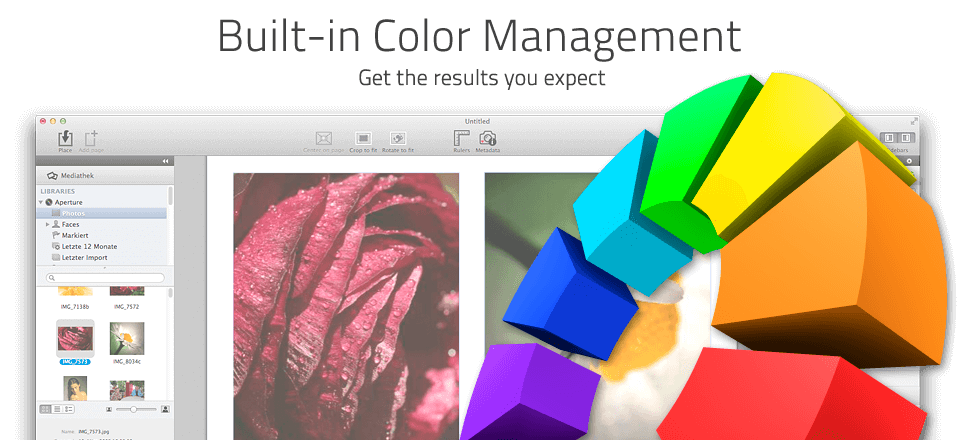
Printao 8 is Effortless Professional Printing. PrinTao 8 is a completely new Mac OS X printing solution for everyone, who wants high-quality prints on a simple and efficient way. Concentrate completely on your images and ignore complicated printer driver settings! Focus on the essentials and achieve prints in unprecedented brilliance. PrinTao 8 is inexpensive, yet professional printing featuring an intuitive user interface for everybody.
Directly after starting, the Start-Pilot will guide through the most important settings. Within seconds, printer, paper type, and format selection is done. Drag-and-drop images directly to the PrinTao document. For easy image selection, access iPhoto, Lightroom, and Aperture libraries directly within PrinTao 8. PrinTao 8 means perfection in printing.
CANON
Suitable for following printers:
- Canon iPF
- 5100
Frequently asked questions
How do I install the app?
Mount the image, drag the app into the "Applications" folder and launch it. If the system blocks the launch, allow it in "System Settings → Privacy & Security".
The app is damaged or won't launch
Reinstalling from a fresh image usually helps. Make sure your macOS version matches the one listed in the compatibility specs.
How do I update?
Download the new version from the site and install it over the current one — your settings will be preserved.
The download link doesn't work
Try a mirror or a download manager. For large files the browser often drops the connection.
How do I completely remove the app?
Use an uninstaller utility — it cleans up the service files that remain after moving the app to the trash.
VersionPrinTao CANON 17 Edition 8.0r12
DeveloperLaserSoft
CompatibilityOS X 10.9 or later 64-bit
LanguageEnglish
IncludesK'ed by TNT
Information
Visitors in the group Guests cannot leave comments on this publication.
Choose a download source
PrinTao CANON 17 Edition 8.0r12 · 1.76 GB