
QuitAll 1.3.6

QuitAll - A fresh start without a restart. Before you Force Quit, QuitAll.
Quickly Quit
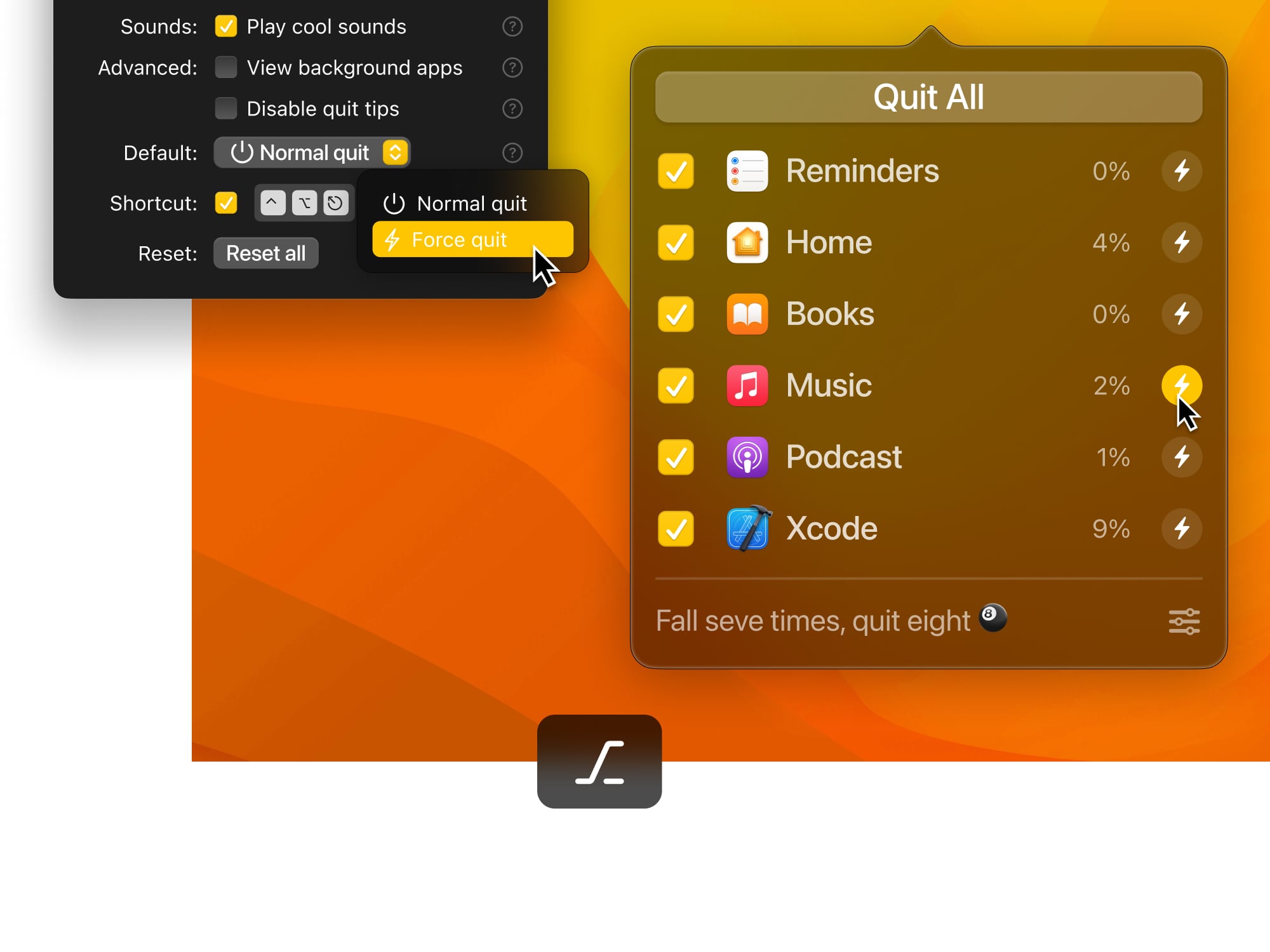
Quit one, some, or all apps from one tidy spot. Apps will prompt you to save any unsaved work before they close.
Optional Force
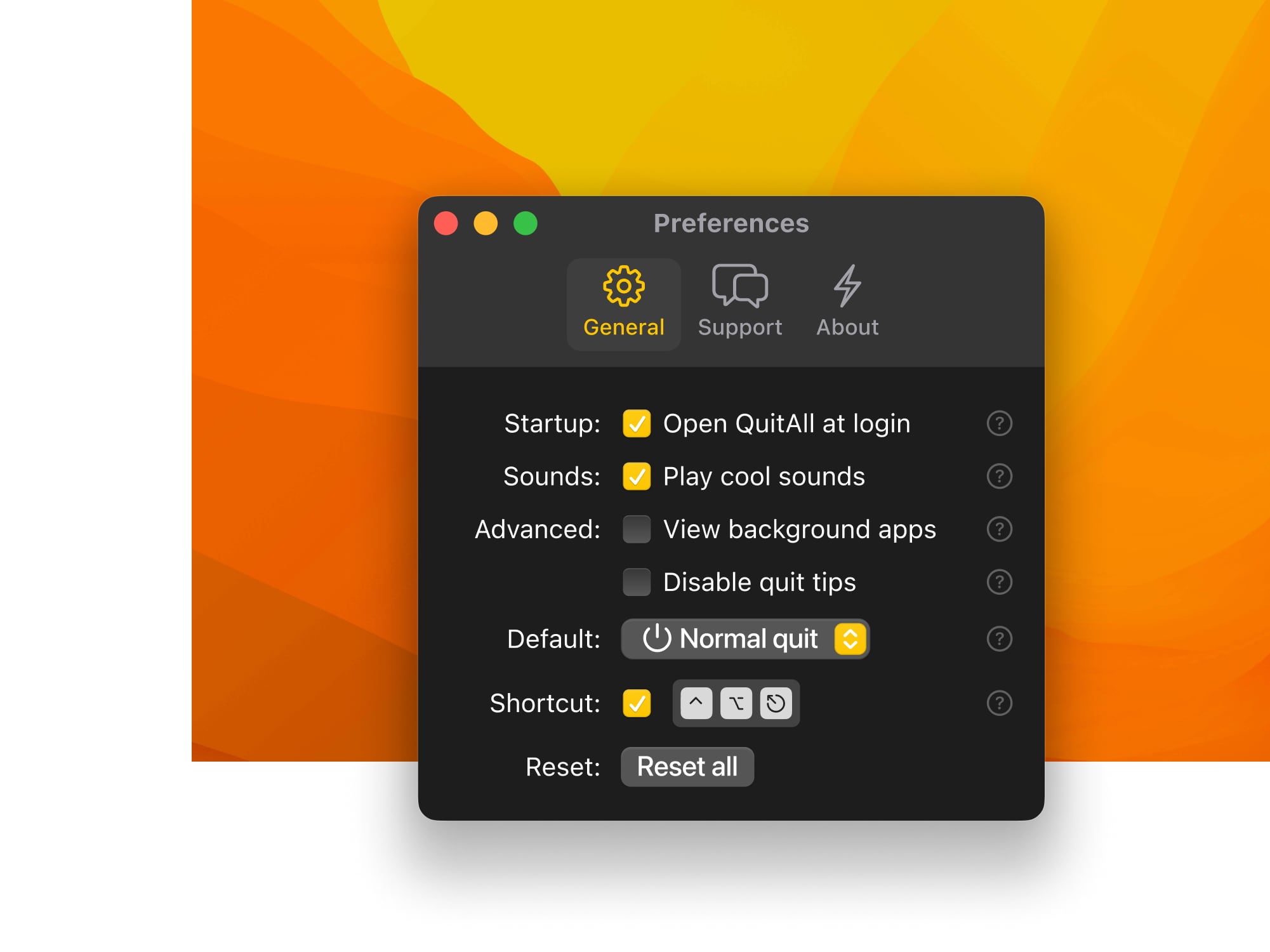
If your app is stuck or saving isn’t a concern, force it quit and start-again. Use Alt to toggle from Quit to Force Quit, your work here is done.
Hide and Seek ?
Easily see every app running in the background, and shut ‘em down.
Customize It ?
Customize the settings and shortcuts for even faster future-use.
Light Mode ?
In the end, cowards are those who follow the dark side. (Dark theme is cool too tho)
Version 1.3.6:
- Release notes were unavailable when this listing was updated.
Frequently asked questions
How do I install the app?
Mount the image, drag the app into the "Applications" folder and launch it. If the system blocks the launch, allow it in "System Settings → Privacy & Security".
The app is damaged or won't launch
Reinstalling from a fresh image usually helps. Make sure your macOS version matches the one listed in the compatibility specs.
How do I update?
Download the new version from the site and install it over the current one — your settings will be preserved.
The download link doesn't work
Try a mirror or a download manager. For large files the browser often drops the connection.
How do I completely remove the app?
Use an uninstaller utility — it cleans up the service files that remain after moving the app to the trash.



Choose a download source
QuitAll 1.3.6 · 6.15 MB
Previous versions
QuitAll 1.3.6
Previous versions are available to registered users.
Comments 1