Periodic Table Chemistry 4 Si 4.2.22

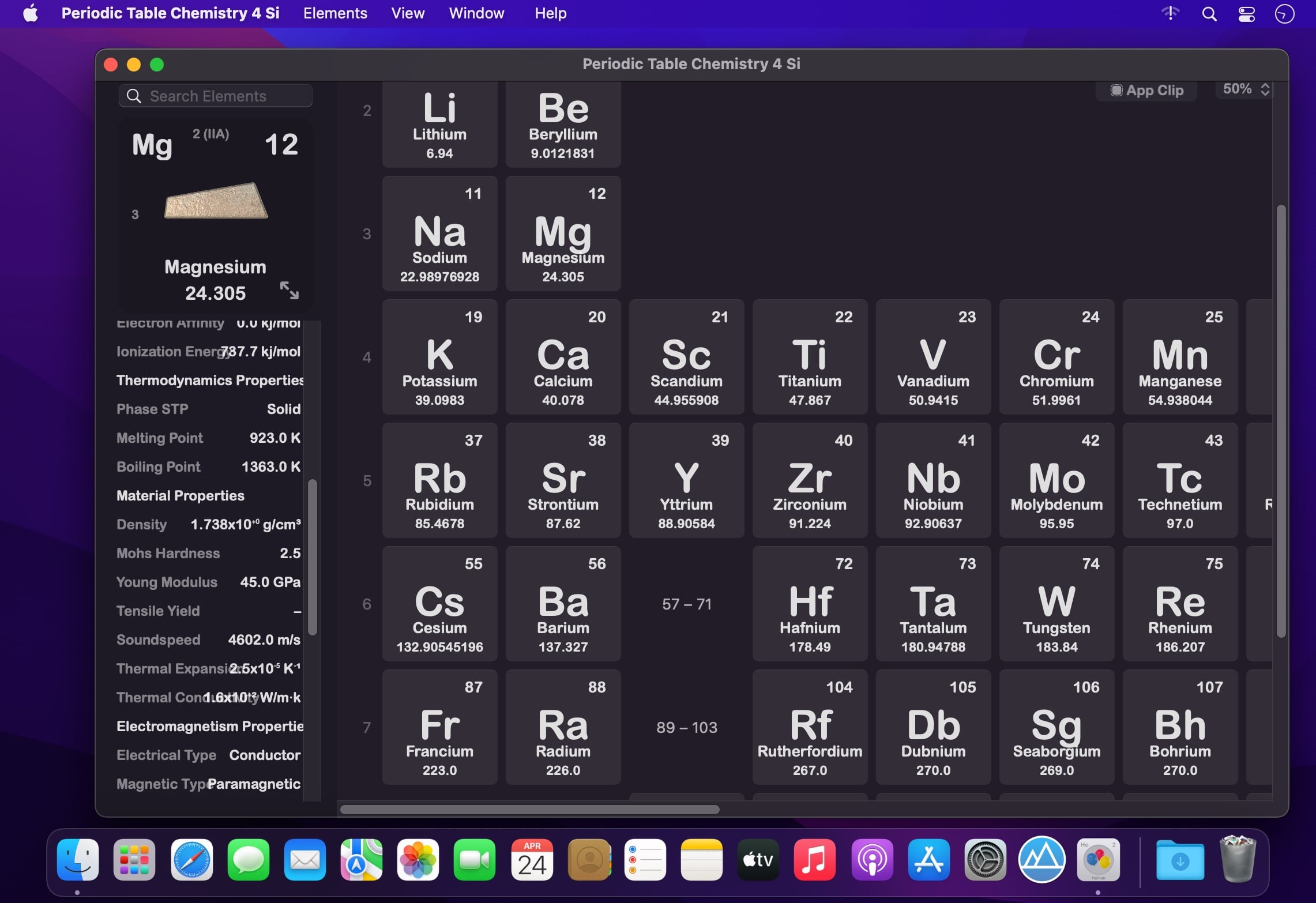

Periodic Table Chemistry 4 app
New amazing features
Elegant new design
- Beautiful Periodic Table. The app has been completely rebuild - with a timeless new design, delightful interactions, and powerful new features.
Modern Technologies
- Optimized for macOS Catalina.
- New look for your new Periodic Table. Enable Dark Mode during night study sessions. It’s designed to make every element on the screen easier on your eyes.
Powerful new features
- Quick Search
- Chemistry Tools
- Electron Shell
- Smart Zoom
- Split View
Useful information
- Fundamental Information: name, symbol, atomic number, atomic mass, electronic configuration.
- Advanced Information: thermodynamic properties, material properties, electromagnetic properties, reactivity, atomic properties and radioactivity properties.
3D Elements
- Explore all Elements in 3D, or display virtual elements with 3D View. Incredible detailed rendering and photorealistic materials.
- Get snapshots of the 3D Elements.
Version 4.2.22
- Optimized for macOS Monterey.
- Bugs fixed.
Frequently asked questions
How do I install the app?
Mount the image, drag the app into the "Applications" folder and launch it. If the system blocks the launch, allow it in "System Settings → Privacy & Security".
The app is damaged or won't launch
Reinstalling from a fresh image usually helps. Make sure your macOS version matches the one listed in the compatibility specs.
How do I update?
Download the new version from the site and install it over the current one — your settings will be preserved.
The download link doesn't work
Try a mirror or a download manager. For large files the browser often drops the connection.
How do I completely remove the app?
Use an uninstaller utility — it cleans up the service files that remain after moving the app to the trash.



Choose a download source
Periodic Table Chemistry 4 Si 4.2.22 · 200.05 MB