SQLEditor 3.6.2
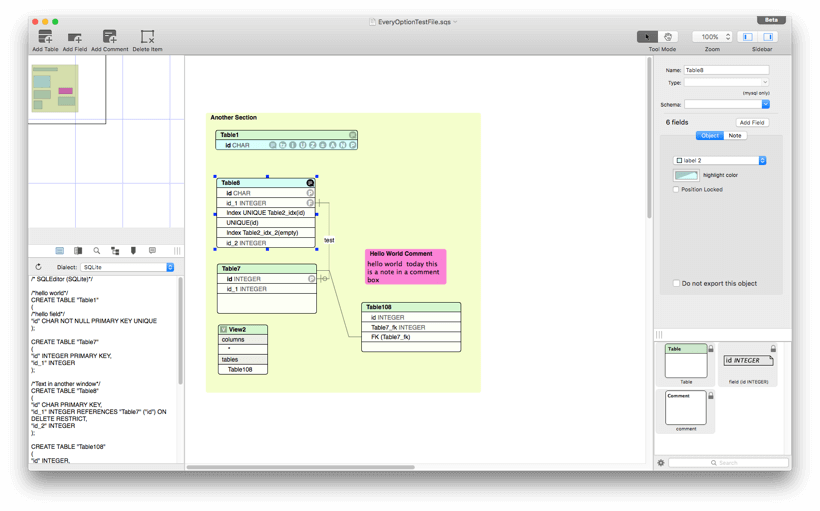

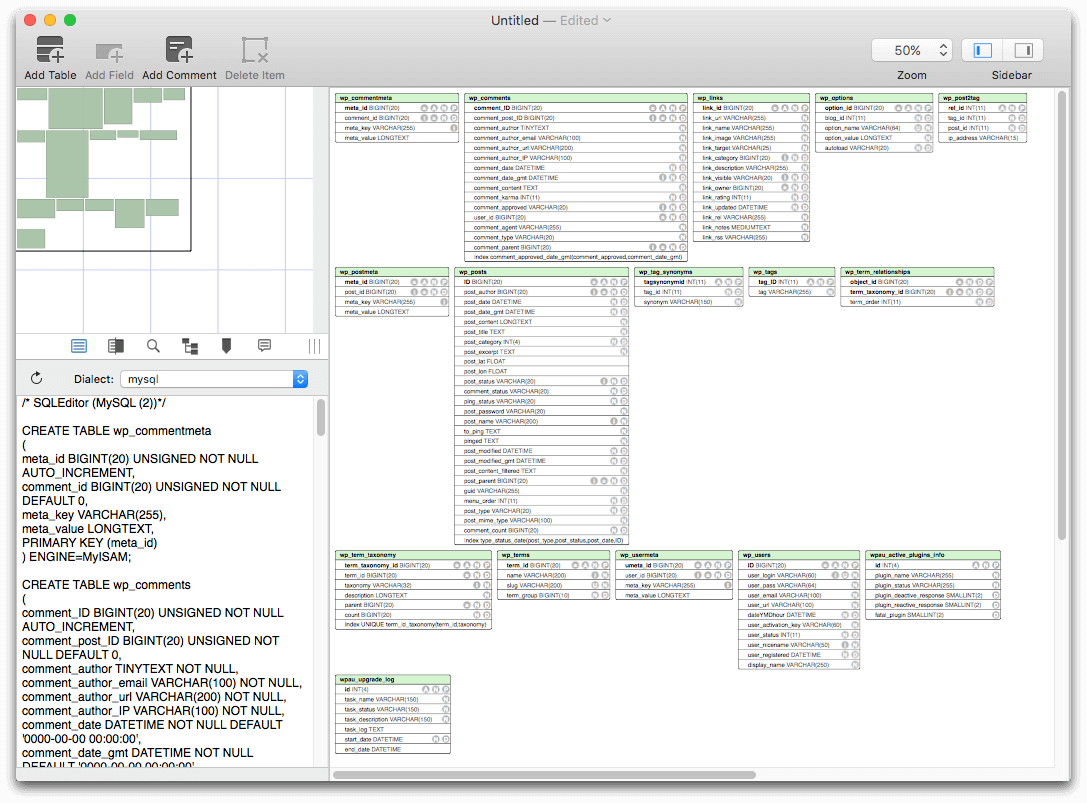
SQLEditor is a SQL database design and entity relationship diagram (ERD) tool for OS X. It replaces typing SQL by hand with dragging, dropping, and clicking, making database creation faster and easier. And if you already have a database, then SQLEditor can help you see what it looks like by reverse engineering a diagram. Or use SQLEditor to create documentation with the new design report exporter. SQLEditor may be useful if you need to design a database or you have existing databases to manage. It's also useful if you're learning about database design.
SQLEditor supports exporting database designs to MySQL, Postgres, SQLite, Oracle, and others. Plus it also imports and exports Ruby On Rails Migration files.
Version 3.6.2:
Minimum required Mac OS is now 10.10
New Features
Minimum required Mac OS is now 10.10
New Features
- This release supports Mac OS Catalina / 10.15
- New object visibility menus in toolbar and view menu - show and hide objects by type
- New Help system, should work the same as AppleHelp and contain the same content as before
- New option for comments without visible titlebars
- New command to show only fields that are primary keys in tables
- Now bundles and uses Amazon Corretto Java 11
- New system to save django properties when used
- New preferences panel to edit the saved django properties list
- Updated feedback reporter to newer release from upstream
- Hardened runtime enabled
- First notarized version
- Removed obsolete Java 6 support
- Updated drag and drop code
- Fixes for foreign keys where fields are hidden (the line retargets the table header)
- Fix for left sidebar icon drawing on 10.12,10.13
- Fix for potential issue where invalid django properties could render a file unreadable by SQLEditor
- Updated some old code that still used old style alert panel methods
- Removed final parts of Java 6 installation code
- Fix for bug where “Show All Objects” would not show table components that had been hidden
- Fix for incorrect checkmarks in visibility toolbar item menu
- Fix for bug in feedback reporter where tab view labels would disappear
- Feedback reporter now displays the log data in the console tab instead of the script tag
- Warnings about ASL access in feedback system have baeen fixed
- Fixes for some memory management issues
- Fixed some web links that were using http instead of https
- Fixes for new help system search on 10.10 and 10.11
Frequently asked questions
How do I install the app?
Mount the image, drag the app into the "Applications" folder and launch it. If the system blocks the launch, allow it in "System Settings → Privacy & Security".
The app is damaged or won't launch
Reinstalling from a fresh image usually helps. Make sure your macOS version matches the one listed in the compatibility specs.
How do I update?
Download the new version from the site and install it over the current one — your settings will be preserved.
The download link doesn't work
Try a mirror or a download manager. For large files the browser often drops the connection.
How do I completely remove the app?
Use an uninstaller utility — it cleans up the service files that remain after moving the app to the trash.
VersionSQLEditor 3.6.2
DeveloperMalcolmhardie
CompatibilitymacOS 10.9 or later
LanguageEnglish
IncludesK'ed by The Shark





Information
Visitors in the group Guests cannot leave comments on this publication.
Choose a download source
SQLEditor 3.6.2 · 39.82 MB
Previous versions
SQLEditor 3.6.2
Previous versions are available to registered users.