
Textcraft 1.0.13

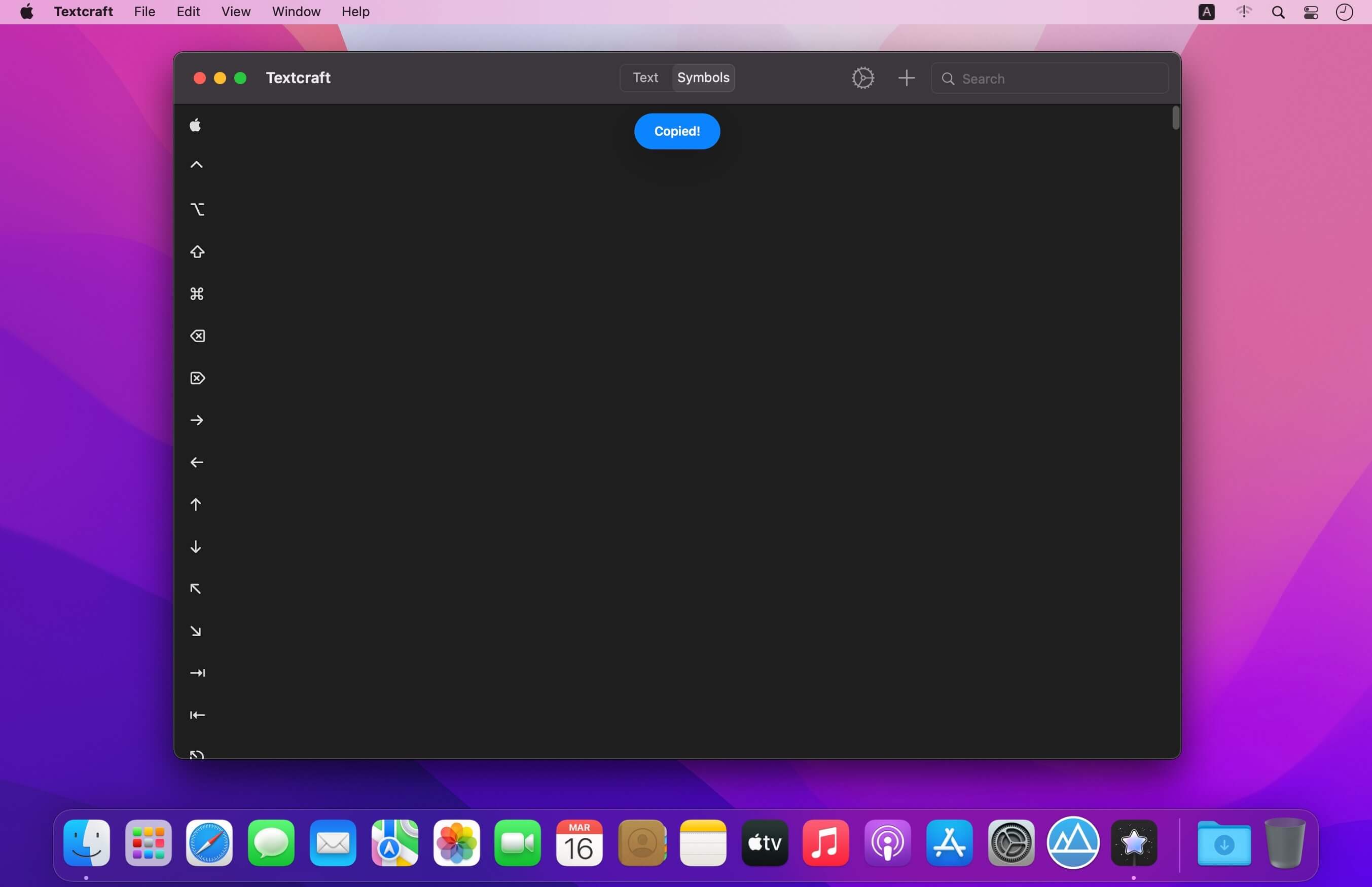
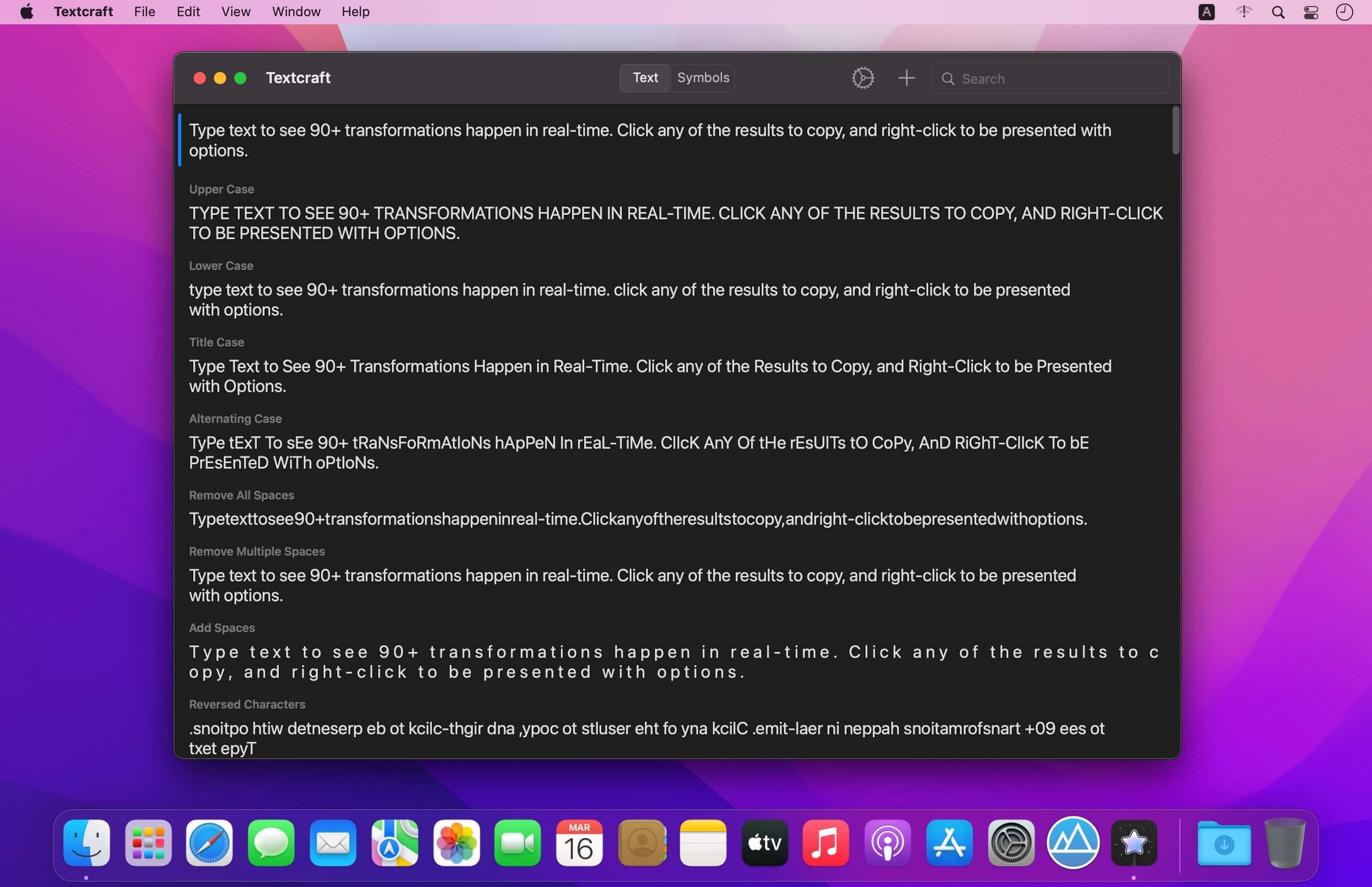
Textcraft is a magical utility that allows you to transform any text in real-time into a variety of 90+ different formats.
WHY YOU’LL LOVE TEXTCRAFT:
It’s built with macOS design guidelines in mind to look great in light and dark mode alike, along with containing multiple tints and themes to tweak the app your way. The intuitive ‘click to copy’, and 'right-click to share’ gestures coupled with the keyboard shortcuts also makes using the app super simple to pick up and use.
Multi-window support coupled with Drag and Drop is also extremely useful for quickly and easily dragging text from other apps directly into the app for quick transforming. Whether this is to add hashtags to words social picture sharing sites, or mimic mocking Spongebob in conversation with your friends, there’s something for everyone. There are also various ASCII text face emoticons for quick and easy copying.
Text transformations include:
- Upper Case
- Lower Case
- Word Case
- Alternating Case
- Remove All Spaces
- Remove Multiple Spaces
- Add Spaces
- Reversed Characters
- Reversed Words
- Replace Spaces with Underscores
- Replace Underscores with Spaces
- Replace Spaces with Dashes
- Replace Dashes with Spaces
- Replace Underscores with Dashes
- Replace Dashes with Underscores
- Initials
- Initials with Dot Separation
- Initials with Dash Separation
- Initials with Underscore Separation
- ROT13
- Bold
- Italics
- Underline
- Strikethrough
- Slashthrough
- Upside Down
- Bubble
- Filled Bubble
- Square
- Filled Square
- Cursive
- Gothic
- Monospace
- Demonic
- Satanic
- Replace Spaces with Claps
- Replace Words with Emoji
- Remove Emoji
- Remove Punctuation
- Classified
- Hashtags
- Full Stops
- Remove Links
- Strip HTML
- URL Encoded
- URL Decoded
- Base64 Encoded
- Base64 Decoded
- Replace Spaces with Pluses
- Replace Pluses with Spaces
- SHA256 Hex
- SHA512 Hex
- Remove Commas
- Remove Single Quotes
- Remove Double Quotes
- Flatten List Using Commas
- Flatten List Using Full Stops
- Flatten List Using Pipes
- Flatten List Using Underscores
- Flatten List Using Pluses
- Flatten List Using Forward Slashes
- Flatten List Using Backslashes
- Replace Single Quotes with Double Quotes
- Replace Double Quotes with Single Quotes
- Remove Vowels
- Remove Consonants
- Remove Numbers
- Dashed to Bulleted List
- Bulleted to Dashed List
- MD5 Hash
- Add Commas
- Replace Line Breaks with \\n
- Single Quotes Around Words
- Double Quotes Around Words
- Convert to Dashed List
- Convert to Bulleted List
- Convert Commas to Dashed List
- Convert Commas to Bulleted List
- Hex to Binary
- Binary to Hex
- 1337
- Superscript
- Remove Line Breaks
- Remove Line and Paragraph Breaks
- Random Case
- Sentence Case
- Trim Whitespace
- Trim Whitespace and New Lines
- Small Caps
- Lightning
- Double Lightning
Version 1.0.13
- Added even more symbols that can be shared and copied
- Added even more text transformation result types
- The keyboard is now presented every time the app is opened if the ‘Keyboard on Entry’ settings option is enabled
- Minor UI changes
Frequently asked questions
How do I install the app?
Mount the image, drag the app into the "Applications" folder and launch it. If the system blocks the launch, allow it in "System Settings → Privacy & Security".
The app is damaged or won't launch
Reinstalling from a fresh image usually helps. Make sure your macOS version matches the one listed in the compatibility specs.
How do I update?
Download the new version from the site and install it over the current one — your settings will be preserved.
The download link doesn't work
Try a mirror or a download manager. For large files the browser often drops the connection.
How do I completely remove the app?
Use an uninstaller utility — it cleans up the service files that remain after moving the app to the trash.




Choose a download source
Textcraft 1.0.13 · 2.87 MB