Duplicate File Doctor 1.2
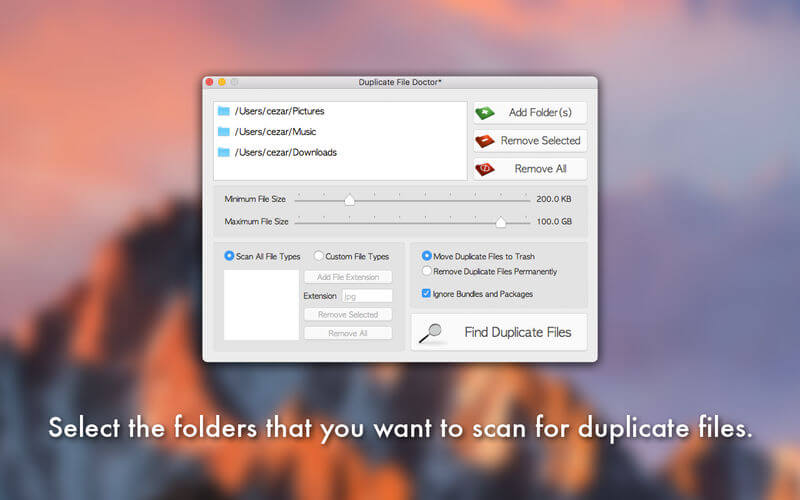

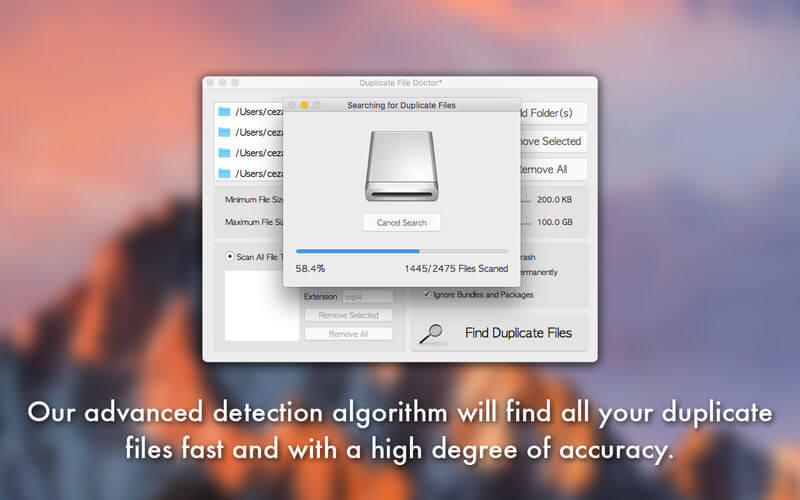
Duplicate File Doctor is the complete solution for finding and removing duplicate files. In time, your hard drive will inevitably get filled up with unnecessary duplicate files that will take up a considerable amount of disk space. This is where Duplicate File Doctor comes in with its advanced detection algorithm that will identify all your duplicate files fast and with a very high degree of accuracy. Duplicate files can be marked for deletion either manually or automatically for more convenience.
But here is what Duplicate File Doctor has to offer:
- Select the folder(s) that you want to scan for duplicate files
- Set a minimum and maximum file size for the files that will be scanned
- Scan all file types or define a custom list of file types that will be scanned
- Move duplicate files to trash or remove them permanently
- Find duplicate bundles or packages or ignore them for a faster scanning time
- Very fast and accurate algorithm for detecting duplicate files
- User-friendly interface for selecting the duplicate files that will be removed
- Automatically select the duplicate files that will be deleted by analysing their creation date and time
- The cases where duplicate files are not selected properly for deletion will be highlighted accordingly
- Duplicate files are automatically grouped in the following categories: Pictures, Music, Movies, Archives, Documents and Other
- Each category will have a percentage indicating how much disk space the files in that category are taking up compared to all the other duplicate files
- Only the files from the currently selected categories will be displayed
- Real-time indicator of the disk space that will be saved with the removal of the selected duplicate files
- Instantly move to trash/remove the selected duplicate files
Version 1.2
- The app has been updated to run natively on both Intel and Mac Silicon platforms.
- The minimum OS version requirement has been increased to 10.13
- Minor fixes have been implemented.
- New Icon
Frequently asked questions
How do I install the app?
Mount the image, drag the app into the "Applications" folder and launch it. If the system blocks the launch, allow it in "System Settings → Privacy & Security".
The app is damaged or won't launch
Reinstalling from a fresh image usually helps. Make sure your macOS version matches the one listed in the compatibility specs.
How do I update?
Download the new version from the site and install it over the current one — your settings will be preserved.
The download link doesn't work
Try a mirror or a download manager. For large files the browser often drops the connection.
How do I completely remove the app?
Use an uninstaller utility — it cleans up the service files that remain after moving the app to the trash.


Choose a download source
Duplicate File Doctor 1.2 · 5.55 MB