PDFpen 13.1
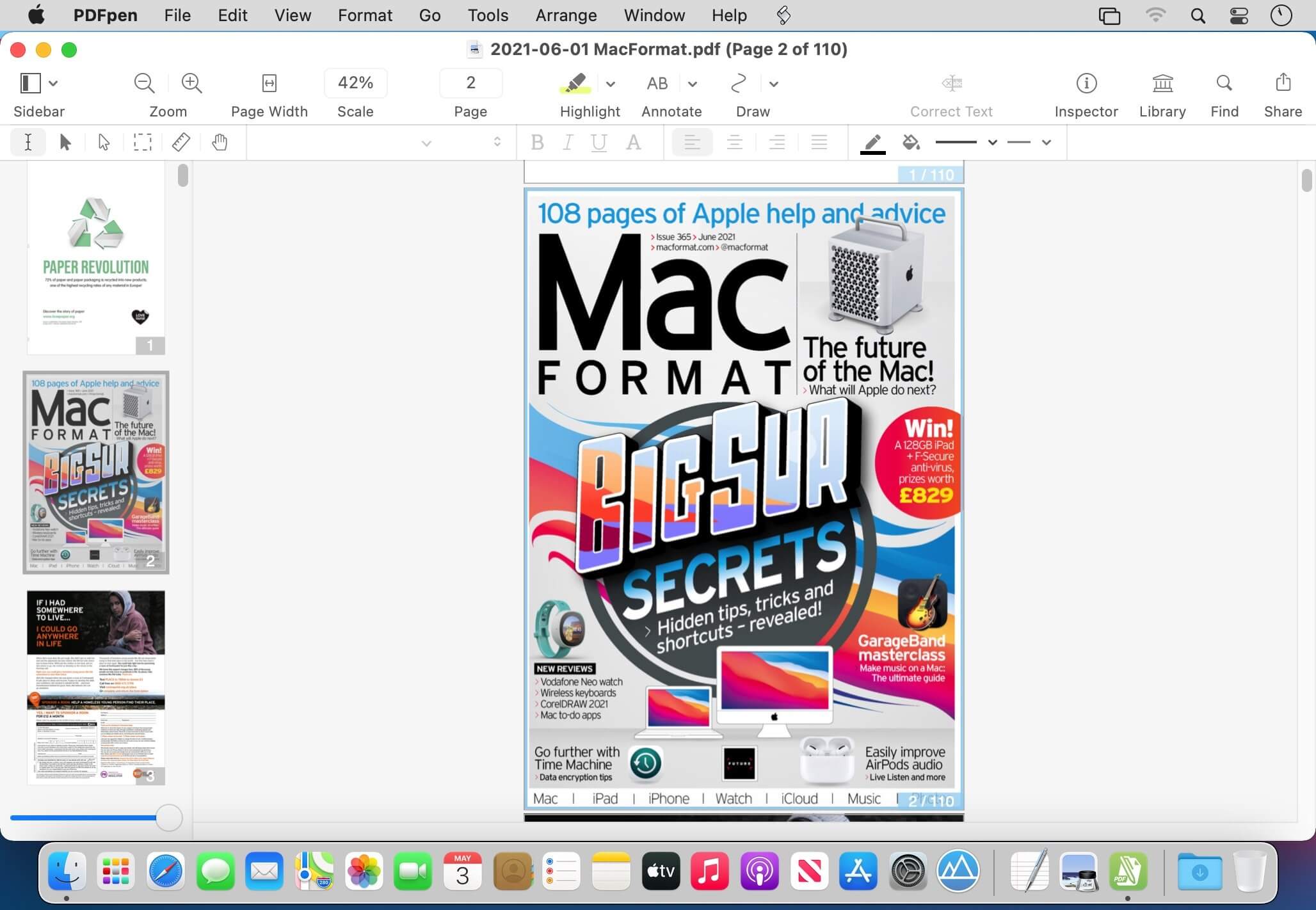

PDFpen 13 allows users to easily edit PDF's. Add text, images and signatures. Fill out PDF forms. Merge or split PDF documents. Reorder and delete pages. Even correct text and edit graphics!
Features
- Draw, Highlight, Scribble, Correct Text
- Mark up documents with highlighting, underscoring and strikethrough
- Add text, images and signatures to PDF
- Correct text in original PDF with editable text blocks
- Move, resize, copy and delete images in original PDF
- Copy and paste rich text; retain fonts and formatting when copying from PDFs, including columns
- Preview and extract file attachments and annotations
- Record and playback audio annotations
- Add notes, comments, and cloud annotations
- Snap objects in place with guides
- Add page numbers, bookmarks, headers and footers, line numbers and watermarks
Scan & OCR — Preview Text
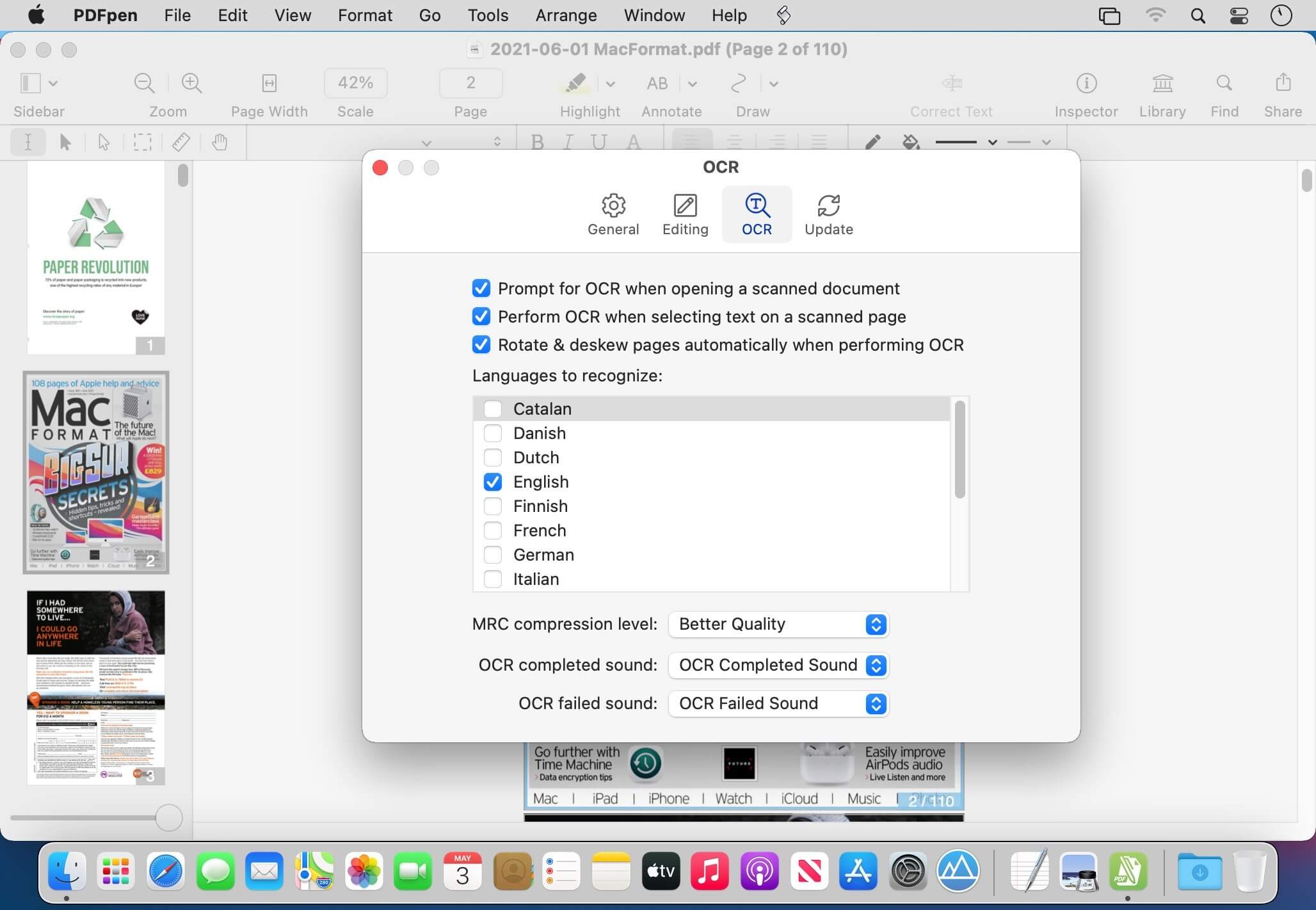
- Perform OCR (Optical Character Recognition) on scanned documents
- Viewable OCR text layer for proofing OCR text from scanned pages
- Scan directly from Image Capture or any Mac-compatible scanner
- Adjust resolution, color depth and contrast, skew, and size of an image or scanned document
- Context-sensitive popup-menus enable quick edits
- Compress PDF documents for smaller file sizes
Redact Personal Information
- Redact or erase text, including OCR text
- Password protect a document with up to 256-bit AES encryption
- Full screen mode, as well as zoom to document width and zoom to actual document size
- Print notes and comments with or without the original text
- Print a list of all annotations along with the document
- Add (and print) notes and comments
Sign & Fill Forms
- Validate digital signatures for authenticity and trust of digitally signed documents
- Digitally sign documents using AATL or create a self-signed certificate
- Fill out interactive PDF forms and sign them
- Apply business-related and sign here stamps via the Library
- Save frequently-used images, signatures, objects and text in the Library
- Sync Library items with PDFpen for iPad & iPhone via iCloud
- Use iCloud or Dropbox for seamless editing with PDFpen for iPad & iPhone
Reorder & Delete Pages — Merge PDFs
- Insert page numbers and specify positioning and format, including Roman numerals and Bates Numbering
- Insert and remove pages; re-order pages in a PDF by drag & drop; combine PDFs
- Measure distances with the measurement tool, including scale within architectural documents
- Export to Microsoft® Word (.doc, .docx) format (must be licensed user)
- Automate PDF manipulations with AppleScript and jаvascript Automation
- Save PDFs directly to Evernote
Version 13.0:
Here are the highlights:
New intuitive UI design:
- Updated Toolbar adds essential markup tools
- Editing Bar adds font section and accessible color controls
- Sidebar improvements
- Modernized icons
- Enhanced Highlighting experience
- MRC compression customization
- Table of Contents improvements (Advanced feature in PDFpenPro): Ability to reassign entries
- Revamped online User Guide
Frequently asked questions
How do I install the app?
Mount the image, drag the app into the "Applications" folder and launch it. If the system blocks the launch, allow it in "System Settings → Privacy & Security".
The app is damaged or won't launch
Reinstalling from a fresh image usually helps. Make sure your macOS version matches the one listed in the compatibility specs.
How do I update?
Download the new version from the site and install it over the current one — your settings will be preserved.
The download link doesn't work
Try a mirror or a download manager. For large files the browser often drops the connection.
How do I completely remove the app?
Use an uninstaller utility — it cleans up the service files that remain after moving the app to the trash.
Choose a download source
PDFpen 13.1 · 223.42 MB
Previous versions
PDFpen 13.1
Previous versions are available to registered users.