
Dock Mate 0.8.7 fix

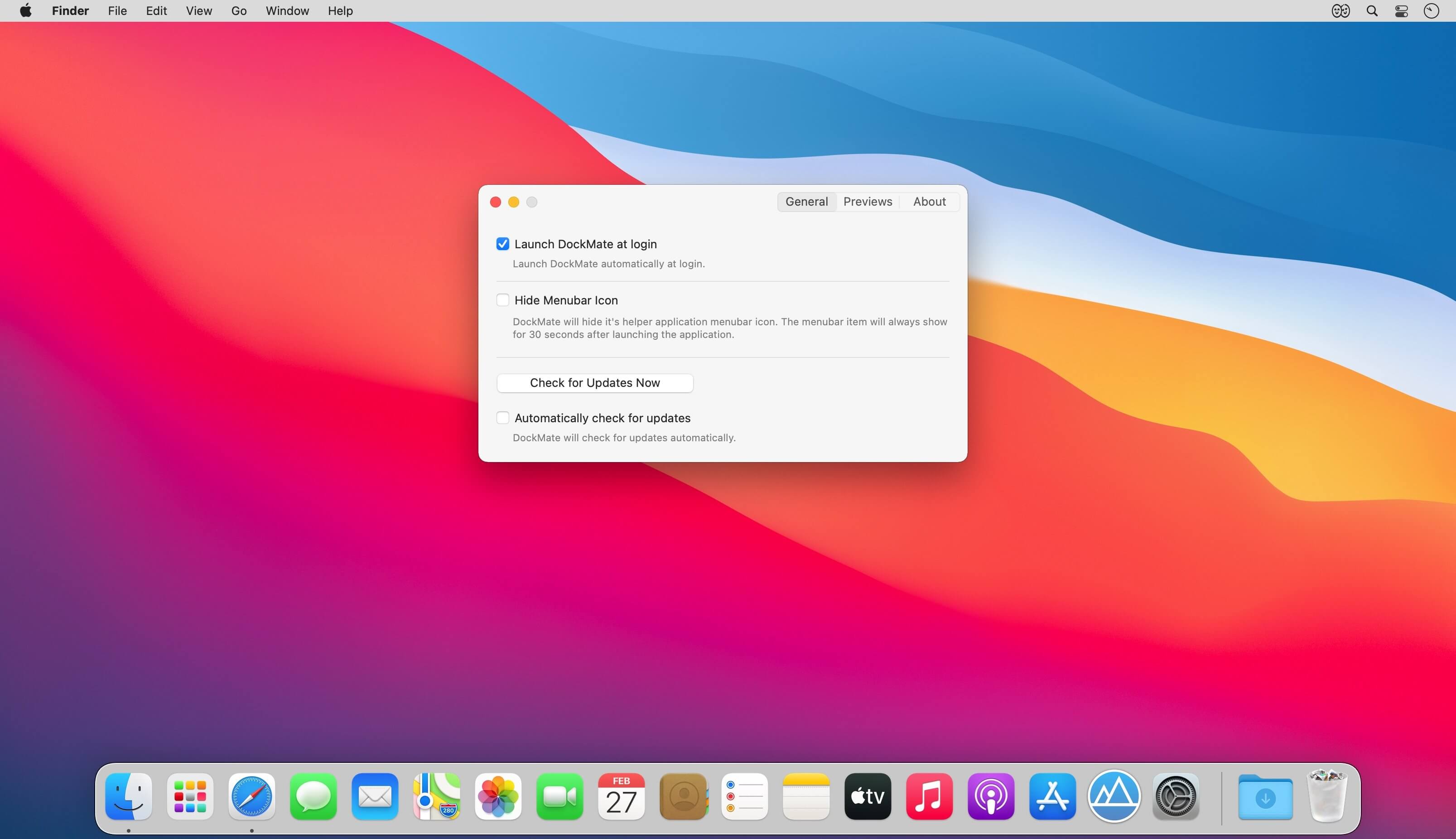

Window previews and controls for your Dock. DockMate adds mouse over window previews to the Dock, with useful built in window management tools and special views for Music and Calendar apps. Simply hover over an icon to see all the apps running windows and control them.
Version 0.8.2:
- Native M1 support
- New mouse over view for Calendar (and Fantastical)
- New join Zoom and Google Meets calendar events with one click
- New informative UI for accessibility permissions
- New support for showing previews for closed apps
- Now show previews for music / calendar even when closed
- Now Dock autohide setting is copied from the Dock settings on launch
- Faster dock mouse-over previews
- Fix preview overlapping the Dock in left orientation
- Fix for preview not properly aligning in screen bounds
- Fix full size preview not showing correctly
- Fix newly created windows being sent to a nonexistent display
- Fix Finder preview showing blank window with TotalFinder installed
- Fix music preview when playing Apple Music
- Fix music preview scrolling title/album
- Fix issue with music item causing excessive memory usage
- Fix issue with music item causing excessive cpu usage
- Music preview now shows control center info for now playing app
- Music preview no longer requires automation permissions to use
- Xcode preview no longer requires automation permissions to use
- Hover view border matches mission control
- Increased max preview size significantly
- Bug fixes
Frequently asked questions
How do I install the app?
Mount the image, drag the app into the "Applications" folder and launch it. If the system blocks the launch, allow it in "System Settings → Privacy & Security".
The app is damaged or won't launch
Reinstalling from a fresh image usually helps. Make sure your macOS version matches the one listed in the compatibility specs.
How do I update?
Download the new version from the site and install it over the current one — your settings will be preserved.
The download link doesn't work
Try a mirror or a download manager. For large files the browser often drops the connection.
How do I completely remove the app?
Use an uninstaller utility — it cleans up the service files that remain after moving the app to the trash.

Choose a download source
Dock Mate 0.8.7 fix · 7.07 MB
Previous versions
Dock Mate 0.8.7 fix
Previous versions are available to registered users.