
QR Capture 2.3
Screenshots
Click to enlarge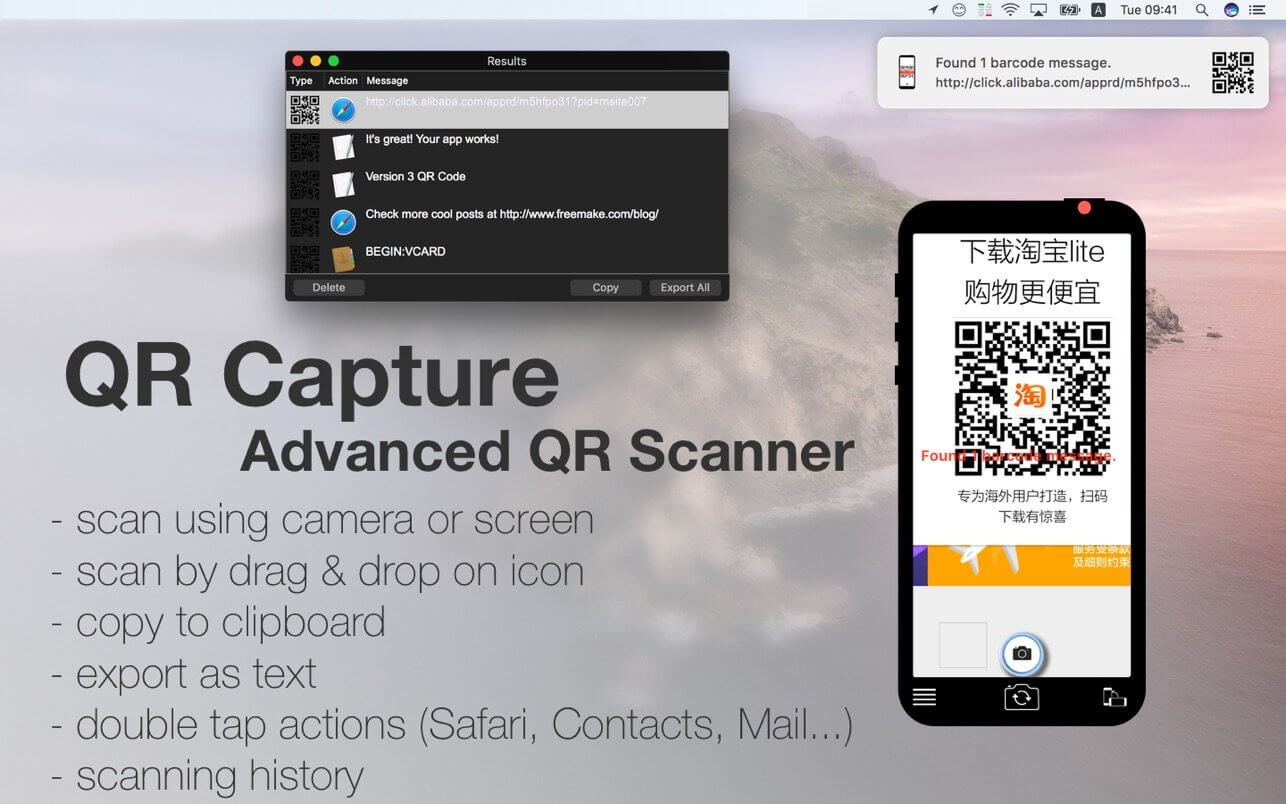

The most simple & easy QR Reader. Capture QR codes like you would do on phone. Perfect for computer beginners.
FEATURES
- Code Scanner - scans QR codes (screen or camera*)
- Drag & Drop on icon to scan
- Scan your clipboard for a QR code
- Full screen scan (File->Full Screen scan, App Icon->Full Screen scan)
- Export scanned QR codes as CSV text
- Fast copy to clipboard
- Double click to open in corresponding app (Safari, Contacts, Mail, TextEdit, FaceTime…)
- Saves all successful scanned texts in local database
Version 2.3
NEW:
NEW:
- scan for a QR code in the clipboard (App Icon->Scan clipboard)
- full screen scan for a QR code (Phone->Full Screen Scan & Analyze)
- compatibility with macOS Big Sur
- support for Apple silicon M1
Comments
No comments yet. Be the first.
Information
Visitors in the group Guests cannot leave comments on this publication.