Presentify 4.1.5
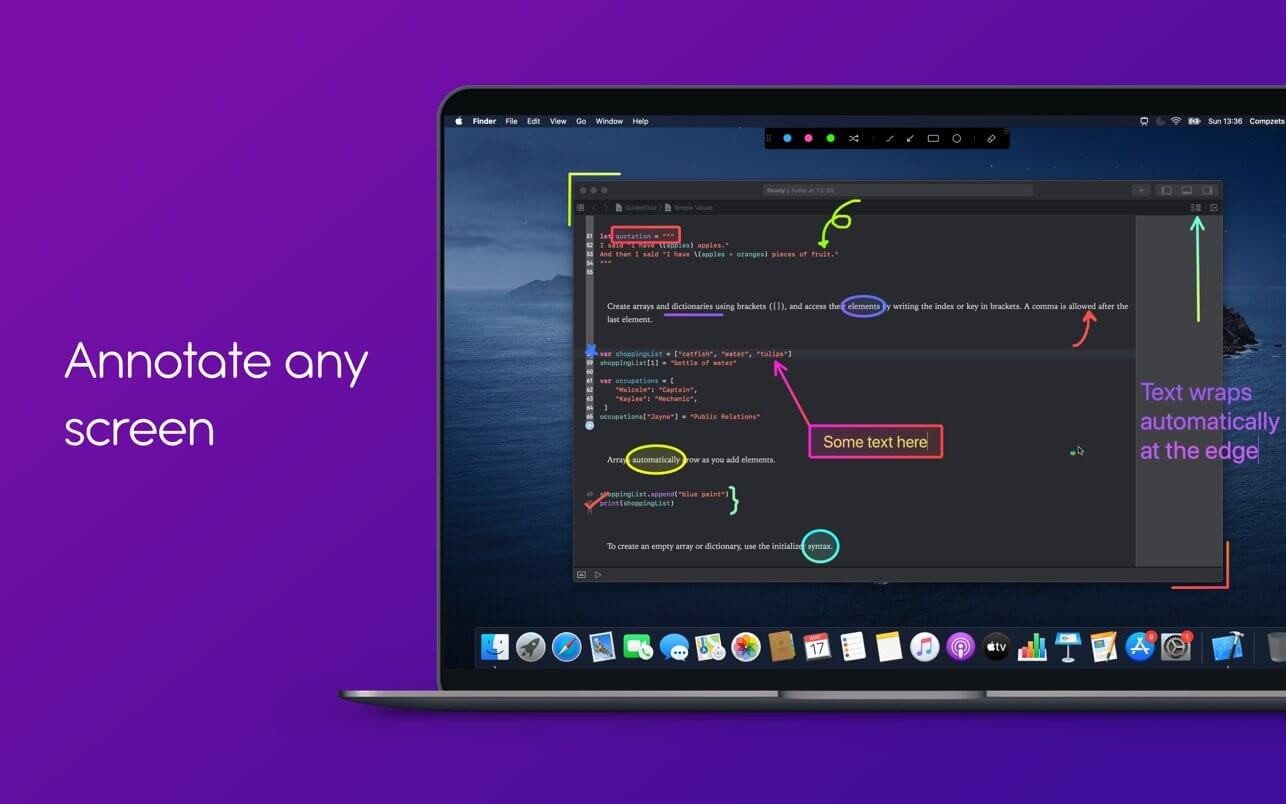

A macOS menu bar app that helps you give better presentations, online classes, or video tutorials by letting you annotate any screen, highlight your cursor, and more.
You can annotate anything on the screen, be it images, videos, pdfs, code, you name it. Presentify is quite helpful for online teaching, recording video tutorials, giving a demo, working remotely, and the list goes on.
FEATURES
DRAW ANYWHERE ANYTIME
- You can draw on or annotate any screen you wish. Simply select `Annotate Screen` from the menu bar and start doodling.
- A lot of drawing shapes to choose from. You can even write Text now.
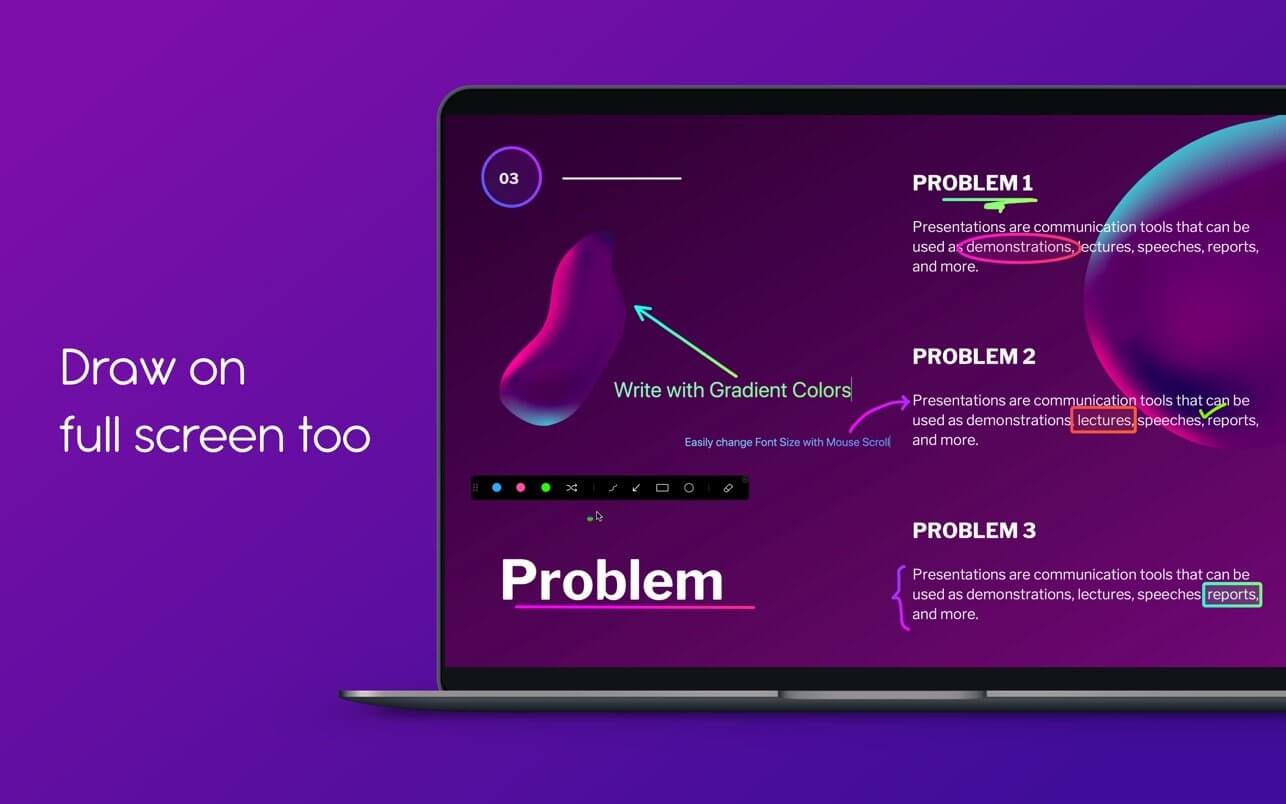
- Draw with random gradient colors instead of just plain colors.
- Auto-erase your annotations. Perfect for emphasizing on something specific or explaining your thoughts.
- You can draw even when other applications are running in full-screen mode. Great for live presentations and during video calls when working remotely.
- Highlighter feature lets you highlight portions of text without obscuring it.
- You get a Straight Line by pressing and holding the Shift Key while Freehand drawing. And, you can fill the Rectangles and Circles with a semi-transparent color by pressing and holding the Option Key.
- Works on iPad connected to a Macbook via Sidecar, Astropad, or Duet.
- Works with Keynote (even in Presentation mode).
- Compatible with all video calling software like Zoom, Google Meet, Skype, etc.
- Works with drawing tablets like XP-Pen, Wacom, etc.
- Draw on a whiteboard (and not over other apps) if you wish.
- You can even change the color of your whiteboard to whatever you feel like.
- A handy control panel to switch between different annotate tools and colors.
- Move the control panel anywhere on the screen by dragging it.
UNDO/REDO SUPPORT
- Do not have to worry about mistakes while annotating.
- You can annotate screen, highlight cursor, change drawing colors and shapes, etc. from any app with simple keyboard shortcuts.
- Customize the key shortcuts as you like.
- Annotate on multiple screens without having to turn on/off Annotate.
- Each screen has its own undo/redo stack so that you do accidentally erase something that you do not see.
HIGHLIGHT YOUR MOUSE POINTER
- With Presentify you never have to keep moving your cursor to grab the attention of your audience.
- Change your cursor highlight color, opacity, size, and more.
- You can also choose to highlight only when you move your cursor/mouse.
ANNOTATION
- Ability to cut and move annotations
- Spotlight feature
- Background mode
- Zoom
- New mouse highlight designs and animations
- Change the slides of your presentation from your iPhone
- And, many more
Version 4.1.5
GENERAL
GENERAL
- Bugfix in the Cursor Highlight menu
- Other minor improvements
Frequently asked questions
How do I install the app?
Mount the image, drag the app into the "Applications" folder and launch it. If the system blocks the launch, allow it in "System Settings → Privacy & Security".
The app is damaged or won't launch
Reinstalling from a fresh image usually helps. Make sure your macOS version matches the one listed in the compatibility specs.
How do I update?
Download the new version from the site and install it over the current one — your settings will be preserved.
The download link doesn't work
Try a mirror or a download manager. For large files the browser often drops the connection.
How do I completely remove the app?
Use an uninstaller utility — it cleans up the service files that remain after moving the app to the trash.
VersionPresentify 4.1.5
DeveloperRam Patra
CompatibilitymacOS 10.13 or later, 64-bit processor
LanguageEnglish, German, Russian
IncludesK'ed by HCiSO




Information
Visitors in the group Guests cannot leave comments on this publication.
Choose a download source
Presentify 4.1.5 · 8.48 MB