
NoteBurner Netflix Video Downloader 1.5.0
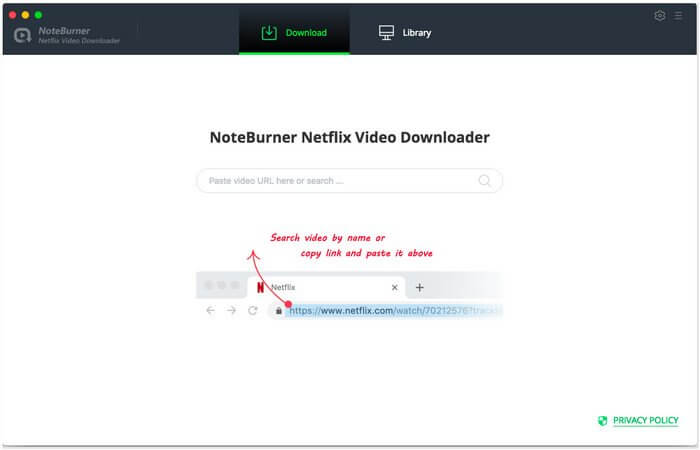
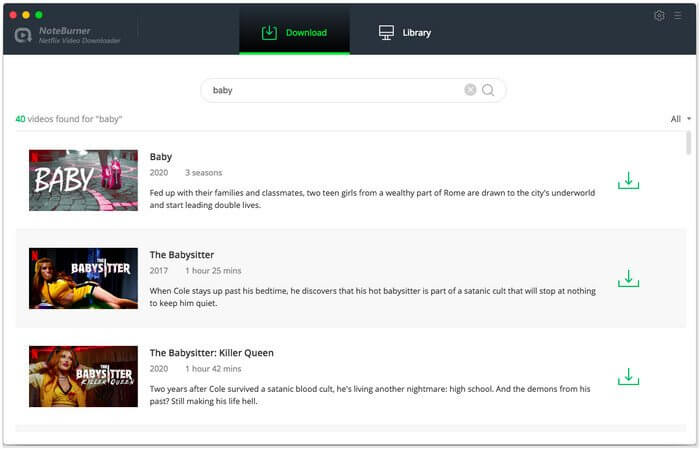
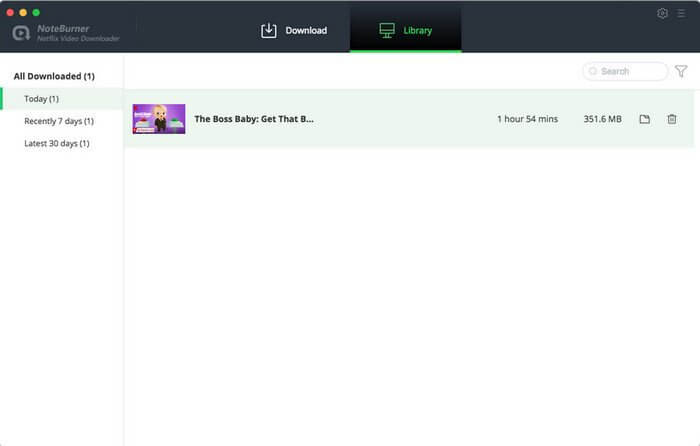
Netflix Video Downloader offers you an efficient solution to download Netflix movies and TV shows to MP4 at a fast speed with tracks and subtitles kept. This program also supports downloading Netflix videos in HD video quality. With the help of such a professional tool, you are able to watch all Netflix videos offline on any devices or share the downloaded videos with your friends.
Support Downloading HD Netflix Video
Different from those original recording tools which can only record lower quality video to meet your basic needs, Netflix Video Downloader supports to download HD Netflix video. And considering the storage space of different devices, it also provides the option to select the video quality ranging from Low (240P) to High (720P/1080P) in the setting window.
Keep Subtitles & Audio Tracks
Featured with the most advanced video downloading core, Netflix Video Downloader is definitely the most powerful video downloader for Netflix users, as it empowers users to download any movie or TV show from Netflix with several subtitles and audio tracks retained. That means, after conversion, you are able to choose the subtitles and audio tracks for playing as your need.
Fast, Reliable & Easy To Use
Netflix Video Downloader comes with some thoughtful and concise design to make the program more user-friendly. Besides, particularly worth mentioning is the download speed. Compared with the original video recording tool, Netflix Video Downloader adopts a unique URL recognizing and downloading technology. Simply copy and paste the link of the video and click the search button, the program will recognize it immediately. Then click the download button. The video will be downloading at a lightning-fast speed.
Frequently asked questions
How do I install the app?
Mount the image, drag the app into the "Applications" folder and launch it. If the system blocks the launch, allow it in "System Settings → Privacy & Security".
The app is damaged or won't launch
Reinstalling from a fresh image usually helps. Make sure your macOS version matches the one listed in the compatibility specs.
How do I update?
Download the new version from the site and install it over the current one — your settings will be preserved.
The download link doesn't work
Try a mirror or a download manager. For large files the browser often drops the connection.
How do I completely remove the app?
Use an uninstaller utility — it cleans up the service files that remain after moving the app to the trash.
VersionNoteBurner Netflix Video Downloader 1.5.0
DeveloperNoteBurner
CompatibilityOS X 10.9 or later 64-bit
LanguageEnglish
IncludesK'ed by HCiSO
Related posts
-
 4K Video Downloader Pro 4.33.5 – Just a video downloader, as simple as that
Utilities125.06 MB
4K Video Downloader Pro 4.33.5 – Just a video downloader, as simple as that
Utilities125.06 MB
-
 AnyMP4 Mac Video Downloader 6.0.88
Video53.81 MB
AnyMP4 Mac Video Downloader 6.0.88
Video53.81 MB
-
 Bigasoft Video Downloader Pro 3.27.5.9062
Video108.71 MB
Bigasoft Video Downloader Pro 3.27.5.9062
Video108.71 MB
-
 Aiseesoft Mac Video Downloader v3.3.16
Video50.39 MB
Aiseesoft Mac Video Downloader v3.3.16
Video50.39 MB
-
 Allavsoft Video Downloader Converter 3.29.4.9738
Video184.25 MB
Allavsoft Video Downloader Converter 3.29.4.9738
Video184.25 MB
Choose a download source
NoteBurner Netflix Video Downloader 1.5.0 · 104.41 MB
Comments 2