

Kigo Netflix Video Downloader 1.5.0
Screenshots
Click to enlarge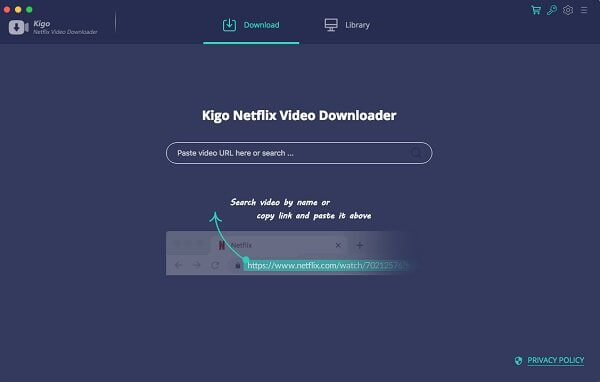
Description
Wanna Save Netflix Videos for offline Playing without limitations. One Button to Download HD Netflix Videos With Fast Speed. Use this piece of software to download your Netflix videos and watch them offline anytime you want and anywhere you please; no internet, no issues.
Download NetFlix Videos
For Mac users, whether Netflix movies, TV Shows or Original Series, during you subscribe Netflix, you can download Movies & TV Shows & NetFlix Series & Documentaries for offline playing.
Save Netflix Videos to MP4
All the downloaded Netflix videos can be saved to MP4 format playable on any video player like WMP, VLC, Roku, RealPlayer, Amazon Fire TV, Microsoft Xbox 360, Samsung Phones, iPhone and other Android phones.
Download Up to 1080p Videos
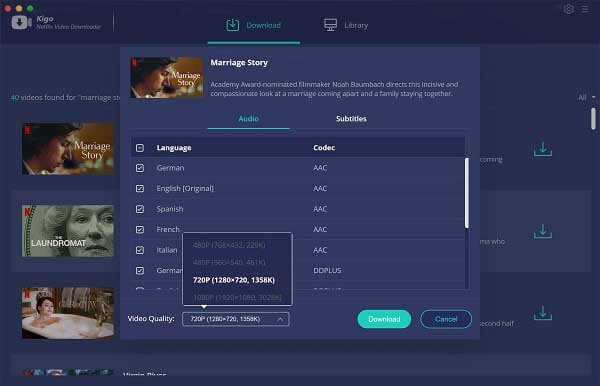
According to your plan types, you can download the videos from 480p to high quality 720p even 1080p. The trial version can only download 480p videos. Just choose a suitable output quality for your devices.
Keep Audio Tracks and Subtitles
All the audio tracks and subtitles the videos support will be kept well. And you can also save one or more subtitles or audio tracks according to your need. You can save the subtitles as the separate files so as to load to other resource videos.
Fast, Simple and Easy
Totally Fast Downloading Speed - It is faster by downloading Netflix than recording Netflix's screen and you can also save to MP4 format.
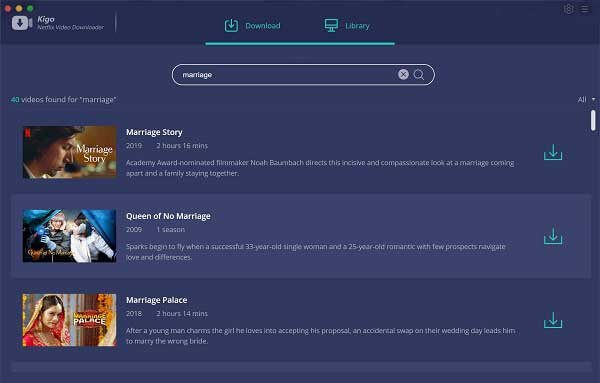
One button to Download - Users can copy and paste the Netflix URL to Download or search the videos to use the Download button to download.
Simple Interface, Easy to Use - After the installation, you can know how to use the program with the simple interface. All the functions can be found quickly.
Comments
No comments yet. Be the first.
Information
Visitors in the group Guests cannot leave comments on this publication.