
Processes Monitor PRO 1.5 U2B
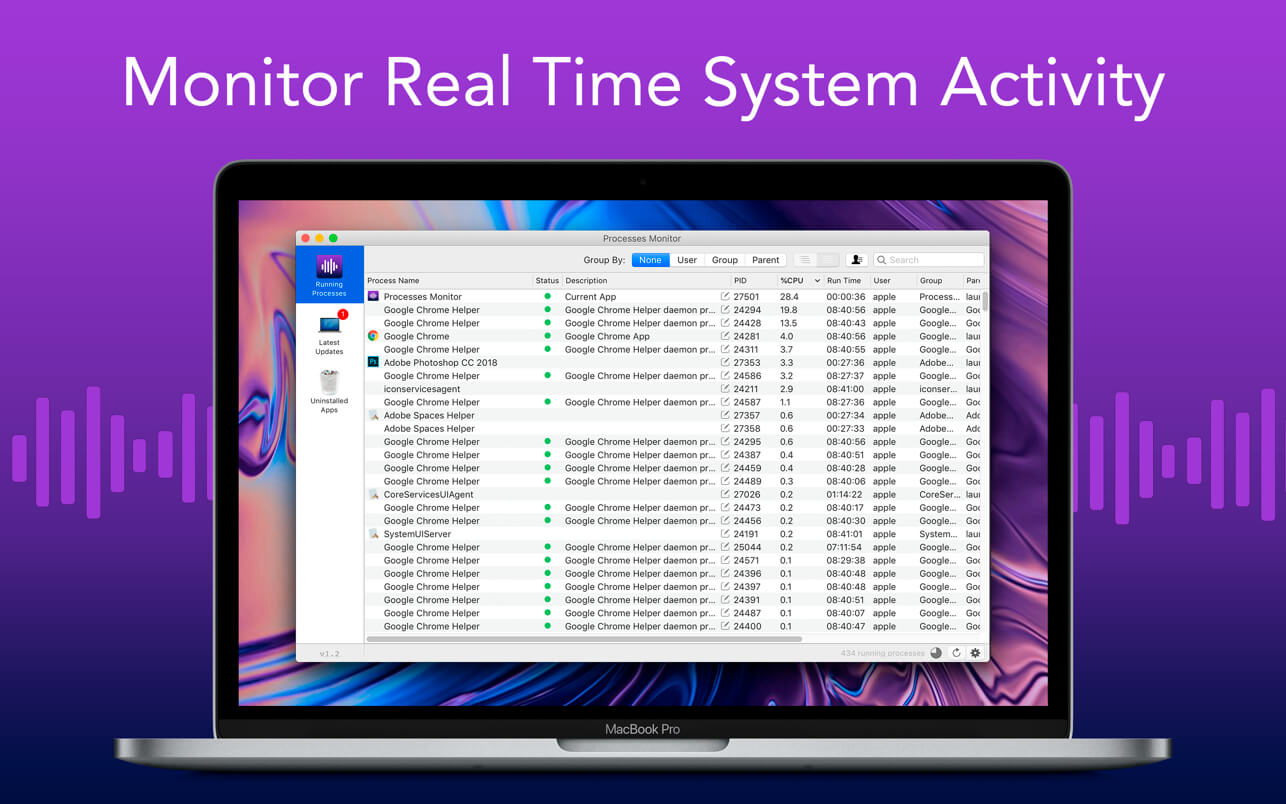
Process Monitor is a monitoring software for Mac that displays real-time system, process/thread and Registry activity.
This app features advanced and safe filtering, comprehensive event properties, full thread stacks with symbol support and many more.
- Segregation is done in different forms based on user, groups and parent processes.
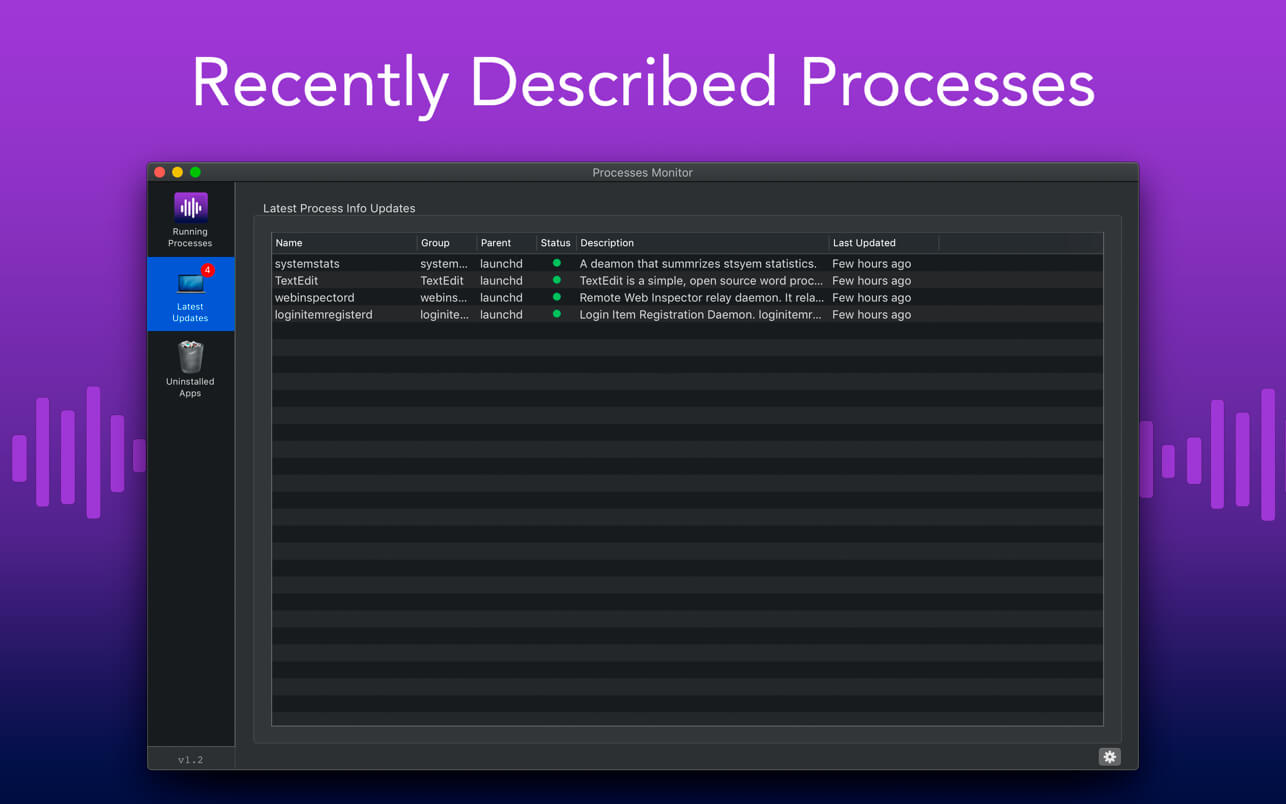
- Processes are continuously described to understand in better way.
- If the processes are unidentified, they will not be marked, if they are identified and description is available, they will be marked in green.
- Also track down apps, files and folders are located on the MAC.
- Get all details of apps running in front and background, right from menubar.
PRO FEATURE:
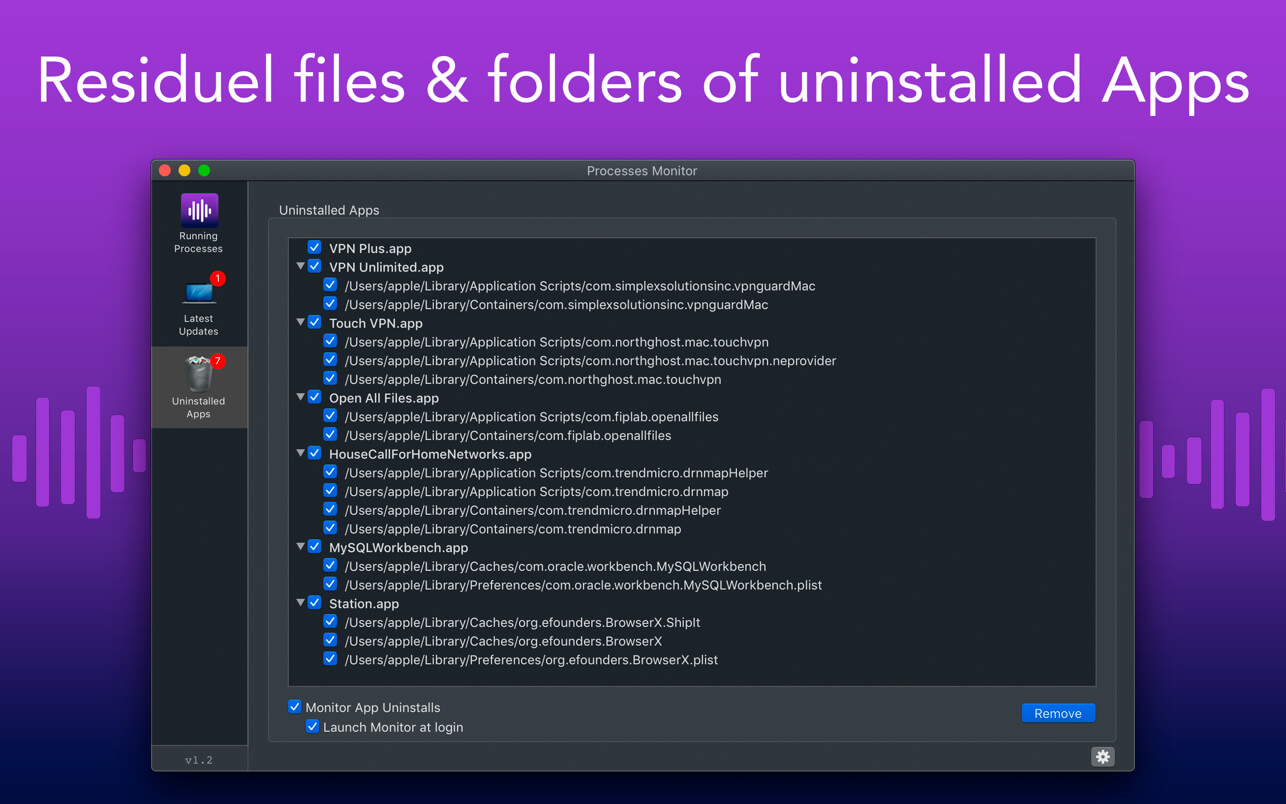
- Residue Cleaner: Get rid of leftover files & folders after an application is uninstalled. This is the leftover junk.
Version 1.5
- We fixed bugs and made some improvements to enhance your experience with the application.
Frequently asked questions
How do I install the app?
Mount the image, drag the app into the "Applications" folder and launch it. If the system blocks the launch, allow it in "System Settings → Privacy & Security".
The app is damaged or won't launch
Reinstalling from a fresh image usually helps. Make sure your macOS version matches the one listed in the compatibility specs.
How do I update?
Download the new version from the site and install it over the current one — your settings will be preserved.
The download link doesn't work
Try a mirror or a download manager. For large files the browser often drops the connection.
How do I completely remove the app?
Use an uninstaller utility — it cleans up the service files that remain after moving the app to the trash.




Choose a download source
Processes Monitor PRO 1.5 U2B · 4.43 MB
Previous versions
Processes Monitor PRO 1.5 U2B
Previous versions are available to registered users.