
Desk 1.4
Desk is a premium writing experience for all types of writers.
Whether you're a casual enthusiast, the weekend writer, blogger, or digital publishing professional, you'll find Desk to be a much-needed breath of fresh air.
Designed to marry both function and form, it is the desktop publishing client that you've always wanted: Simple, intuitive, powerful, and fast.
Fall in love (again) with writing via an app that helps you focus and concentrate on what matters most: Your thoughts as they coalesce into written form.
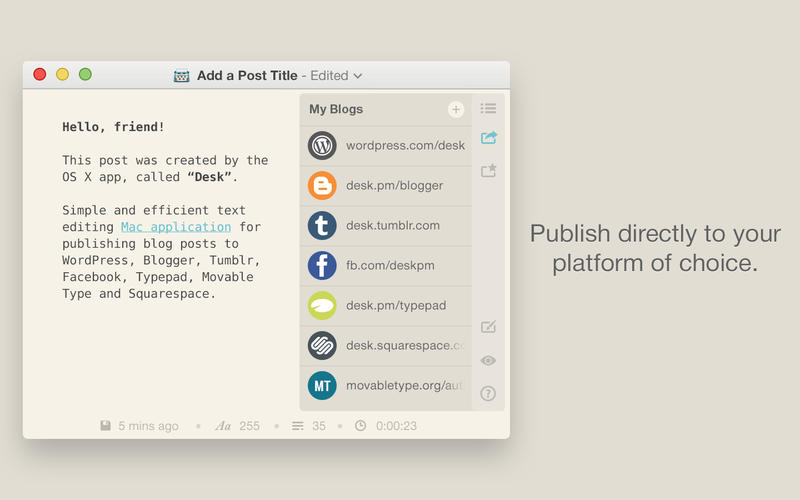
Then publish them to your own digital property and blog. We currently support the following publishing platforms:
- WordPress
- Blogger / Blogspot
- Tumblr
- Squarespace (Post via Email)
- Movable Type
- Typepad
- Facebook Notes
WHAT’S NEW
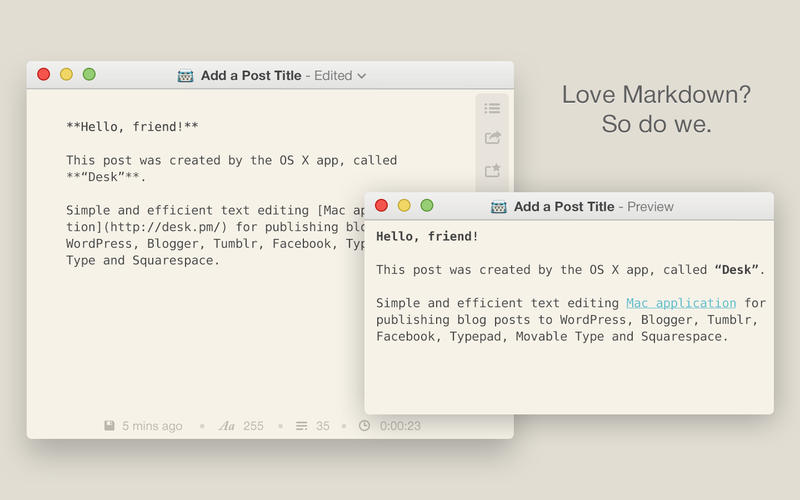
Version 1.4 is a big update for Multi-Markdown!
Here are some of the other new features:
- Publish / Share to email
- Stick Posts for WordPress
- Updated YouTube embed
- Retina Support for images
- CMD + DEL (new shortcut for deleting entire line)
- Convert Markdown to HTML
- Code Snippets
- Insert Tables
- And more!
Bug Fixes? Sure:
- Moving through text couldn't be controlled by arrow keys
- Word wrap logic
- Cursor trail on screen
- Changing default text format
- Header is not exported to HTML
- Broken pictures on conversion
- Typewriter options not set to parent window
- Featured image is not uploaded properly
- A number of crashes... please continue to let me know via the Forums about any other issues!
Screenshots
Frequently asked questions
How do I install the app?
Mount the image, drag the app into the "Applications" folder and launch it. If the system blocks the launch, allow it in "System Settings → Privacy & Security".
The app is damaged or won't launch
Reinstalling from a fresh image usually helps. Make sure your macOS version matches the one listed in the compatibility specs.
How do I update?
Download the new version from the site and install it over the current one — your settings will be preserved.
The download link doesn't work
Try a mirror or a download manager. For large files the browser often drops the connection.
How do I completely remove the app?
Use an uninstaller utility — it cleans up the service files that remain after moving the app to the trash.
VersionDesk
Developeryo gg llc
CompatibilityOS X 10.9 or later
LanguageEnglish
IncludesPre-K'ed





Information
Visitors in the group Guests cannot leave comments on this publication.
Choose a download source
Desk 1.4 · 10.32 MB