
MWeb Pro 4.8.2
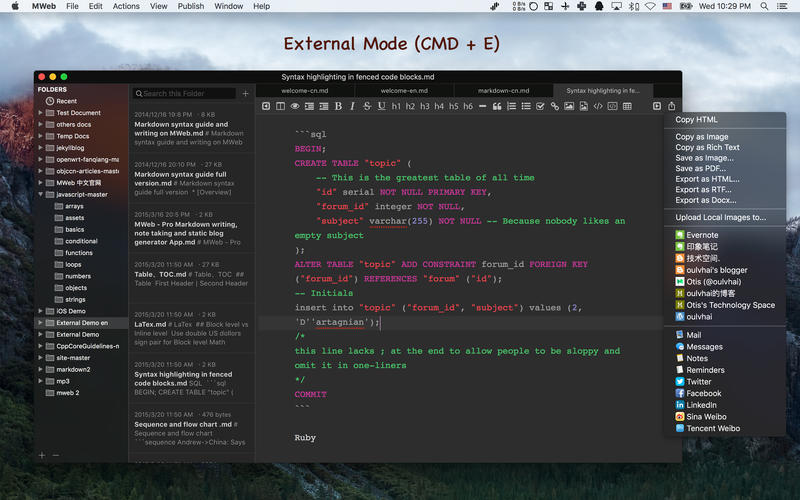
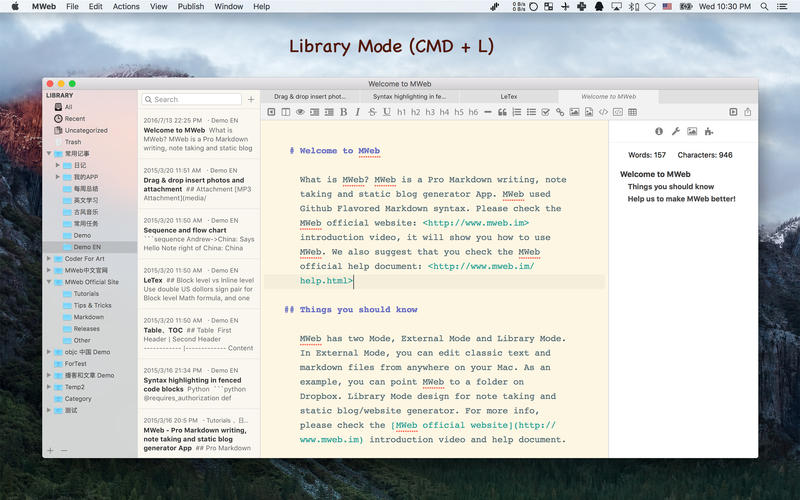
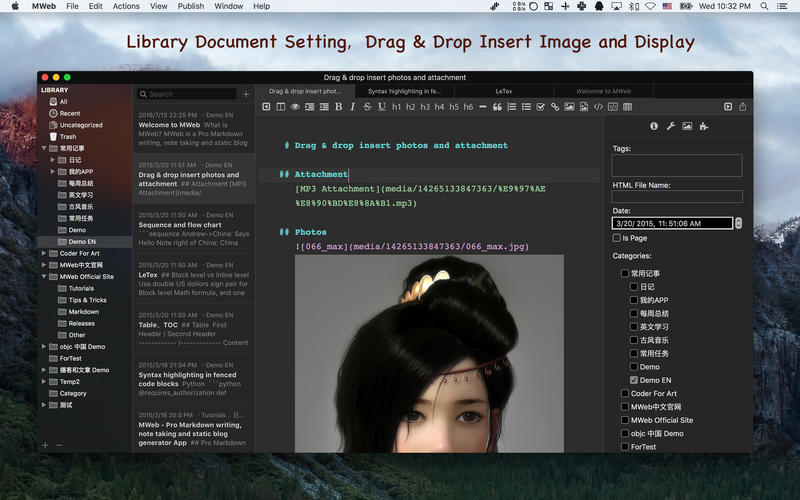
MWeb can handle professional-level markdown with support for markdown extensions. It provides publishing to various social networks and blogging formats, as well as various preview themes. It also has two work modes: external, which allows the addition of external folders; and library, designed for note-taking and static blogging.
Features
- Full GFM (GitHub Flavored Markdown) supported
- Publish/Update to Wordpress, Metaweblog API services, Wordpress.com, Evernote, Blogger, Tumblr.
- Drag-and-drop or paste to insert pictrue and display immediately.
- Live preview and export to PDF/HTML/RTF/DOCX
- External folder, library, static blog/website generator
Version 4.8.2
- Improvement: Opening Markdown documents with hundreds of images is now very fast.
- Improvement: The style for exporting to PDF can now be selected from the custom themes. If you have a custom light theme, you can select it as the PDF style in the "Styles" button ir the export to PDF interface.
- Improvement: The image upload service sm.ms has been updated to the new see.
- Improvement: When publishing to WordPress, you can now optionally fill in a summary.
- Improvement: The mermaid library has been upgraded to version 11.14.0.
- Improvement: Added an "Export as Markdown" option to the publish button's menu.
- Other bug fixes and improvements.
Frequently asked questions
How do I install the app?
Mount the image, drag the app into the "Applications" folder and launch it. If the system blocks the launch, allow it in "System Settings → Privacy & Security".
The app is damaged or won't launch
Reinstalling from a fresh image usually helps. Make sure your macOS version matches the one listed in the compatibility specs.
How do I update?
Download the new version from the site and install it over the current one — your settings will be preserved.
The download link doesn't work
Try a mirror or a download manager. For large files the browser often drops the connection.
How do I completely remove the app?
Use an uninstaller utility — it cleans up the service files that remain after moving the app to the trash.





Choose a download source
MWeb Pro 4.8.2 · 38.82 MB
Previous versions
MWeb Pro 4.8.2
Previous versions are available to registered users.