
CompareMerge 2.13

CompareMerge is a software tool for file comparison and merging text-like files.
It is useful for determining what has changed between versions, and then merging changes between versions.
Functions of the application:
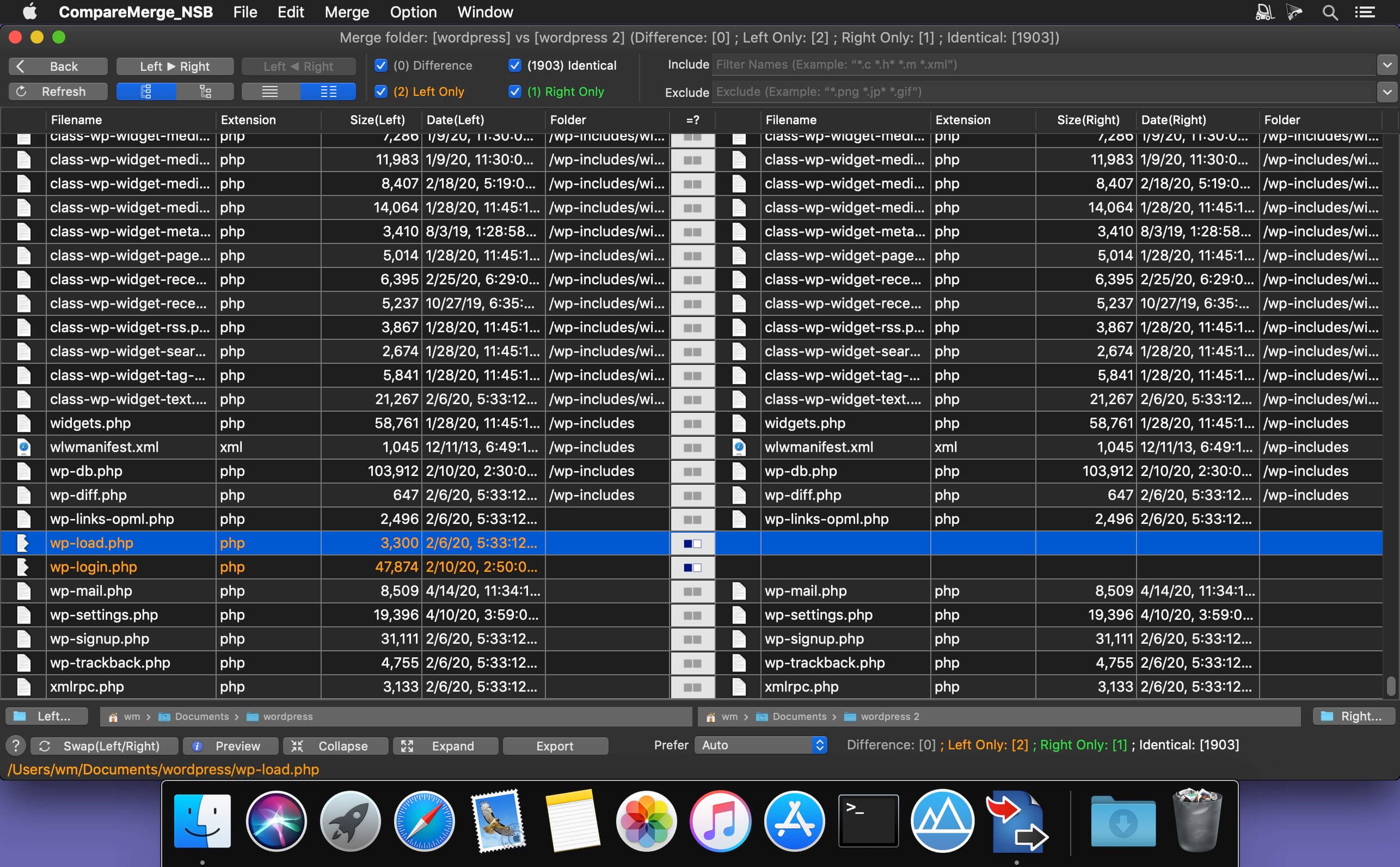
- COMPARE FOLDERS/FILES: can compare both 2 files or 2 folders
- QUICK COMPARE FOLDERS: allow to quickly compare two folders' files by size or date or both or with full content (slower)
- BLANK COMPARE: Allow to create blank edit window to compare text then save later
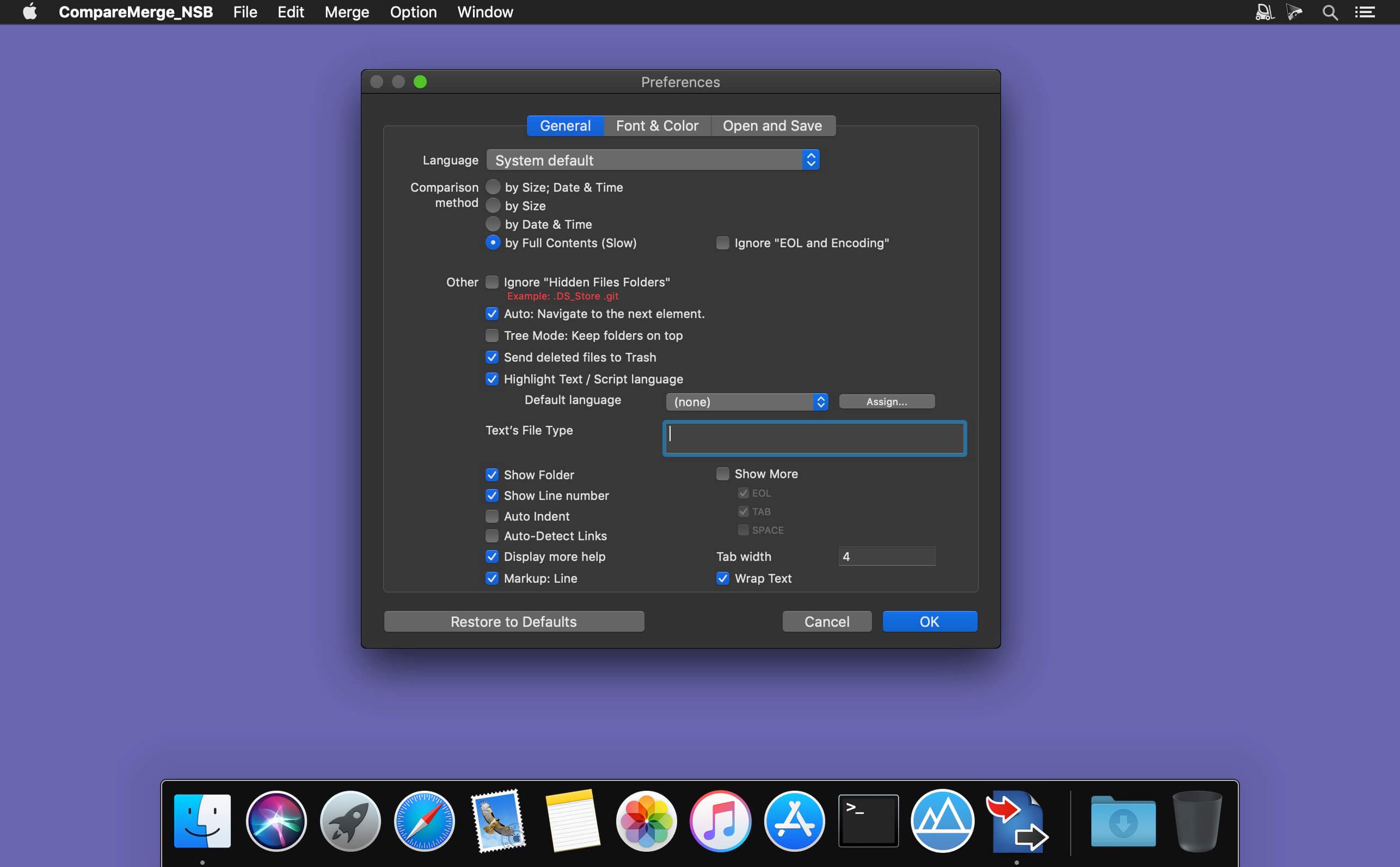
- CUSTOM THEME COLOR: User can select predefined theme color or customize edit text color, background color....
- INLINE EDIT (Edit/Merge at the same time) : Compare and Merge 2 text files: allow you to edit/compare/merge 2 text files in the same windows
- LINE NUMBER: When edit file, showing line number will make it easier to know exactly changes positions.
- GENERATE PATCH: the application also contains patch generating capabilities.
- FILE FILTERS: Include or exclude files that match regular expressions. Other than that, after compare 2 folders, you could filter display item base on file name.
- INCLUDE SUBFOLDERS: This option lets you control the depth of a folder comparison. Enabling it compares all folder levels
- COPY TO: after compare 2 folder, you can select left or right files to copy to different location (example: when release change source)
- DELETE Left/Right/Both: after compare 2 folder, you can select left or right files to delete
- IGNORE CASE, SPACE: Allow to ignore Case, Space in Edit/Merge window
- IGNORE End-Line code: Allow to ignore difference in End Line Code (LF for Mac・Unix file, CR-LF for Windows file, or CR for Mac classic file) in Edit mode.
Note:when compare folders, EOL was not ignored.
- EXPORT / CREATE REPORT: Allow to export compare/merge result to clipboard or to files (support formats: CSV, Text, HTML)
- Syntax highlight
- Theme color
- Export to zip file
- User can compare hidden files, folder (example: .git folder)
- Allow to merge binary-plist file
- In edit mode, a small view is show to the exact text difference

Version 2.13
- Fix bugs
- Highlight differences in text-comparing-window
- Support filter file names by regular expression (regex)
- Improve UI of Text Merge window
- Highlight differences in text-comparing-window
- Support filter file names by regular expression (regex)
- Improve UI of Text Merge window
- Add support for macOS 10.15
- Add File finding dialog for File List window
- Add spelling setting controls
- Support multi-languages: English, Deutsch, Français, 日本語, 한국어, Español, Português, Čeština, Dansk, Suomi, Italiano, Nederlands, Norsk, Polski, Русский, Svenska, ไทย, Türkçe, Tiếng Việt, 中文(中国), 中文- Add [Two pane views] mode in folders merge window
- Support drag/drop folders to/from Finder
- Improve UI
- Allow to filter out sub folders base on name
- Add Wrap Text function
- Highlight source code in multi-languages
- Support multi-theme color
- Allow quick compare folders base on Size or Date only
- add "Generate patch" function
- Add read/save encoding setting controls to Merge windows
Frequently asked questions
How do I install the app?
Mount the image, drag the app into the "Applications" folder and launch it. If the system blocks the launch, allow it in "System Settings → Privacy & Security".
The app is damaged or won't launch
Reinstalling from a fresh image usually helps. Make sure your macOS version matches the one listed in the compatibility specs.
How do I update?
Download the new version from the site and install it over the current one — your settings will be preserved.
The download link doesn't work
Try a mirror or a download manager. For large files the browser often drops the connection.
How do I completely remove the app?
Use an uninstaller utility — it cleans up the service files that remain after moving the app to the trash.
VersionCompareMerge 2.13
DeveloperTien Thinh Vu
CompatibilityOS X 10.11 or later 64-bit
LanguageMultilingual
IncludesK'ed by HCiSO




Information
Visitors in the group Guests cannot leave comments on this publication.
Choose a download source
CompareMerge 2.13 · 6.26 MB