ExactScan Pro 26.6
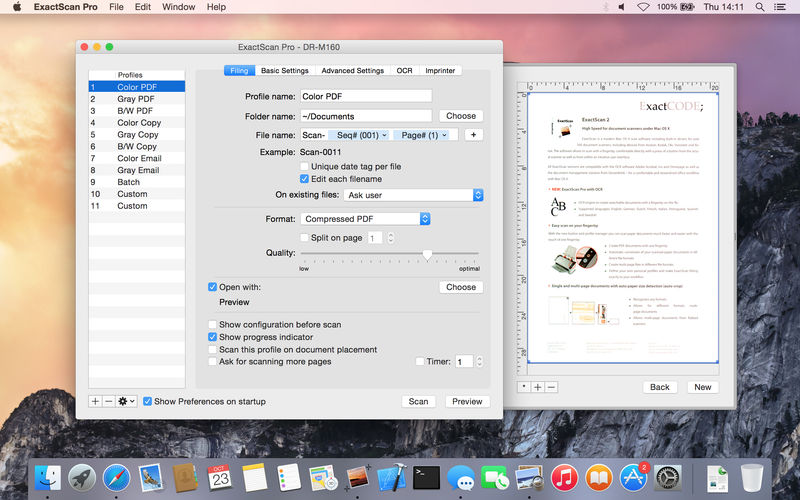
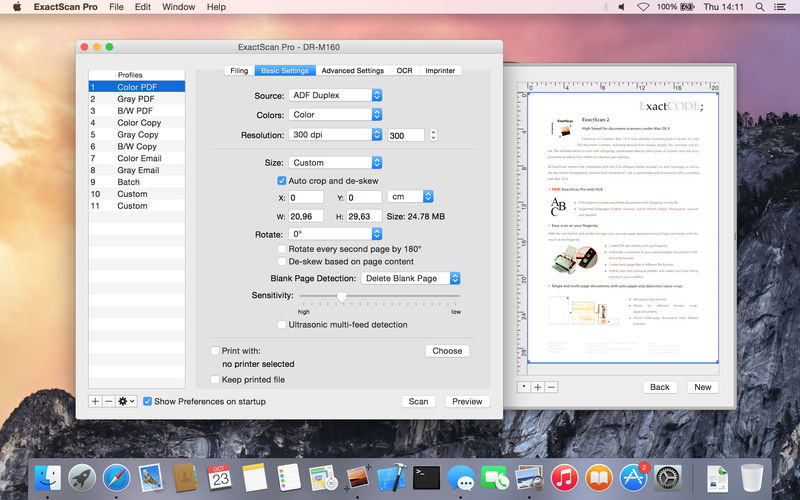

ExactScan Pro is a popular, easy-to-use macOS scanning software that utilizes built-in drivers for over 200 document scanners, including devices from Avision, Kodak, Oki, Visioneer, and Xerox.
ExactScan's built-in scanner drivers cover the whole range, from Visioneer's portable RoadWarrior to dependable workgroup scanners from Xerox, Visioneer, Kodak, and Avision. ExactScan allows for easy scanning of business cards, bills, and receipts, and ExactScan Pro's built-in OCR can directly save them as searchable PDFs.
Scan all your documents for fast retrieval, and get rid of dusty paper archives. Find searchable PDF everywhere with Spotlight in a snap.
- Over 400 native built-in drivers for professional document scanners from Avision, Canon, Fujitsu, HP, Kodak, Oki, Visioneer and Xerox
- Support for a variety of third party scanners via ImageCapture and TWAIN drivers
- Save to PDF, TIFF, JPEG, JPEG 2000, PNG, BMP, PNM
- Advanced and intelligent image processing algorithms
- Auto-crop & de-skew
- Blank page removal
- Direct scan to print
- Profiles to configure scan workflow
AppleScript support for professionals
- ExactScan Pro additionally includes:
- OCR to directly create searchable PDF files
- Content based page de-skew
- Automatic rotation, color- and source detection
- Imprinter to print flexible text into the scanned image
- Barcode recognition to file stacks by barcodes
- Batch processing of existing image files
Version 26:
- New support for macOS 26 "Tahoe"
- Added support for various new scanners
- Improved support and scan-speed for certain new scanner models
- Improved auto-crop & de-skew accuracy and performance
- Many other improvements
Frequently asked questions
How do I install the app?
Mount the image, drag the app into the "Applications" folder and launch it. If the system blocks the launch, allow it in "System Settings → Privacy & Security".
The app is damaged or won't launch
Reinstalling from a fresh image usually helps. Make sure your macOS version matches the one listed in the compatibility specs.
How do I update?
Download the new version from the site and install it over the current one — your settings will be preserved.
The download link doesn't work
Try a mirror or a download manager. For large files the browser often drops the connection.
How do I completely remove the app?
Use an uninstaller utility — it cleans up the service files that remain after moving the app to the trash.




Choose a download source
ExactScan Pro 26.6 · 19.15 MB
Previous versions
ExactScan Pro 26.6
Previous versions are available to registered users.