References Design 2.3.8


Freshest design inspirations and stories
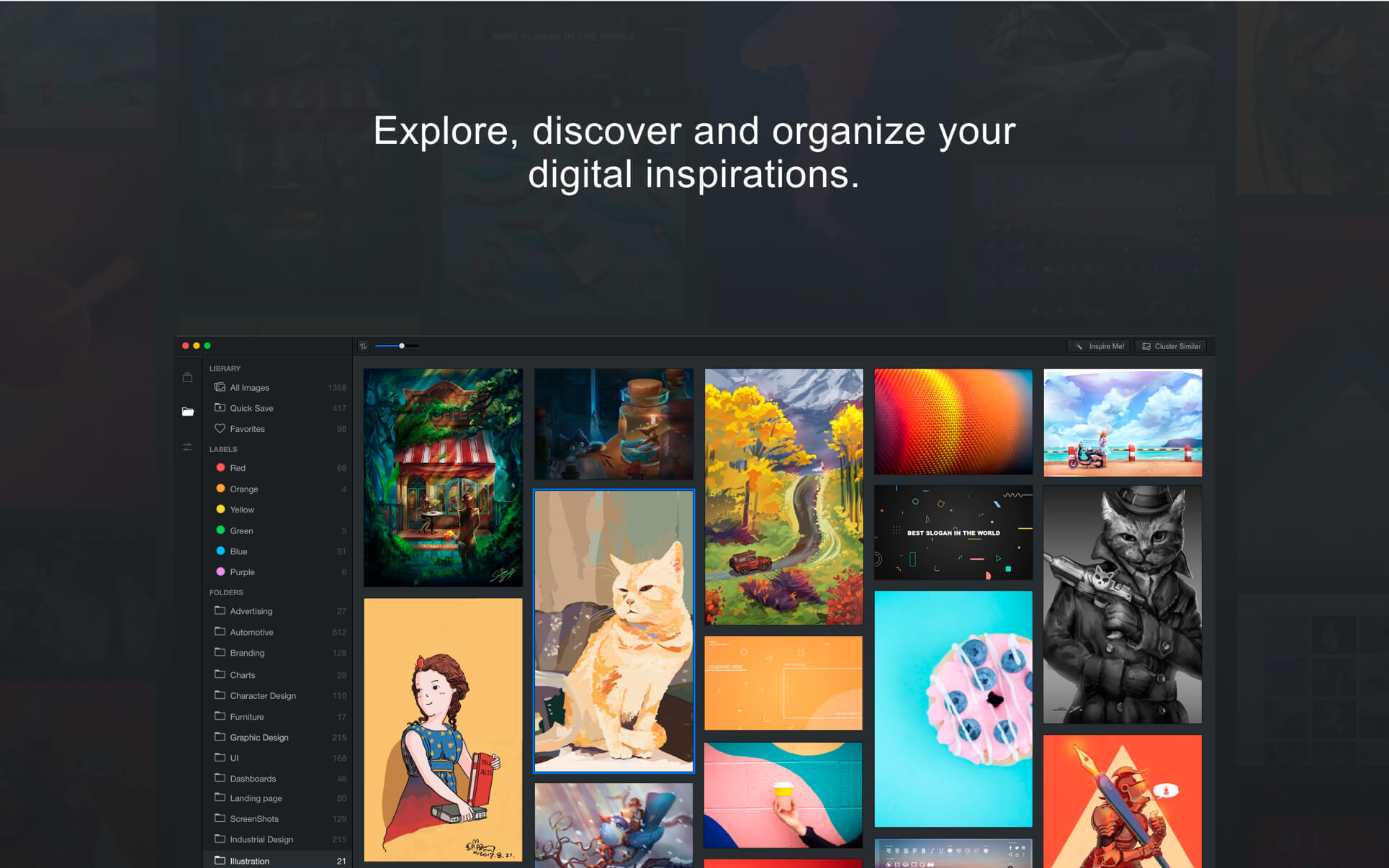
References.Design brings you the freshest design inspirations and stories from all over the communities -- Dribbble, Behance, Pinterest, Medium, Designer News, Awwwards, DeviantArt, Artstation, Core77, CSS Design Awards... and a lot more -- all the communities that you already love.
One-click to quick save the inspirations you like, or add the stories into your reading list.
The ultimate image organizer
With the simple, intuitive, yet powerful workspace, References.Design is also your ultimate image organizer.
AI-powered smart tagging and searching system
We trained an AI engine to automatically detect the visual styles and the objects in your inspirations. You can start searching your inspirations right after they are imported. Managing design assets had never been so simple!
Inspire ME!
Get bored that you have to look at your images in the same way every time you open a folder? Now with References.Design, you can view randomized image every time you hit the inspire me button. Pin the ones you like and more relevant contents will be automatically suggested!
Live Folders
Connect with your existing folders, no need to copy/paste or duplicate your images. It will scan and load all the images in your linked folder. Changes made in the folders will be automatically detected and refreshed in the app.
Team folder and offline access
You can also connect to folders on an external storage or even on a remote server. Images will be scanned and cached for offline access.
Sync with your favorite cloud service
Need to backup and sync your library? Just connect with your favorite cloud service and everything already works!
Simply powerful labeling system
Assigning labels to your images, the fastest way put your contents in order.
Cluster related images
You don't always have a keyword when looking for Inspirations. Sometimes it's better just to browse randomly to get wild ideas -- but not too random to include some totally non-related contents.
Version 2.3.8
- bug fixes
Frequently asked questions
How do I install the app?
Mount the image, drag the app into the "Applications" folder and launch it. If the system blocks the launch, allow it in "System Settings → Privacy & Security".
The app is damaged or won't launch
Reinstalling from a fresh image usually helps. Make sure your macOS version matches the one listed in the compatibility specs.
How do I update?
Download the new version from the site and install it over the current one — your settings will be preserved.
The download link doesn't work
Try a mirror or a download manager. For large files the browser often drops the connection.
How do I completely remove the app?
Use an uninstaller utility — it cleans up the service files that remain after moving the app to the trash.
VersionReferences Design 2.3.8
DeveloperShanghai Linyu Technology Co., Ltd.
CompatibilitymacOS 10.14.0 or later, 64-bit processor
LanguageMultilingual
IncludesK'ed by HCiSO




Information
Visitors in the group Guests cannot leave comments on this publication.
Choose a download source
References Design 2.3.8 · 118.27 MB