Architect 3D Ultimate 2017 Mac 19.0.8
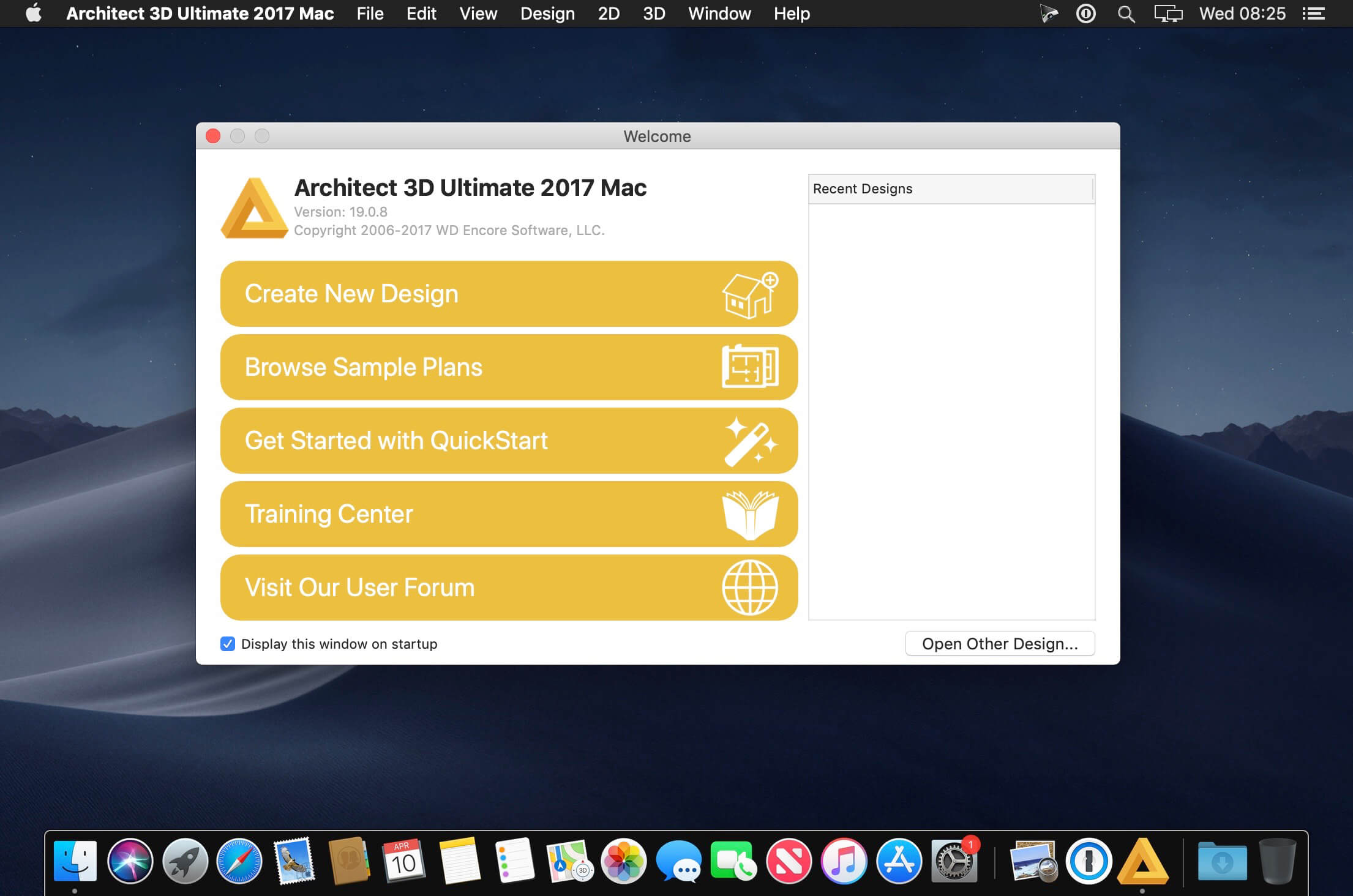
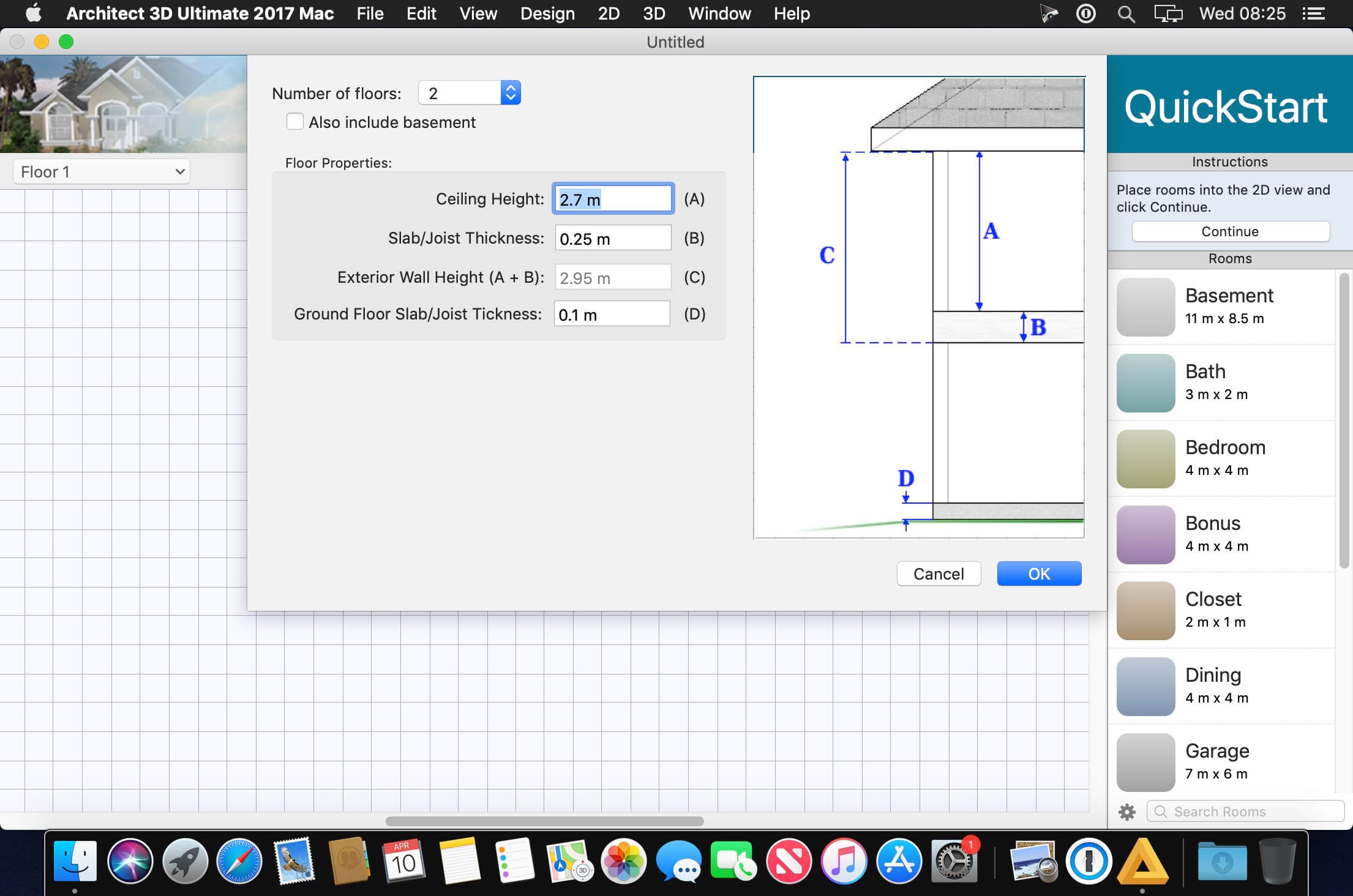

Architect 3D is a Home Design application that allows you to design, equip and decorate your home and garden in 3D. Design your creative project step by step and room by room, from the basement to the loft space. Draw up plans of your house, equip your interior and exterior areas and add your own personal touch to your living space. A virtual tour and extremely realistic 3D rendering allow you to review the results. Architect 3D Ultimate 2017 brings you all the professional tools you need to design your home and garden.
The ultimate solution to help you design your dream project!
- Design, equip and decorate your dream home down to the smallest details
- View and tour your future home in 3D
- Only in the Ultimate Version! Lightworks™ Photorealistic Rendering
- Customise all aspects of your project using advanced tools
- Create your own objects using the 3D object design studio
- Up to 20 floors now allowed for higher end titles
- NEW! Material Editor
- NEW! Double doors and mounting options
- NEW! 3D Cutaway Tool
- NEW! Window Shutters
- NEW! 2D Plant Symbol and custom sizes
Professional add-on:
- Lightworks™ Photorealistic Rendering
- Import of .DXF, .DWG, Sketch Up, 3DS
- Convert 2D object in 3D and edit them (colour, size, etc.)
NEW! Material Editor
- Easily edit materials to customize your designs
- Edit RGB values, Hue, Saturation, Brightness, Shadows, Midtones, Highlights, and Gamma Correction
NEW! Sketchup Import
- Compatible with new Sketchup formats and it's easier to edit objects within the program.
NEW! Shutter Tool
- Easily add shutters that automatically size to your windows.
NEW! Improved Symbols
- Create your own custom drawn 2D plant symbols or customize existing ones
- Use the new Auto-Symbol Generator to create more accurate 2D symbols for furniture and 3D components
NEW! Customizable Plant Sizes
- Set the exact plant size needed for your design
NEW! 3D Cutaway Tool
- Cut form any angle, vertically or horizontally, at a specific elevation.
Frequently asked questions
How do I install the app?
Mount the image, drag the app into the "Applications" folder and launch it. If the system blocks the launch, allow it in "System Settings → Privacy & Security".
The app is damaged or won't launch
Reinstalling from a fresh image usually helps. Make sure your macOS version matches the one listed in the compatibility specs.
How do I update?
Download the new version from the site and install it over the current one — your settings will be preserved.
The download link doesn't work
Try a mirror or a download manager. For large files the browser often drops the connection.
How do I completely remove the app?
Use an uninstaller utility — it cleans up the service files that remain after moving the app to the trash.
Related posts
-
 Avanquest Architect 3D Professional 2017 Mac 19.0.8
Mac Apps1.83 GB
Avanquest Architect 3D Professional 2017 Mac 19.0.8
Mac Apps1.83 GB
-
 Avanquest Architect 3D Landscape Design 2017 Mac 19.0.8
Mac Apps1.83 GB
Avanquest Architect 3D Landscape Design 2017 Mac 19.0.8
Mac Apps1.83 GB
-
 Avanquest Architect 3D Interior Design 2017 Mac 19.0.8
Mac Apps1.83 GB
Avanquest Architect 3D Interior Design 2017 Mac 19.0.8
Mac Apps1.83 GB
-
 NCH DreamPlan Home Design Software Pro 9.10
Mac Apps15.85 MB
NCH DreamPlan Home Design Software Pro 9.10
Mac Apps15.85 MB
-
 Chief Architect Premier X10 20.3.0.54
Graphic Design243.35 MB
Chief Architect Premier X10 20.3.0.54
Graphic Design243.35 MB
Choose a download source
Architect 3D Ultimate 2017 Mac 19.0.8 · 1.83 GB