TextFridge 1.4.1
“A cool place to store the texts you often use”
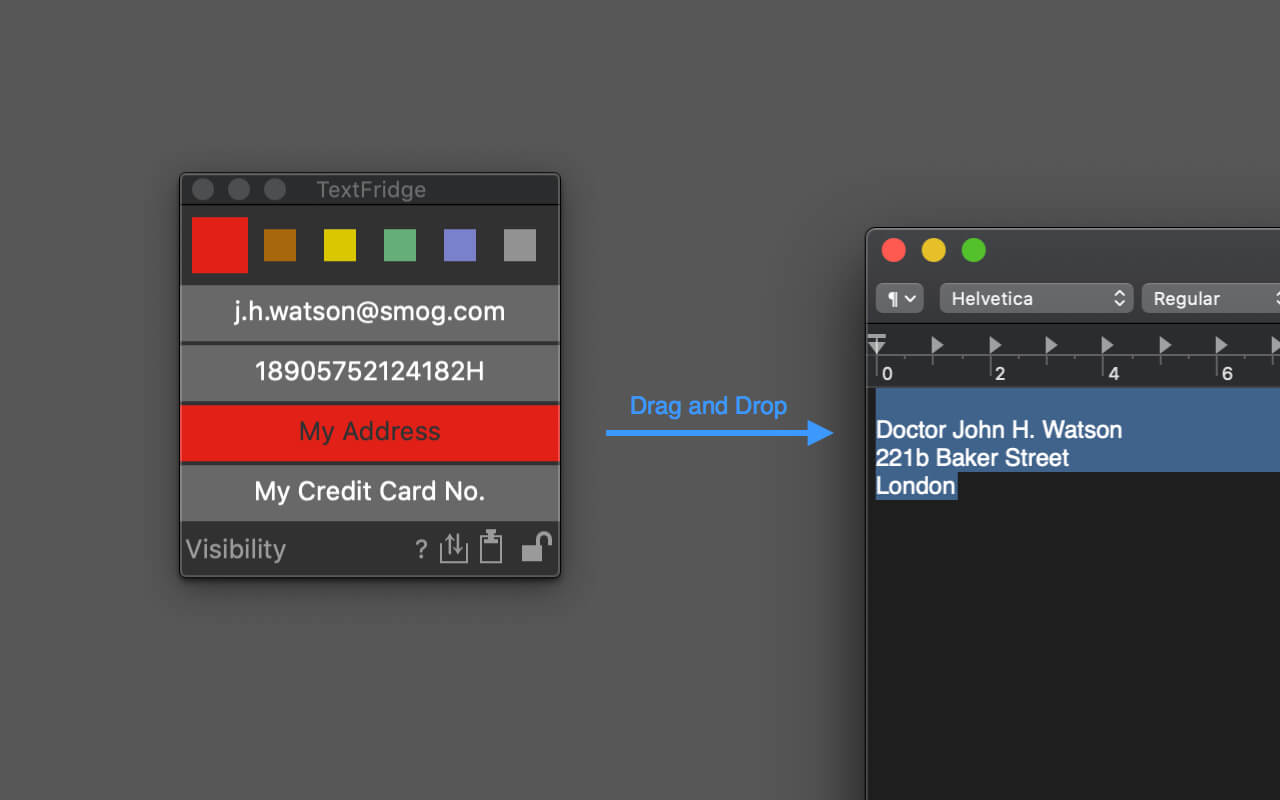
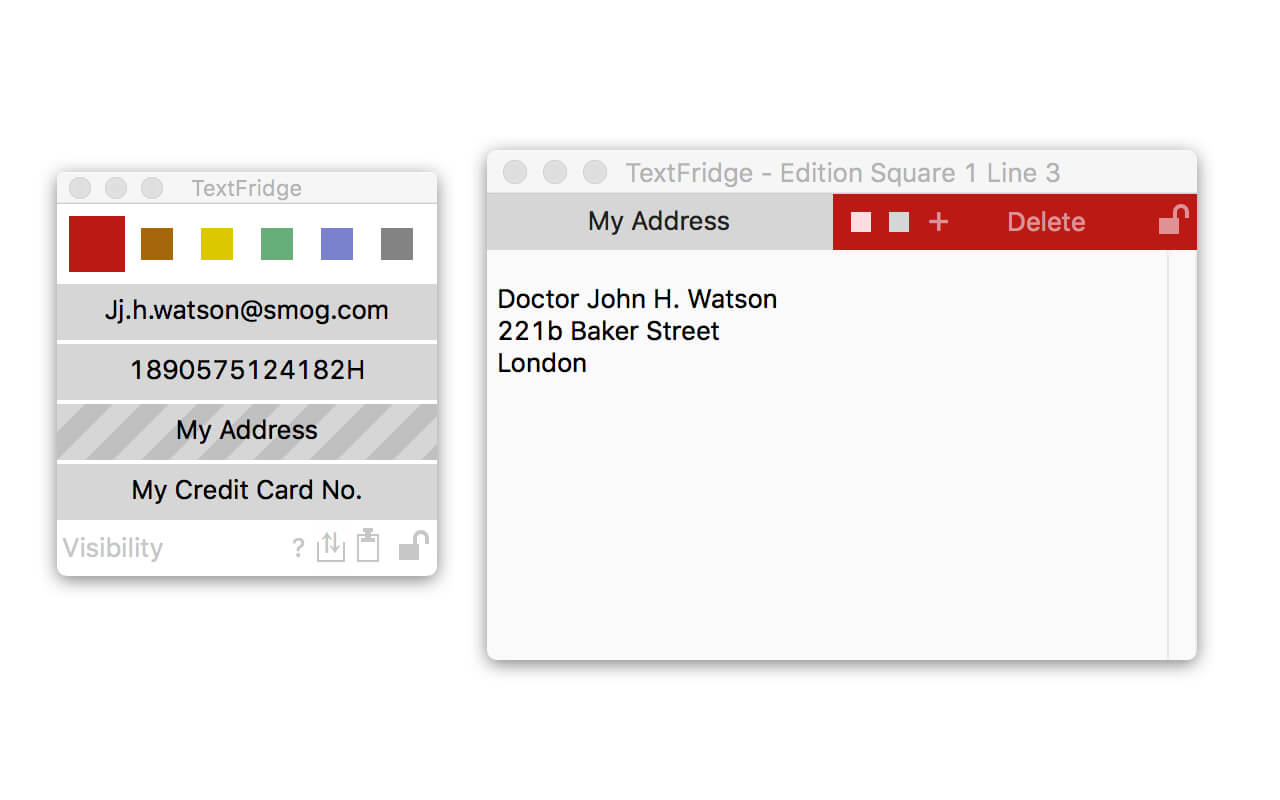
TextFridge allows you to store lots of texts that you often need to write. (Store up to 150 texts)
Interface is minimalist and user-friendly.
Basic use is as simple as can be:
Drag texts from anywhere to a line of TextFridge, drag texts from a line of TextFridge to anywhere.
Of course many other functionalities are available :
Give a title to a line, choose its color, move it, lock a color, drag texts from/to macOS clipboard etc...
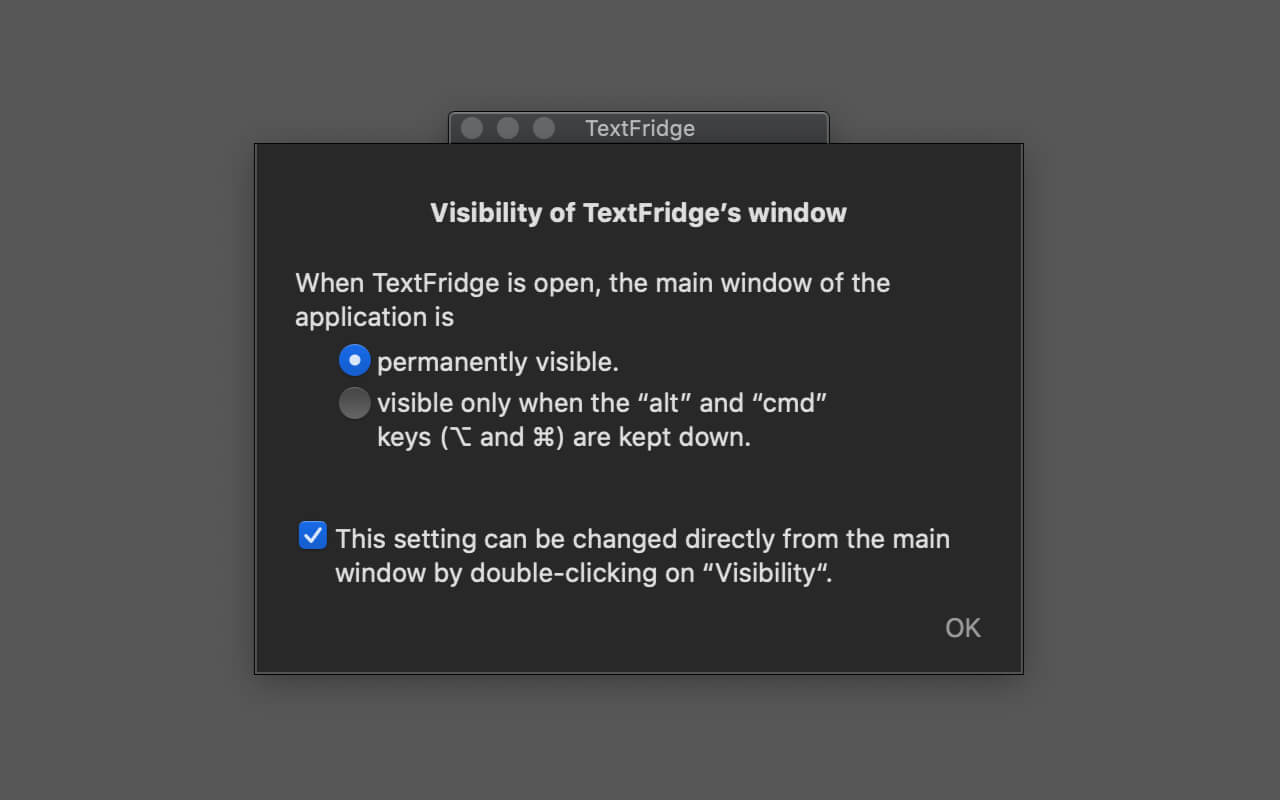
Keep TextFridge always available:
You can choose the main window to be visible permanently or only when a key combination is kept down.
Import/Export dаta:
It is easy to export TextFridge data (for example to "iCloud Drive" or to "Dropbox") and then to import it to another Mac.
(No automatic syncing)
It is possible to import data from TextOnTrays.
Version 1.4.0
In the text of a line, it is now possible to insert the date or the time (in the format of your choice and in about thirty languages). It will be automatically updated each time the line is used.
Hiding or showing the application window becomes even easier and more intuitive.
- Just click once on the (new) icon in the menu bar.
- The interface of the main window has been slightly modified to be more explicit.
Minor improvements and bug fixes
- The menu bar icon stays where it is and no longer tends to move to the left.
Frequently asked questions
How do I install the app?
Mount the image, drag the app into the "Applications" folder and launch it. If the system blocks the launch, allow it in "System Settings → Privacy & Security".
The app is damaged or won't launch
Reinstalling from a fresh image usually helps. Make sure your macOS version matches the one listed in the compatibility specs.
How do I update?
Download the new version from the site and install it over the current one — your settings will be preserved.
The download link doesn't work
Try a mirror or a download manager. For large files the browser often drops the connection.
How do I completely remove the app?
Use an uninstaller utility — it cleans up the service files that remain after moving the app to the trash.





Choose a download source
TextFridge 1.4.1 · 10.43 MB