
Storyist 4.4.1
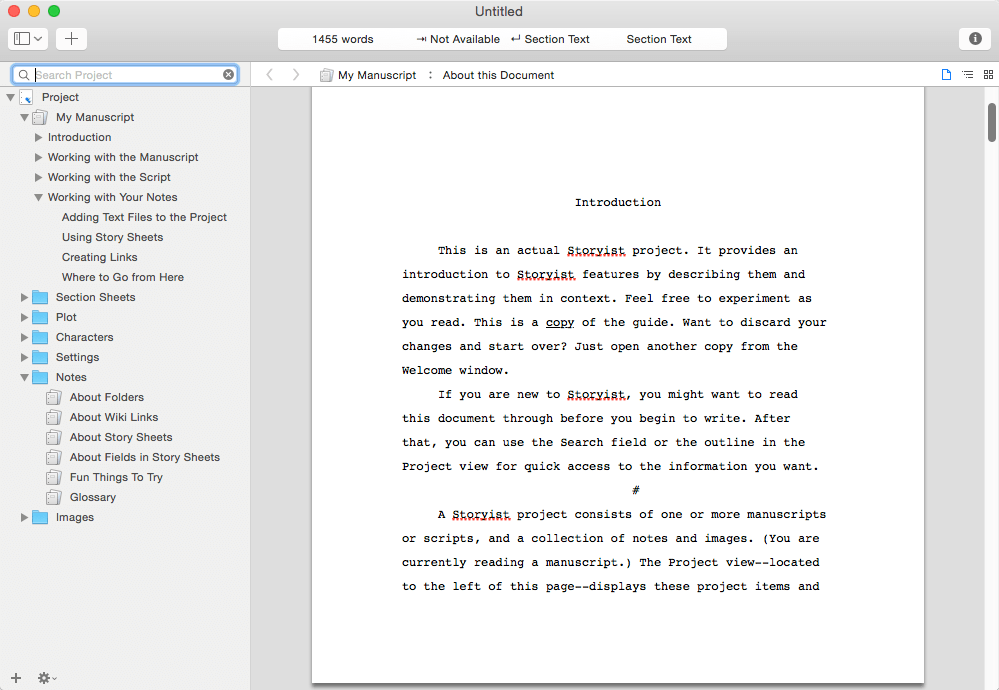
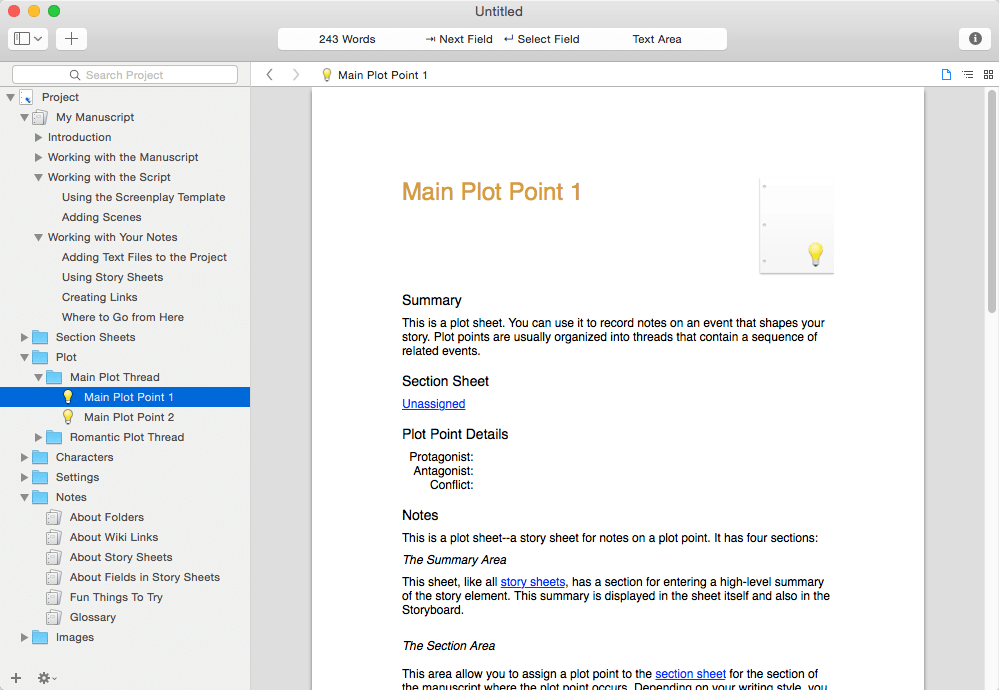

A powerful writing environment for novelists and screenwriters. Do you have a story to tell? Unlike conventional word processors, Storyist helps you track your plot, characters, and settings, and keeps all of your writing organized and accessible—so you can focus on telling your story.
With Storyist, you can:
- Produce submission-ready manuscripts and screenplays. Storyist provides a rich text editor with support for comments, images, headers, footers, and style sheets so you can create properly formatted manuscripts and screenplays. And Storyist comes with manuscript and screenplay templates so you can focus on the writing, not the formatting. “more…”
- Work with your story at a high-level. Storyist lets you sketch out a story using index cards and then refine it with customizable plot, character, and setting sheets.
- Keep all your writing organized and accessible. Storyist organizes your novel manuscripts, screenplays, notes, and other project-related writing so you can access them with just a few clicks.
- Create ePub and Kindle editions of your work.
Features at a Glance
- Word processor with support comments, images, headers, footers, and style sheets.
- Automatic manuscript and screenplay formatting with familiar tab and return key shortcuts.
- Virtual cork board with support for color-coded index cards.
- Outliner.
- Customizable story sheets.
- Imports and exports RTF, Plain Text, Word, Scrivener, Fountain, and Final Draft FDX files.
- Exports ePub, Kindle, and PDF.
- Works great with Storyist for iOS, so you can create, review, and revise your work wherever inspiration strikes
Version 4.4
- Updates: official site does not provide any info about changes in this version
Frequently asked questions
How do I install the app?
Mount the image, drag the app into the "Applications" folder and launch it. If the system blocks the launch, allow it in "System Settings → Privacy & Security".
The app is damaged or won't launch
Reinstalling from a fresh image usually helps. Make sure your macOS version matches the one listed in the compatibility specs.
How do I update?
Download the new version from the site and install it over the current one — your settings will be preserved.
The download link doesn't work
Try a mirror or a download manager. For large files the browser often drops the connection.
How do I completely remove the app?
Use an uninstaller utility — it cleans up the service files that remain after moving the app to the trash.





Choose a download source
Storyist 4.4.1 · 24.29 MB
Previous versions
Storyist 4.4.1
Previous versions are available to registered users.