Paragraphs 1.1.4

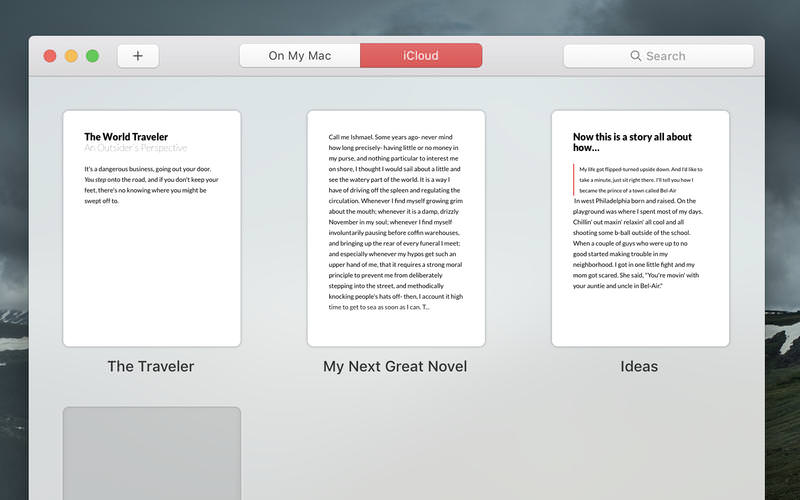
Paragraphs lets you focus on what you do best: write. No distracting menus, no complicated formatting options. It's just you and whatever you feel like writing.
Features:
- A distraction free writing environment. Once you begin typing the interface disappears and you can focus on what counts: whatever's on your mind.
- A quick formatting toolbar that's there when you need it and gets out of your way when you don't. Just highlight some text and you're good to go.
- An overview screen that makes it easy to switch between your writings.
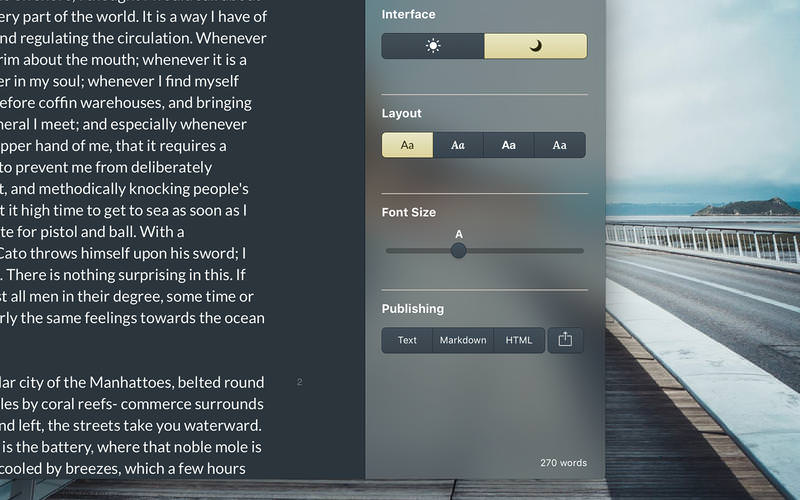
- Just enough settings. Select from 4 layout and font options optimized for writing. Or switch to dark mode for writing at night or a low light setting.
- Easily export to markdown, html, or plain text.
Version 1.1.4:
- Adds search to Documents Overview
- Adds support for the Touch Bar
- Fixes for a few small graphical glitches
Frequently asked questions
How do I install the app?
Mount the image, drag the app into the "Applications" folder and launch it. If the system blocks the launch, allow it in "System Settings → Privacy & Security".
The app is damaged or won't launch
Reinstalling from a fresh image usually helps. Make sure your macOS version matches the one listed in the compatibility specs.
How do I update?
Download the new version from the site and install it over the current one — your settings will be preserved.
The download link doesn't work
Try a mirror or a download manager. For large files the browser often drops the connection.
How do I completely remove the app?
Use an uninstaller utility — it cleans up the service files that remain after moving the app to the trash.
VersionParagraphs 1.1.4
DeveloperTriplane LLC
CompatibilityOS X 10.10 or later, 64-bit processor
LanguageEnglish
IncludesPre-K'ed
Information
Visitors in the group Guests cannot leave comments on this publication.
Choose a download source
Paragraphs 1.1.4 · 7.85 MB