PDF to Word Converter 6.2.1 fix


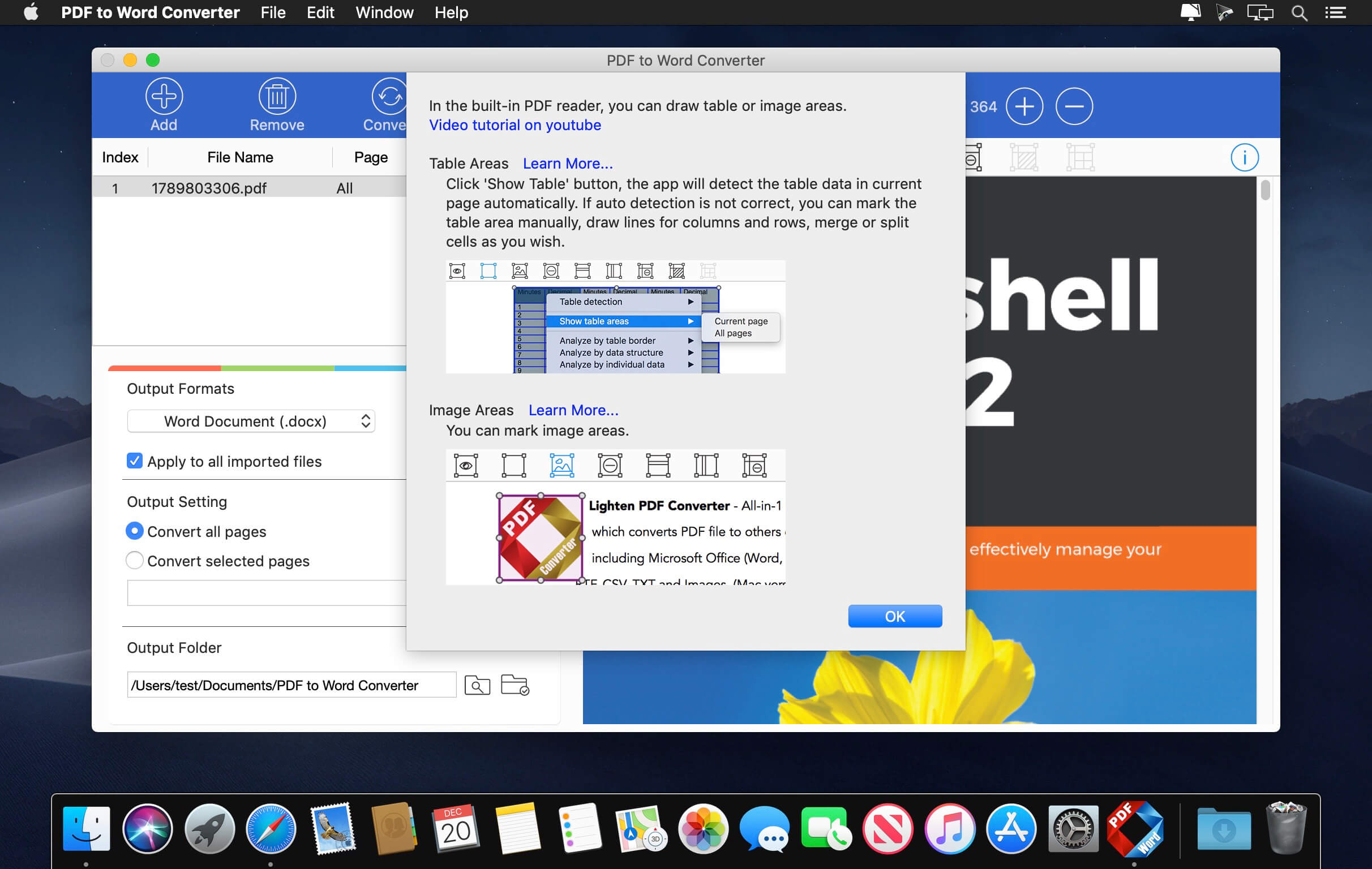
PDF to Word for Mac is a powerful and intuitive application that lets you convert PDF to Microsoft Word (docx, doc). It can convert complex PDFs with multi column, graphics, formatting, tables, and preserve everything perfectly in Microsoft Word. Editing or reusing PDF in Word cannot be easier.
PDF format and Microsoft Word (doc, docx) are not compatible with each other, and they are different document formats with many different features. PDF is great for sharing, it looks consistent across all platforms and devices, but when you need to use text in PDF, or edit the content, Word document is always the great choice. Document reconstruction is never an easy task, if you need more than just text, and want to keep the original look of the PDF file, you should definitely try Lighten PDF to Word Converter for Mac.
Version 6.2.1:
- Release notes were unavailable when this listing was updated.
Frequently asked questions
How do I install the app?
Mount the image, drag the app into the "Applications" folder and launch it. If the system blocks the launch, allow it in "System Settings → Privacy & Security".
The app is damaged or won't launch
Reinstalling from a fresh image usually helps. Make sure your macOS version matches the one listed in the compatibility specs.
How do I update?
Download the new version from the site and install it over the current one — your settings will be preserved.
The download link doesn't work
Try a mirror or a download manager. For large files the browser often drops the connection.
How do I completely remove the app?
Use an uninstaller utility — it cleans up the service files that remain after moving the app to the trash.
Related posts
Choose a download source
PDF to Word Converter 6.2.1 fix · 20.39 MB