DSP-Quattro 5.6.0
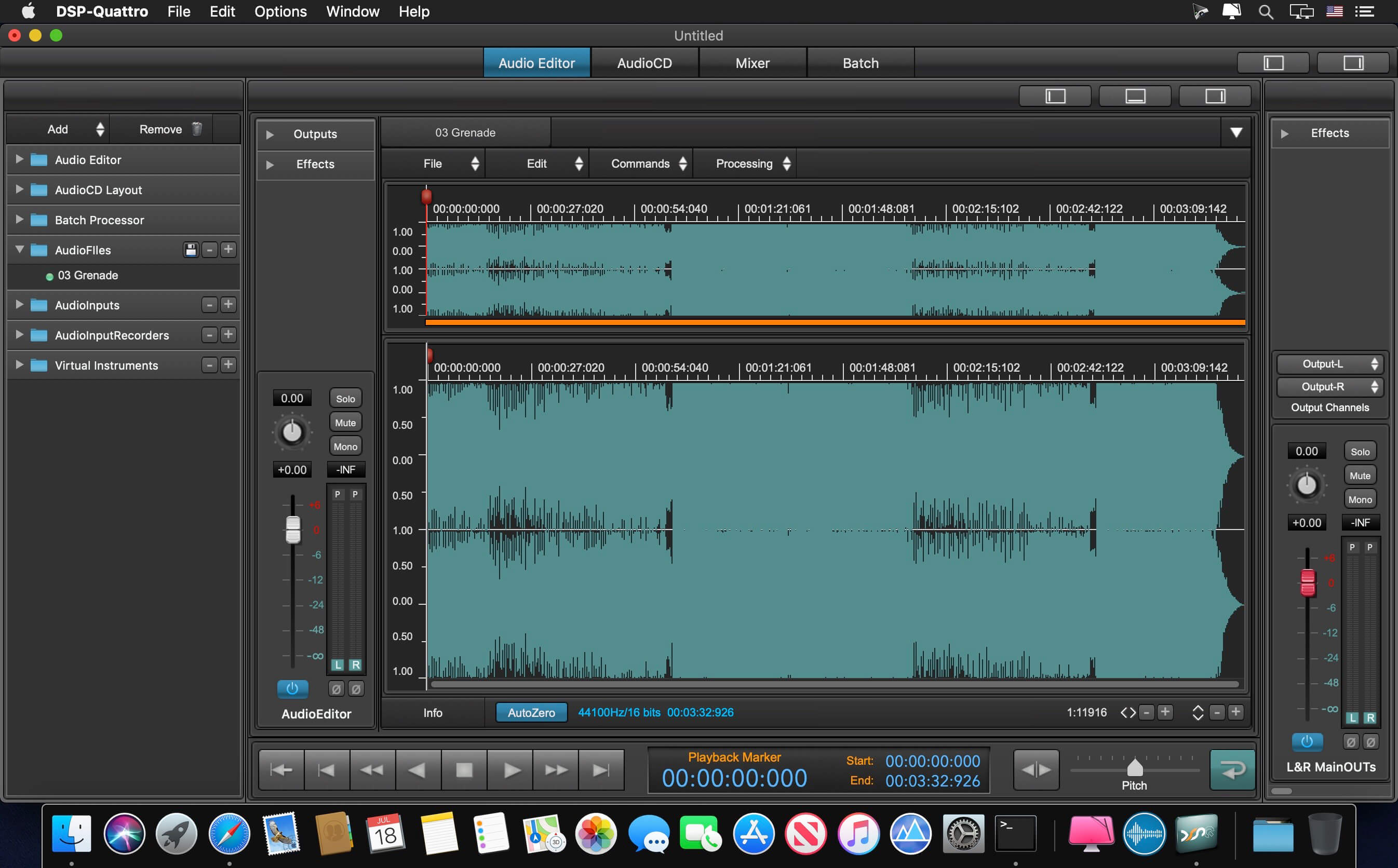
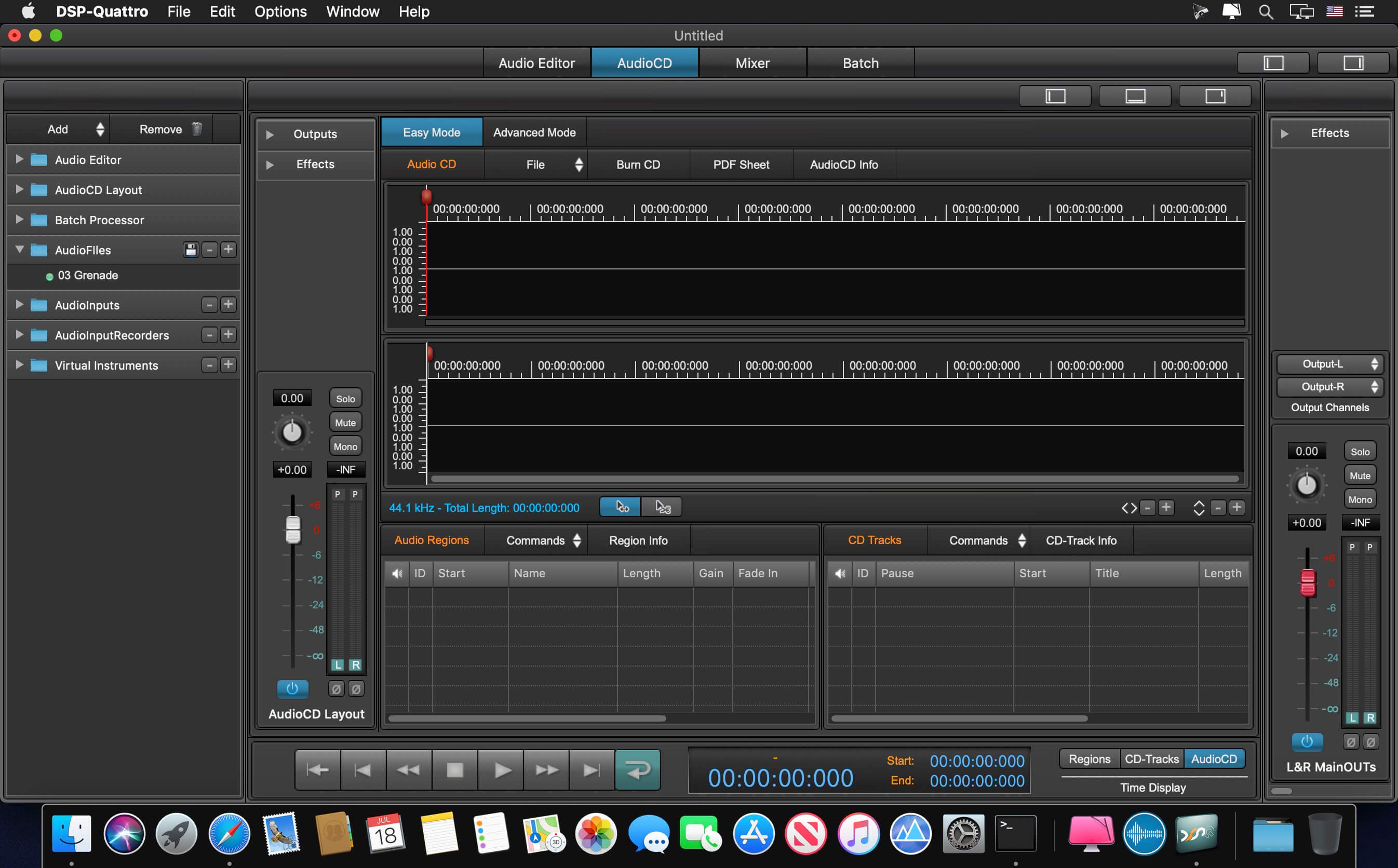

Audio File Editing, AudioCD Mastering, Plug-in Hosting
A new application forged on its distinguished past.
Rebuilt from the bottom up for macOS Mojave (*), DSP-Quattro 5 stands on the foundation of its award-winning twenty-three year history, primed to carry on its tradition of excellence well into the future.
Audio Editing
- 64 bit Audio and Graphic Engines
- Dozens of sample-based editing functions, including: linear phase Sample Rate Converter; phase locked Time Stretching and Frequency Shifting algorithms
- 64 bit Audio Units (AU) plugins for editing
- Advanced looping tool for building sample libraries
- For vinyl restoration, an astonishing built-in Declicking algorithm
- Exclusive AudioCD Layout waveform view provides programmable X-Fades in real time
- Burn Audio CD-ROMs and Import/Export DDP files
- Support for EAN/UPC, ISRC, PQ subcodes, CD-Texts and ID3 Tags
- Exports to iTunes Plus AAC M4A
- Supports ISRC codes on WAVE files
- Hosts 64 bit Audio Unit (AU) plug-ins, editing with sample accuracy and latency compensation
- Play AU Virtual Instruments via MIDI control
- DSP-Quattro can be used in live performance as a real time multi-effects processor or to play Virtual Instruments
- If markers are dropped while making a live recording, an Audio CD-ROM can be output in just a few seconds.
- The built-in Output Recorder writes to disc what you are listening to—in real time.
- v5 records to CAF unrestricted size audio files. File length is limited only by available hard disc capacity.
- DSP-Quattro can record direct to disc using 32 bit float sample precision. No conversion to 24 bit required when set to maximum quality.
Version 5.6:
- It is a Universal Application, it runs native on Macs based on Apple Silicon CPU.
- New command to burn an audio CD directly from a DDP image.
- New option to save the current audio CD as DDP image just after the burning process of the current audioCDLayout, to avoid to render again the current audioCDLayout for burning additional copies when reloading the project
- New auto-detection to build an audioCDLayout directly from the regions on an audio file.
- New command to import an audio CD image saved as AIFF or WAV file from the previous versions of DSP-Quattro
- Fixed a potential problem of access privileges when exporting and replacing the source file.
- Fixed a graphic problem on PDF sheets on MacOS HighSierra or older.
- Several bugs have been fixed.
Frequently asked questions
How do I install the app?
Mount the image, drag the app into the "Applications" folder and launch it. If the system blocks the launch, allow it in "System Settings → Privacy & Security".
The app is damaged or won't launch
Reinstalling from a fresh image usually helps. Make sure your macOS version matches the one listed in the compatibility specs.
How do I update?
Download the new version from the site and install it over the current one — your settings will be preserved.
The download link doesn't work
Try a mirror or a download manager. For large files the browser often drops the connection.
How do I completely remove the app?
Use an uninstaller utility — it cleans up the service files that remain after moving the app to the trash.
VersionDSP-Quattro 5.6.0
DeveloperAudirvana
CompatibilityOS X 10.11 or later, 64-bit processor
LanguageEnglish
IncludesK'ed by TNT

Information
Visitors in the group Guests cannot leave comments on this publication.
Choose a download source
DSP-Quattro 5.6.0 · 46.38 MB
Previous versions
DSP-Quattro 5.6.0
Previous versions are available to registered users.