
Fluctus Expert 1.9.1
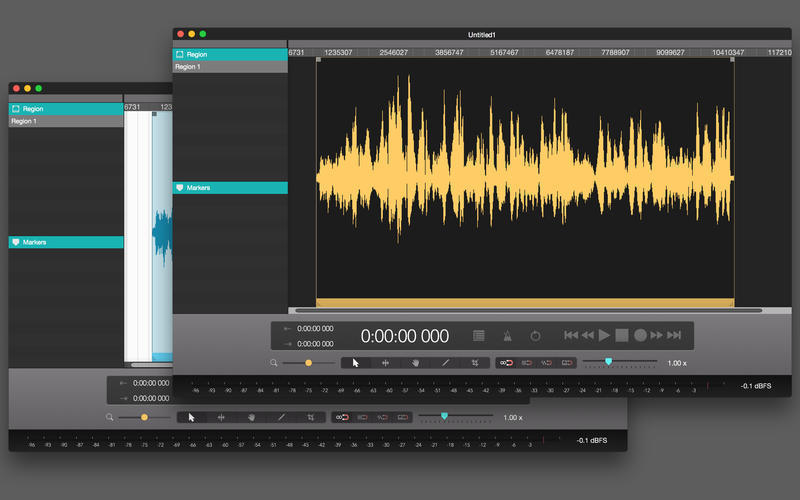

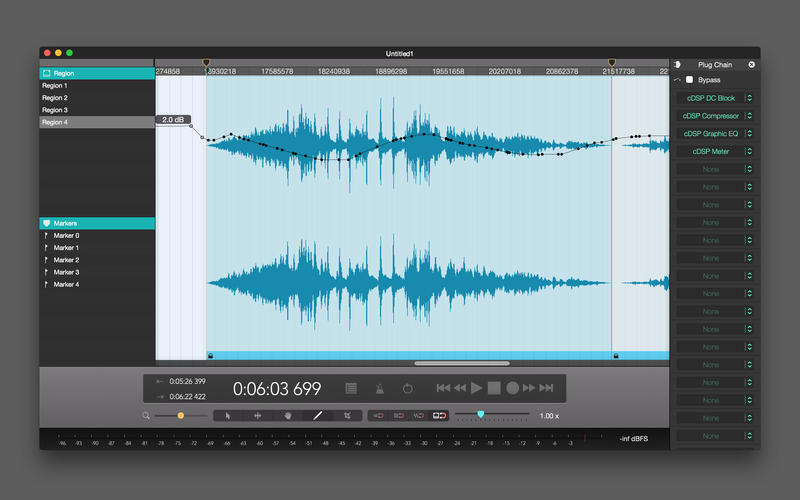
Fluctus is the audio editor for both the newcomer and the expert. We strived to create a clean user interface without loss of functionality and customisation. Fluctus includes a unique processing engine, that we call cDSP. By designing our own audio engine, we added power and flexibility with extraordinary efficiency.
Features
- Editing and recording via rectangular blocks called Regions
- Easy-to-use marker system
- 3rd-party Audio-Unit plugins support (real-time)
- Integrated processing and metering tools (real-time)
- Master automation layer
- 64-bit audio processing
- Easy project navigation
- Changeable interface color schemes
- Fully editable (including lock, split, resize, reverse, and much more)
- Drawable waveform (sample by sample editing)
- Full control with per-region inspectors
- Individual fade-in and out (4 optional shapes)
- Individual mute, phase reverse, pan, and gain controls
Frequently asked questions
How do I install the app?
Mount the image, drag the app into the "Applications" folder and launch it. If the system blocks the launch, allow it in "System Settings → Privacy & Security".
The app is damaged or won't launch
Reinstalling from a fresh image usually helps. Make sure your macOS version matches the one listed in the compatibility specs.
How do I update?
Download the new version from the site and install it over the current one — your settings will be preserved.
The download link doesn't work
Try a mirror or a download manager. For large files the browser often drops the connection.
How do I completely remove the app?
Use an uninstaller utility — it cleans up the service files that remain after moving the app to the trash.
VersionFluctus Expert 1.9.1
DeveloperFrancisco Maldonado
CompatibilityOS X 10.10.5 or later, 64-bit processor
LanguageEnglish
IncludesK'ed by TNT



Information
Visitors in the group Guests cannot leave comments on this publication.
Choose a download source
Fluctus Expert 1.9.1 · 20.03 MB