
Special K for MacOS Sierra Utility 1.0
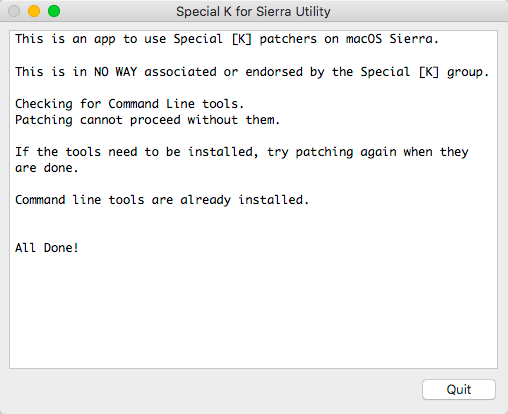
Special K for Sierra Utility - utility for use Special [K] patches on MacOS Sierra. This patch-fix patches for the team from Special K, which did not work on MacOS Sierra.
To use the utility, you should have installed Xcode Command Line tools. If they are not installed, the utility will not work and you will be prompted to install them. Patcher and the application must be placed in any special folder, the application can not be on the disc is read-only.
There are no error messages if patching fails. The utility will prompt the user first select the patcher. After patcher has been selected, the user selects the application. Try to run the corrected application to see whether it works. There are no guarantees. Also, remember, many applications need to run once before leveling to install helpers.
SCREENSHOTS
Frequently asked questions
How do I install the app?
Mount the image, drag the app into the "Applications" folder and launch it. If the system blocks the launch, allow it in "System Settings → Privacy & Security".
The app is damaged or won't launch
Reinstalling from a fresh image usually helps. Make sure your macOS version matches the one listed in the compatibility specs.
How do I update?
Download the new version from the site and install it over the current one — your settings will be preserved.
The download link doesn't work
Try a mirror or a download manager. For large files the browser often drops the connection.
How do I completely remove the app?
Use an uninstaller utility — it cleans up the service files that remain after moving the app to the trash.
VersionSpecial K for MacOS Sierra Utility 1.0
DeveloperUnknown Software
CompatibilityOS X 10.7 or later, 64-bit processor
LanguageEnglish
IncludesPre-K'ed
Related posts





Choose a download source
Special K for MacOS Sierra Utility 1.0 · 1.12 MB
Comments 3