
VideoScan 1.0.5


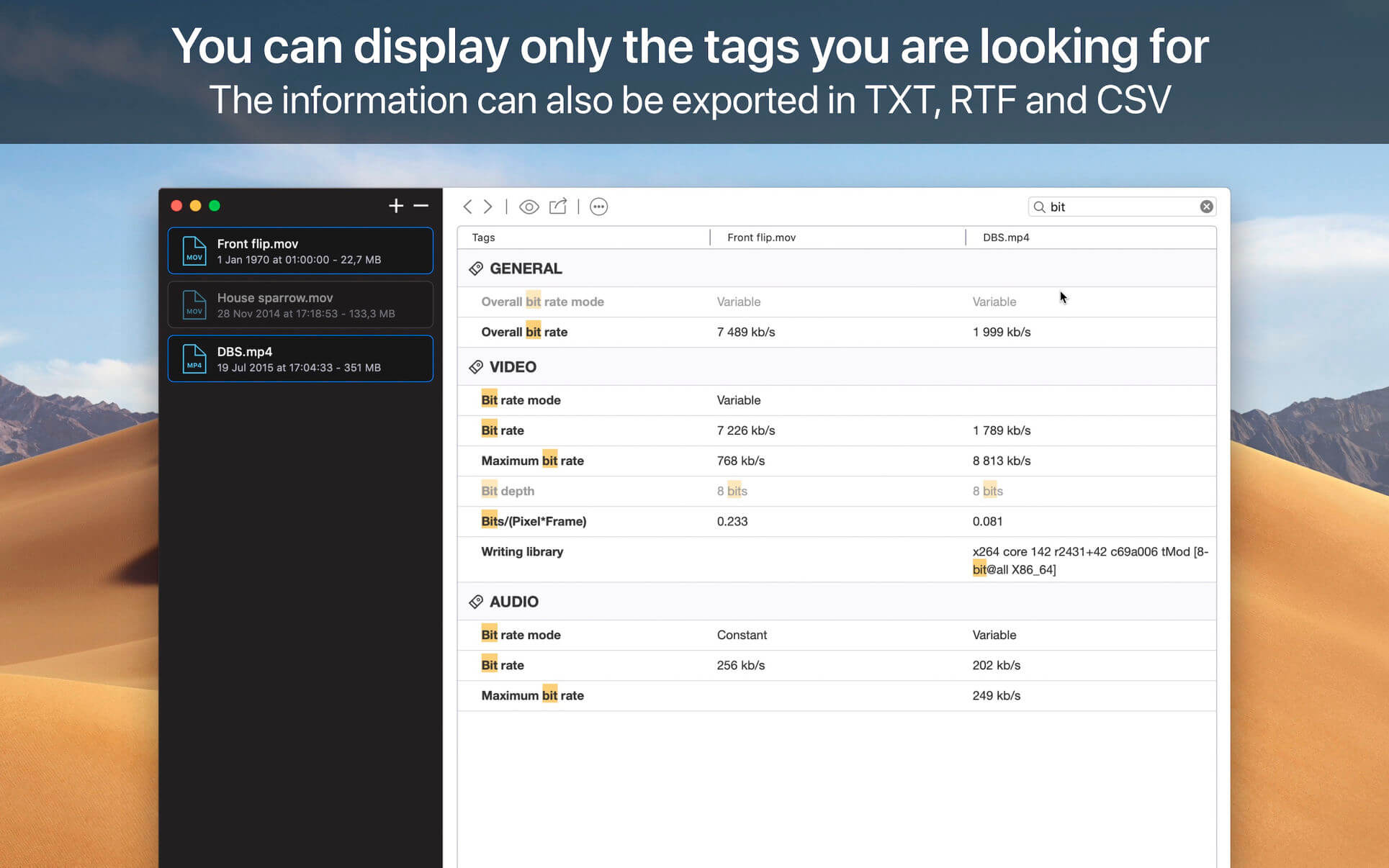
VideoScan displays hidden information about your multimedia documents. The application is able to analyze your files as well as the embedded audio and video streams. It provides you a lot of information, including the appearance of videos, the number of frames per second, the bit rate used, the sample rate of audio tracks, the number of available channels, and so on.
Supported information:
- Container: format, profile, commercial name of the format, duration, overall bit rate, writing application and library, title, author, director, album, track number, date, duration...
- Video: format, codec id, aspect, frame rate, bit rate, color space, chroma subsampling, bit depth, scan type, scan order...
- Audio: format, codec id, sample rate, channels, bit depth, language, bit rate...
- Text: format, codec id, the language of subtitle...
- Chapters: count of chapters, list of chapters...
- Containers: MPEG-4, QuickTime, Matroska, AVI, MPEG-PS, MPEG-TS, MXF, GXF, LXF, WMV, FLV, Real...
- Metadаta: Id3v1, Id3v2, Vorbis comments, APE tags...
- Video: MPEG-1/2 Video, H.263, MPEG-4 Visual (including DivX, XviD), H.264/AVC, H.265/HEVC, FFV1...
- Audio: MPEG Audio (including MP3), AC3, DTS, AAC, Dolby E, AES3, FLAC...
- Subtitles: CEA-608, CEA-708, DTVCC, SCTE-20, SCTE-128, ATSC/53, CDP, DVB Subtitle, Teletext, SRT, SSA, ASS, SAMI...
Version 1.0.5
- Fix several minor issues
Frequently asked questions
How do I install the app?
Mount the image, drag the app into the "Applications" folder and launch it. If the system blocks the launch, allow it in "System Settings → Privacy & Security".
The app is damaged or won't launch
Reinstalling from a fresh image usually helps. Make sure your macOS version matches the one listed in the compatibility specs.
How do I update?
Download the new version from the site and install it over the current one — your settings will be preserved.
The download link doesn't work
Try a mirror or a download manager. For large files the browser often drops the connection.
How do I completely remove the app?
Use an uninstaller utility — it cleans up the service files that remain after moving the app to the trash.
VersionVideoScan 1.0.5
DeveloperJeremy Vizzini
CompatibilitymacOS 10.13 or later 64-bit
LanguageEnglish
IncludesK'ed by TNT




Information
Visitors in the group Guests cannot leave comments on this publication.
Choose a download source
VideoScan 1.0.5 · 16.15 MB