Easy Audio Mixer 2.8.0

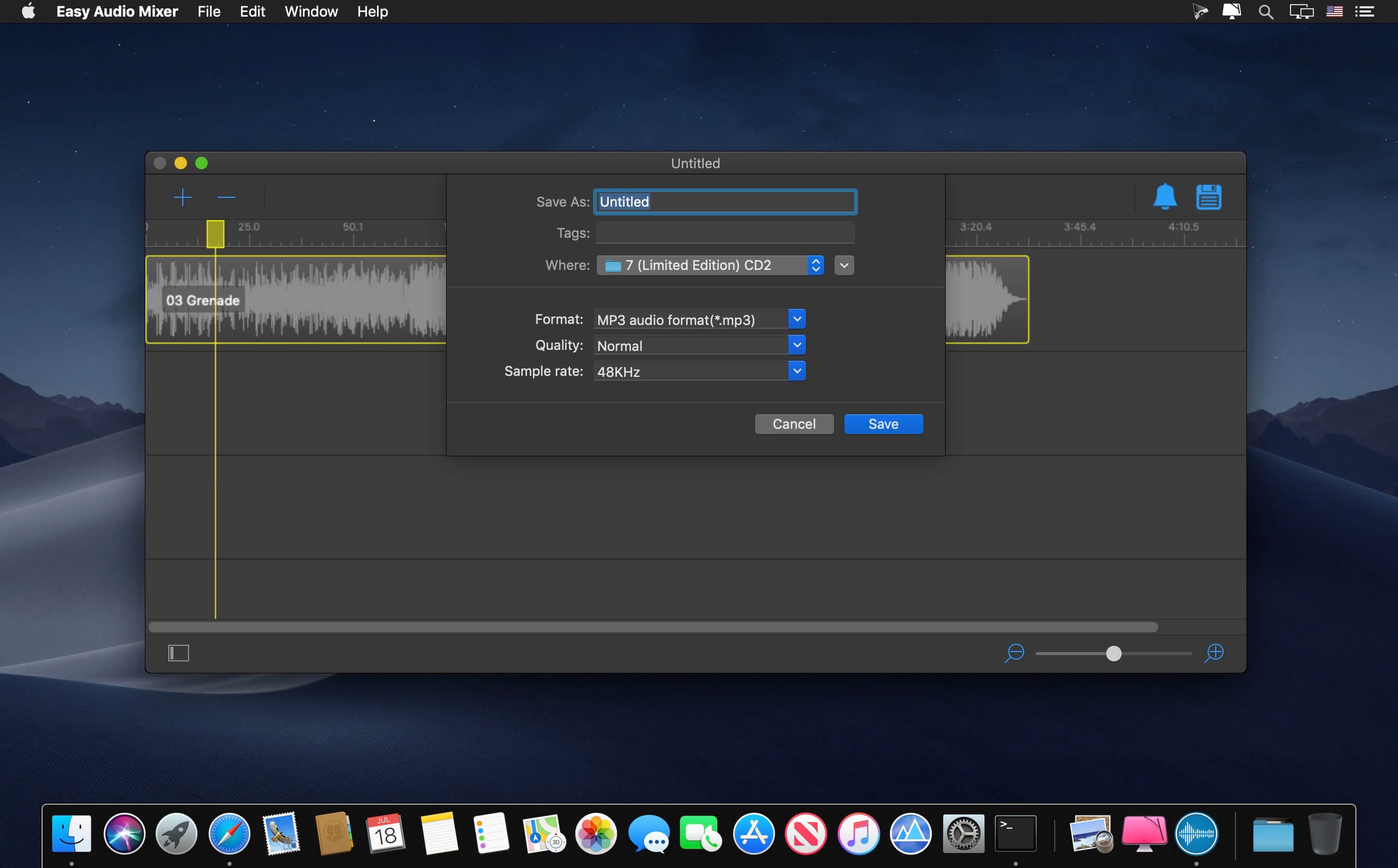
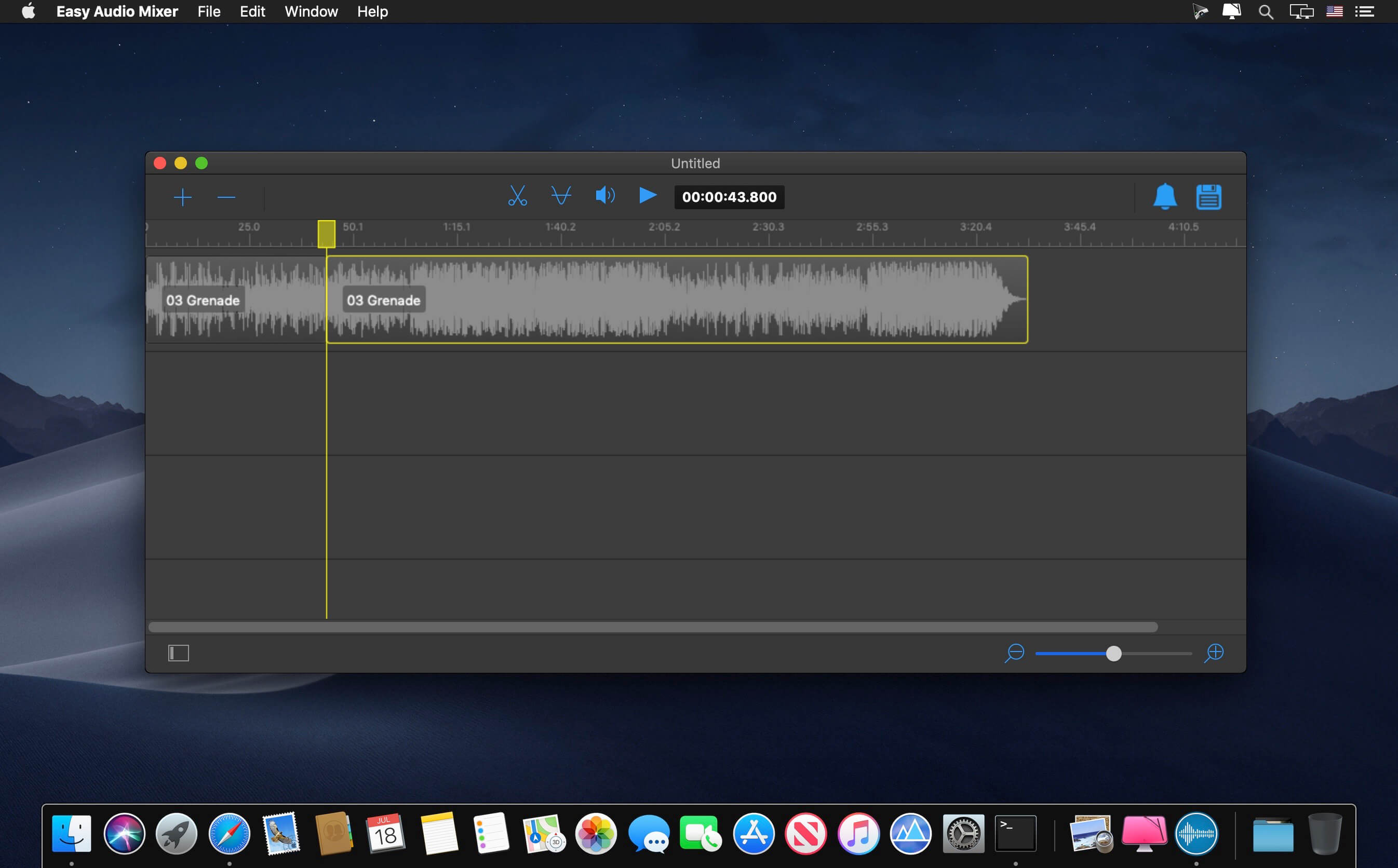
Easy audio mixer is a simple audio editor tool and is easy to use. You can use it to cut audio, mix audio, split audio from video file, and also merge multi audios into one.
Key feature:
- Support almost all popular audio format, including but not limited to mp3, m4a, wav, wma etc.
- Support almost all popular video format from which you can split audio, such as mp4, wmv, rmvb etc.
- Easy to use. You can quickly and easily finish the task by only a few drag and drop operations. And you can preview the result in the real time.
- Support audio cutting, merging, splitting and mixing.
- Support audio volume adjusting, and fade in/fade out effect.
- Support to output in mp3/m4a/wav format.
- Powerful, efficient and easy to use.
Support Audio Format:
- MPEG audio layer II and III(*.mp2, *mp3)
- iTunes audio format with AAC encoding(*.m4a)
- Ogg vorbis audio format(*.ogg)
- Matroska audio format(*.mka)
- Windows media audio format(*.wma)
- Monkey’s audio format(*.ape)
- Free lossless audio codec format(*.flac)
- Waveform audio format(*wav)
- Apple core audio format(*.caf)
- Audio interchange file format(*.aiff, *.aif, *.aifc)
- Adaptive multi-rate audio format(*.amr, *.3ga)
- Advanced audio coding format(*.aac)
- Advanced codec 3(*.ac3)
Support Video Formats:
- Advanced Streaming Format(*.asf)
- Audio video interleaved(*.avi)
- Windows Media Video(*.wmv, *.xmv)
- MP4 video base on DivX encoder(*.mp4)
- MPEG-4 Video file(*.mp4, *.mov, *.m4v)
- Matroska multimedia file(*.mkv)
- MPEG-1, MPEG-2 video file(*.mpg, *.mpeg)
- Flash video(*.flv, *.f4v, *.swf)
- Third Generation Partnership Project video format(*.3gp, *.3g2)
- HTML5 video file(*.WebM)
- Professional digital video media file(*.dv, *.mod, *.tod)
- Real media file(*.rm, *.rmvb)
- High define resolution video file(*.ts, *.m2ts, *.mts, *.avc, *.tp)
Note: NOT Support DRM protected audio file.
Frequently asked questions
How do I install the app?
Mount the image, drag the app into the "Applications" folder and launch it. If the system blocks the launch, allow it in "System Settings → Privacy & Security".
The app is damaged or won't launch
Reinstalling from a fresh image usually helps. Make sure your macOS version matches the one listed in the compatibility specs.
How do I update?
Download the new version from the site and install it over the current one — your settings will be preserved.
The download link doesn't work
Try a mirror or a download manager. For large files the browser often drops the connection.
How do I completely remove the app?
Use an uninstaller utility — it cleans up the service files that remain after moving the app to the trash.



Choose a download source
Easy Audio Mixer 2.8.0 · 23.62 MB
Previous versions
Easy Audio Mixer 2.8.0
Previous versions are available to registered users.