
Boris Continuum Complete OFX 11.0.3
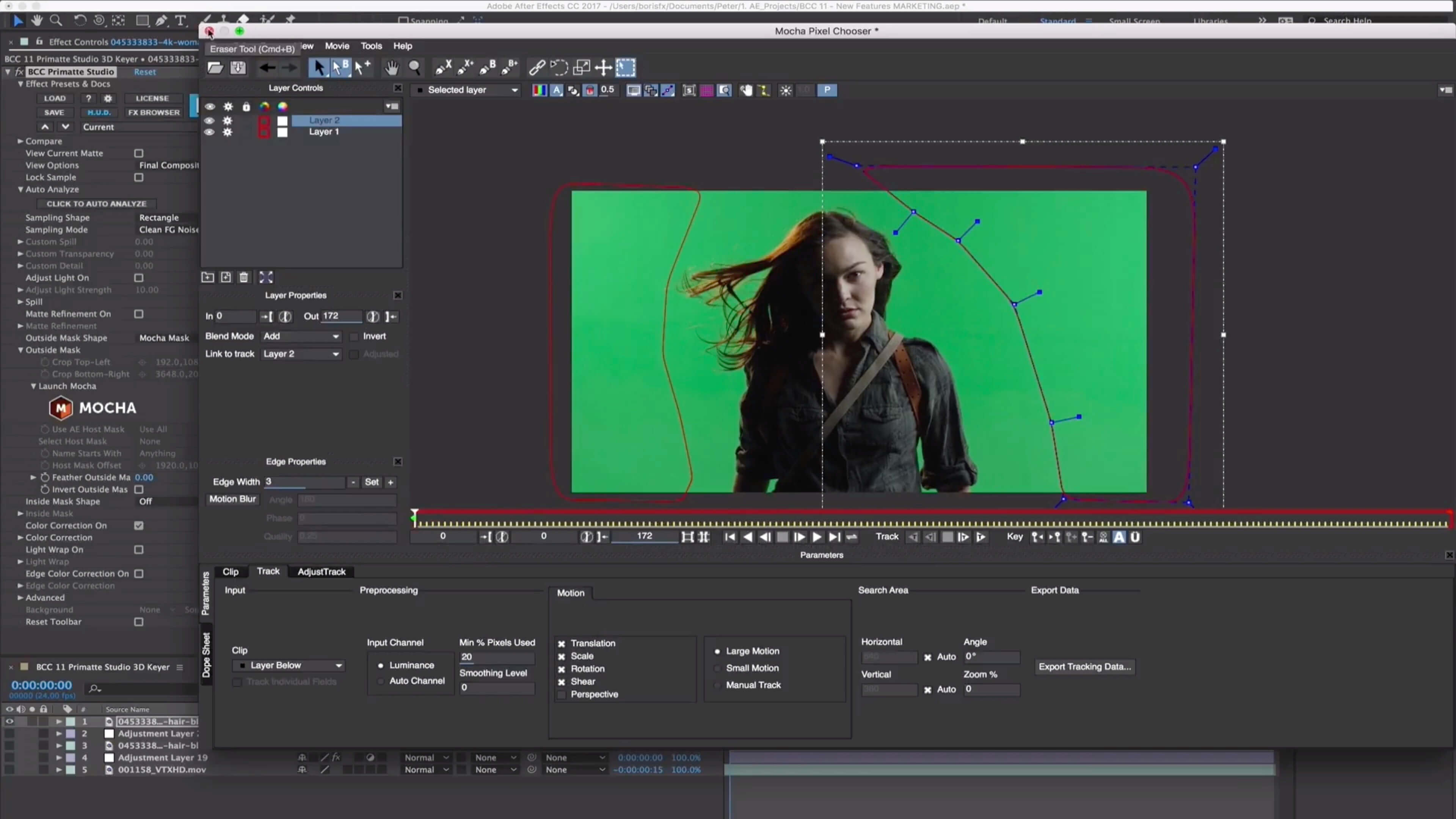
Continuum is the VFX toolset that helped Ezra Edelman’s O.J.: Made in America win the Academy Award. A plug-in collection for Adobe, Apple, Avid and OFX host applications, Continuum features range from Image Restoration, to Extruded Text, titling and 3D Objects, to Chromakey and Compositing, Particles, and Image Stabilization. Continuum serves NLE editors and Compositors alike with the newly integrated Masking and Planar Tracking Pixel Chooser powered by Academy Award-winning Mocha technology.
New in Continuum 11:
- Primatte Studio: Academy Award nominated chroma key tech
- VR Unit: 5 powerful filters for 360/VR editing tasks
- Broadcast Safe: Instantly pass broadcast safe standards
- Title Studio: Adds 3D render options including depth-of-field
- Many more presets & templates
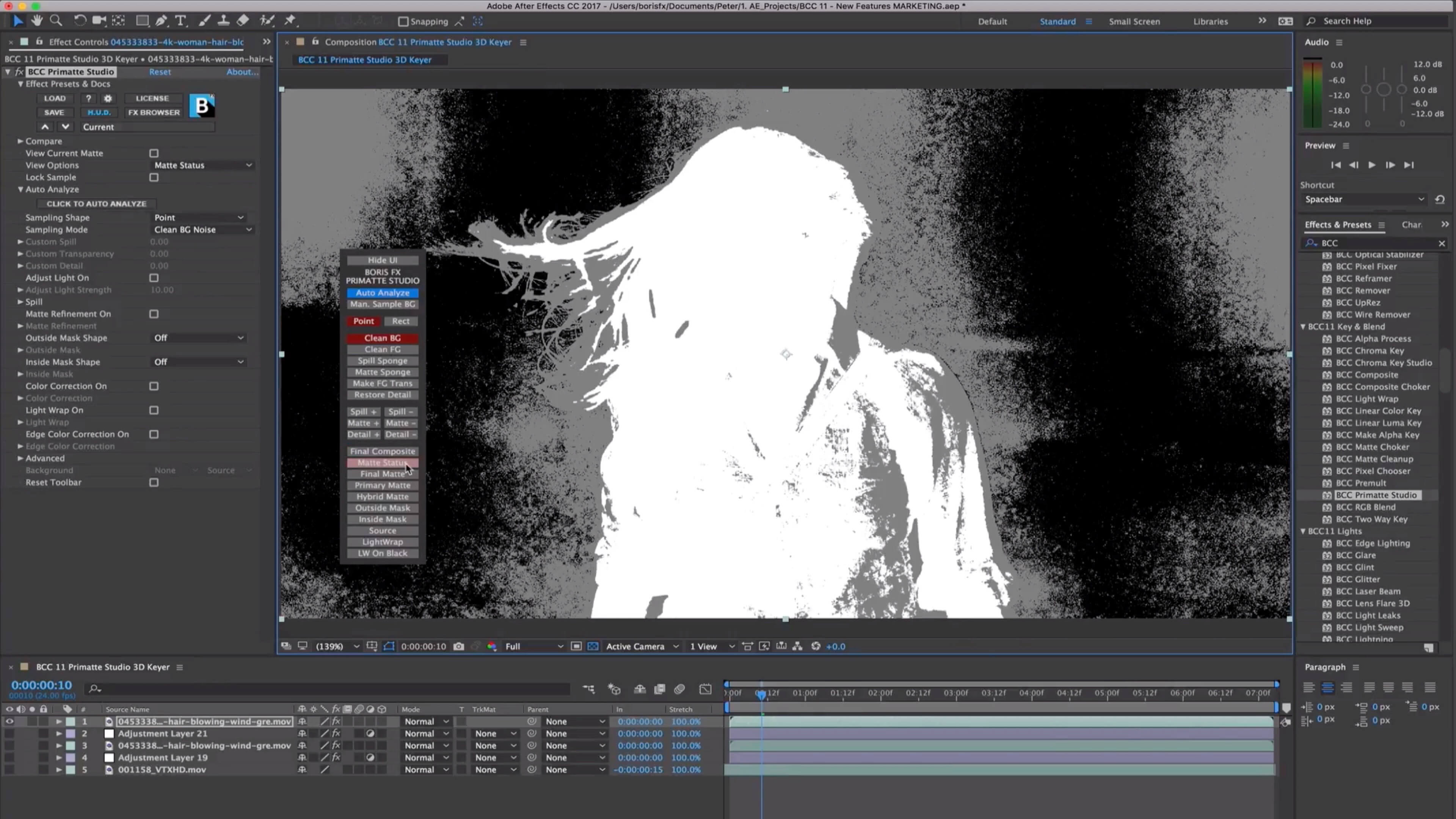
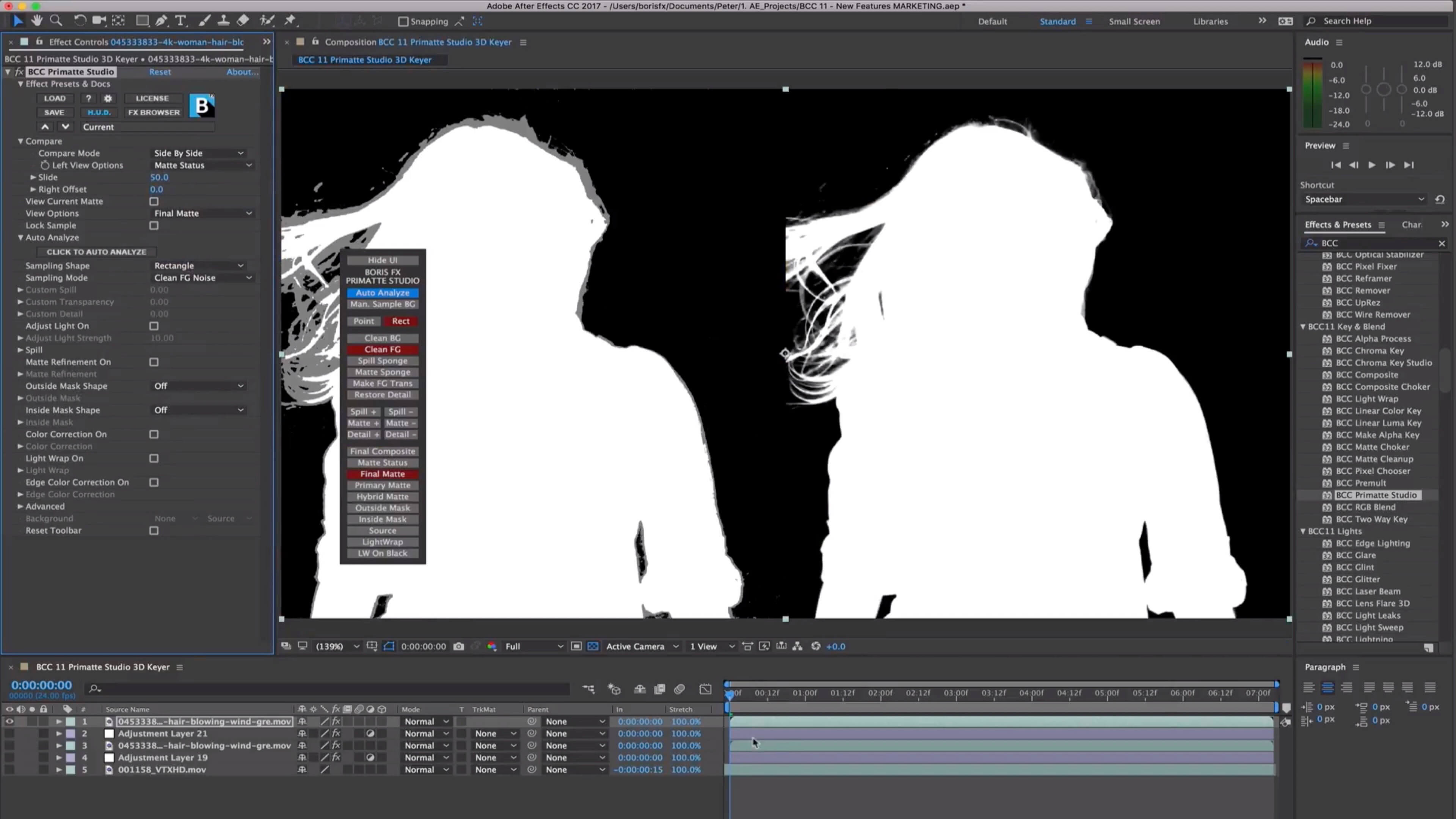
Easily chroma key and composite using the same Academy Award nominated compositing tech (Photron’s Primatte) as major blockbusters like the Lord of the Rings series, Harry Potter films, and Spider-Man. The new Primatte Studio is the ultimate blue/green screen toolset. Exclusive features include:
- Automatic green/blue screen analysis
- Manual transparency tuning
- Adjust lighting to correct unevenly lit screens
- Foreground object detection to deliver a perfect key with a single color sample
- Integrated Academy Award winning Mocha masking and planar tracking syste
VR Unit
Editing and finishing immersive 360 video is a time consuming task. The VR Unit gives editors five new 360 optimized filters to speed up post workflows. Work inside your host timeline while avoiding the seams inherent to regular non-VR filters. Supports 180, 360, mono, and stereoscopic! Based on Mocha VR’s award-winning 360/VR tech.
Broadcast Safe
Tired of your projects failing broadcast safe standards? The new Broadcast Safe filter is the one click-solution you’ve been looking for. Simply choose the desired standard option and the filter automatically produces the final picture-perfect result — guaranteed.
Version 11.0.3:
Release Notes:
Release Notes:
Frequently asked questions
How do I install the app?
Mount the image, drag the app into the "Applications" folder and launch it. If the system blocks the launch, allow it in "System Settings → Privacy & Security".
The app is damaged or won't launch
Reinstalling from a fresh image usually helps. Make sure your macOS version matches the one listed in the compatibility specs.
How do I update?
Download the new version from the site and install it over the current one — your settings will be preserved.
The download link doesn't work
Try a mirror or a download manager. For large files the browser often drops the connection.
How do I completely remove the app?
Use an uninstaller utility — it cleans up the service files that remain after moving the app to the trash.
VersionBoris Continuum Complete OFX 11.0.3
DeveloperBORIS FX
CompatibilityOS X 10.10 or later, 64-bit processor
LanguageEnglish
IncludesK
Related posts
-
 Boris Continuum Complete 11.0.3 for Final Cut Pro X
Photography199.86 MB
Boris Continuum Complete 11.0.3 for Final Cut Pro X
Photography199.86 MB
-
 Boris FX Continuum Complete 2020 v13.5 for Final Cut Pro
Video235.12 MB
Boris FX Continuum Complete 2020 v13.5 for Final Cut Pro
Video235.12 MB
-
 Boris Continuum Complete for Adobe 10.0.1
Mac Apps
Boris Continuum Complete for Adobe 10.0.1
Mac Apps
-
 Mocha Pro 2019 v6.0.0.1882 Plugin for OFX
Video107.79 MB
Mocha Pro 2019 v6.0.0.1882 Plugin for OFX
Video107.79 MB
-
 Call of Duty®: Modern Warfare® 2 v1.2
Games11.23 GB
Call of Duty®: Modern Warfare® 2 v1.2
Games11.23 GB
Information
Visitors in the group Guests cannot leave comments on this publication.
Choose a download source
Boris Continuum Complete OFX 11.0.3 · 183.96 MB