EtreCheck Pro 6.8.14
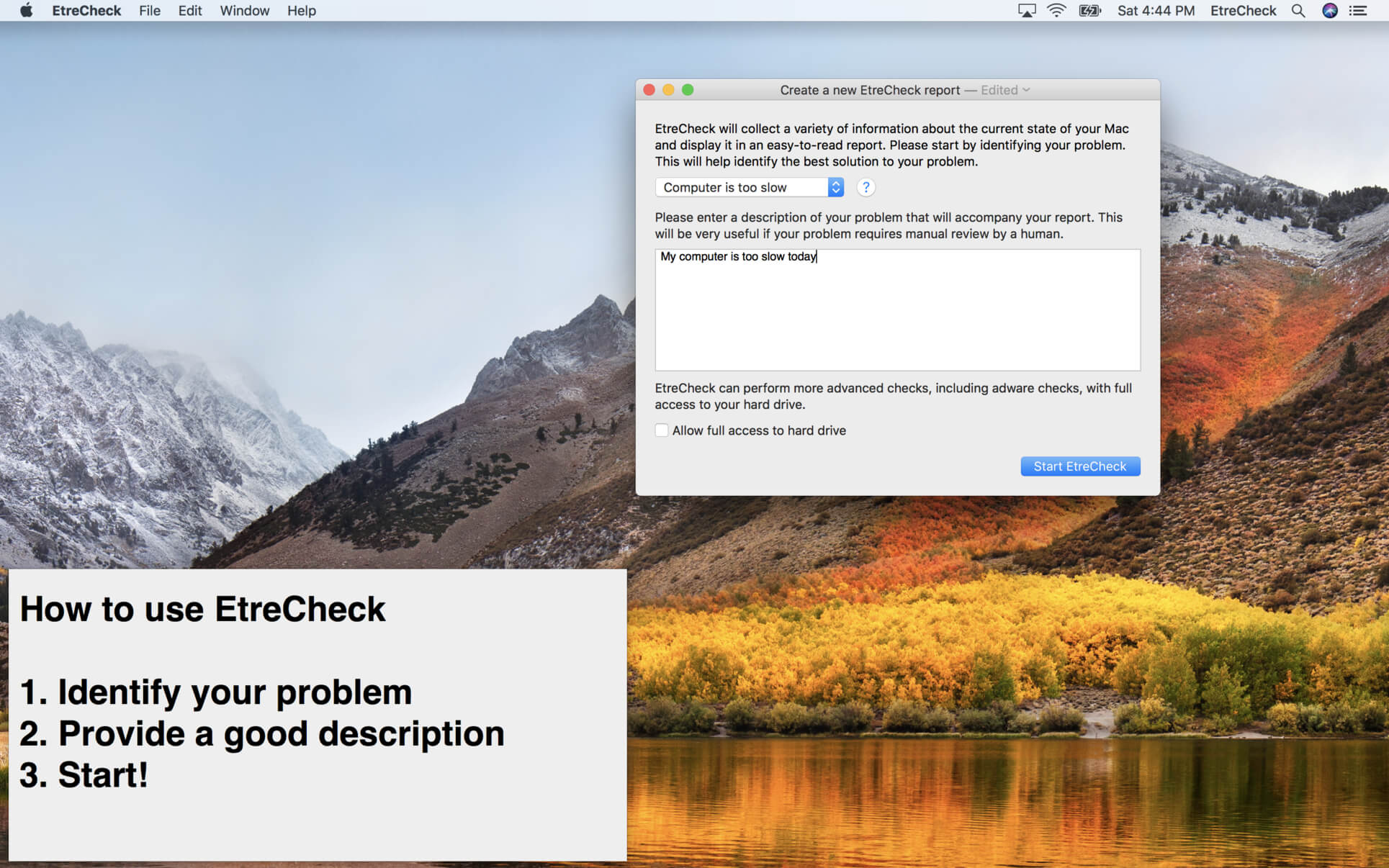

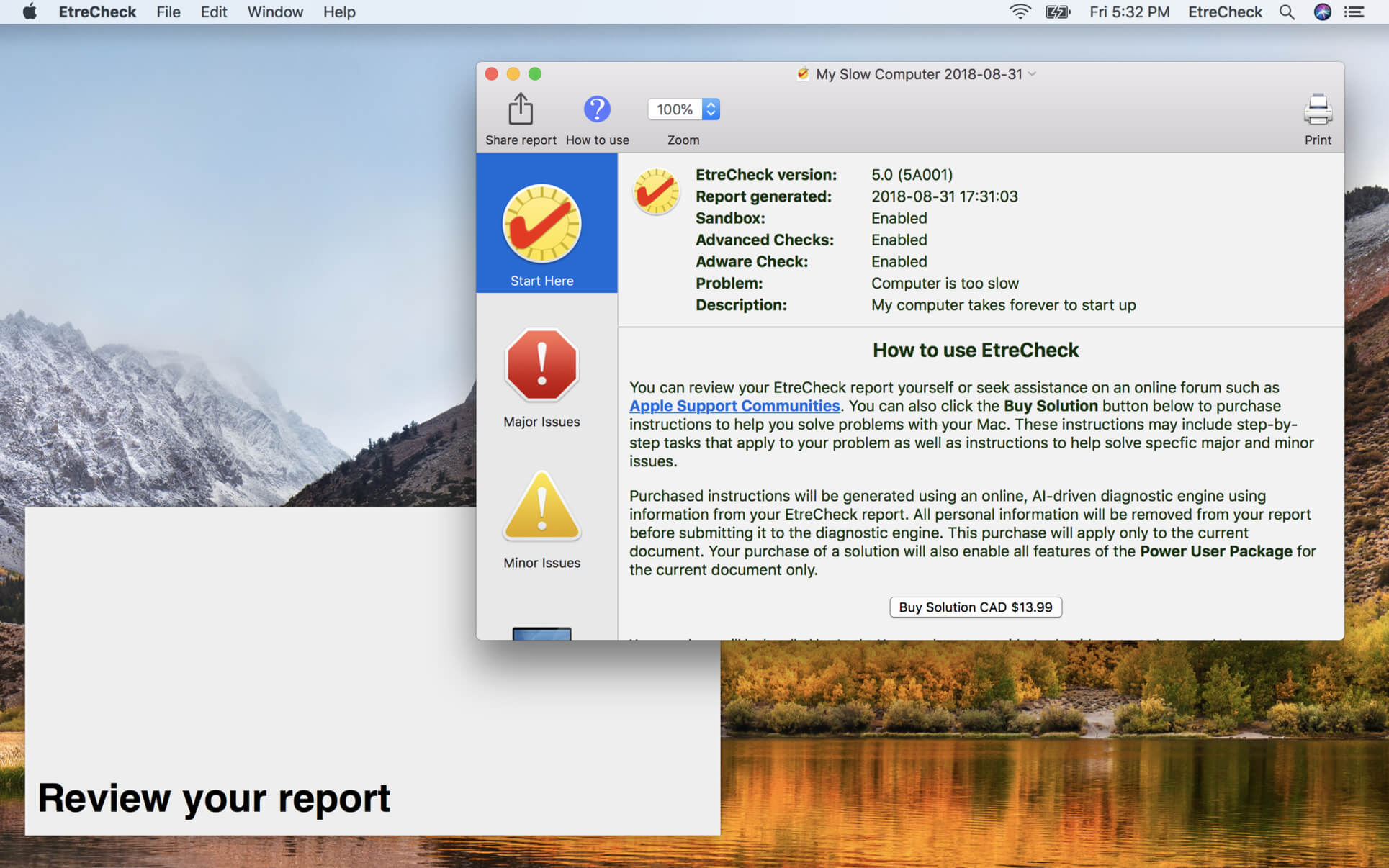
EtreCheck is an app that displays the important details of your system configuration and allow you to copy that information to the Clipboard. It is meant to be used with Apple Support Communities to help people help you with your Mac. EtreCheck automatically removes any personally identifiable information from the output.
EtreCheck will automatically alert you to serious problems like adware, insufficient RAM, or a failing hard drive.
EtreCheck 6 is free and available in the Mac App Store with in-app purchases available. EtreCheck can now automatically generate solutions for any problems that it finds.
Version 6.5
- Improve detection of antivirus software;
- Improve reporting of hard drive problems;
- Improve reporting and solution for stuck iCloud transfers problem;
- Replace 32-bit app detection with x86-only app detection;
- Hide com.apple.installer.osmessagetracing.plist file;
- Fix system display;
- Improve display of app names in Storage tool;
- Improve display of app names in Analytics tool;
- Add support for CoreMediaIO plug-ins;
- Update privacy policy; and
- Other bug fixes and improvements.
Frequently asked questions
How do I install the app?
Mount the image, drag the app into the "Applications" folder and launch it. If the system blocks the launch, allow it in "System Settings → Privacy & Security".
The app is damaged or won't launch
Reinstalling from a fresh image usually helps. Make sure your macOS version matches the one listed in the compatibility specs.
How do I update?
Download the new version from the site and install it over the current one — your settings will be preserved.
The download link doesn't work
Try a mirror or a download manager. For large files the browser often drops the connection.
How do I completely remove the app?
Use an uninstaller utility — it cleans up the service files that remain after moving the app to the trash.




Choose a download source
EtreCheck Pro 6.8.14 · 11.63 MB
Previous versions
EtreCheck Pro 6.8.14
Previous versions are available to registered users.