Chrono Plus - Time Tracker 1.7.1
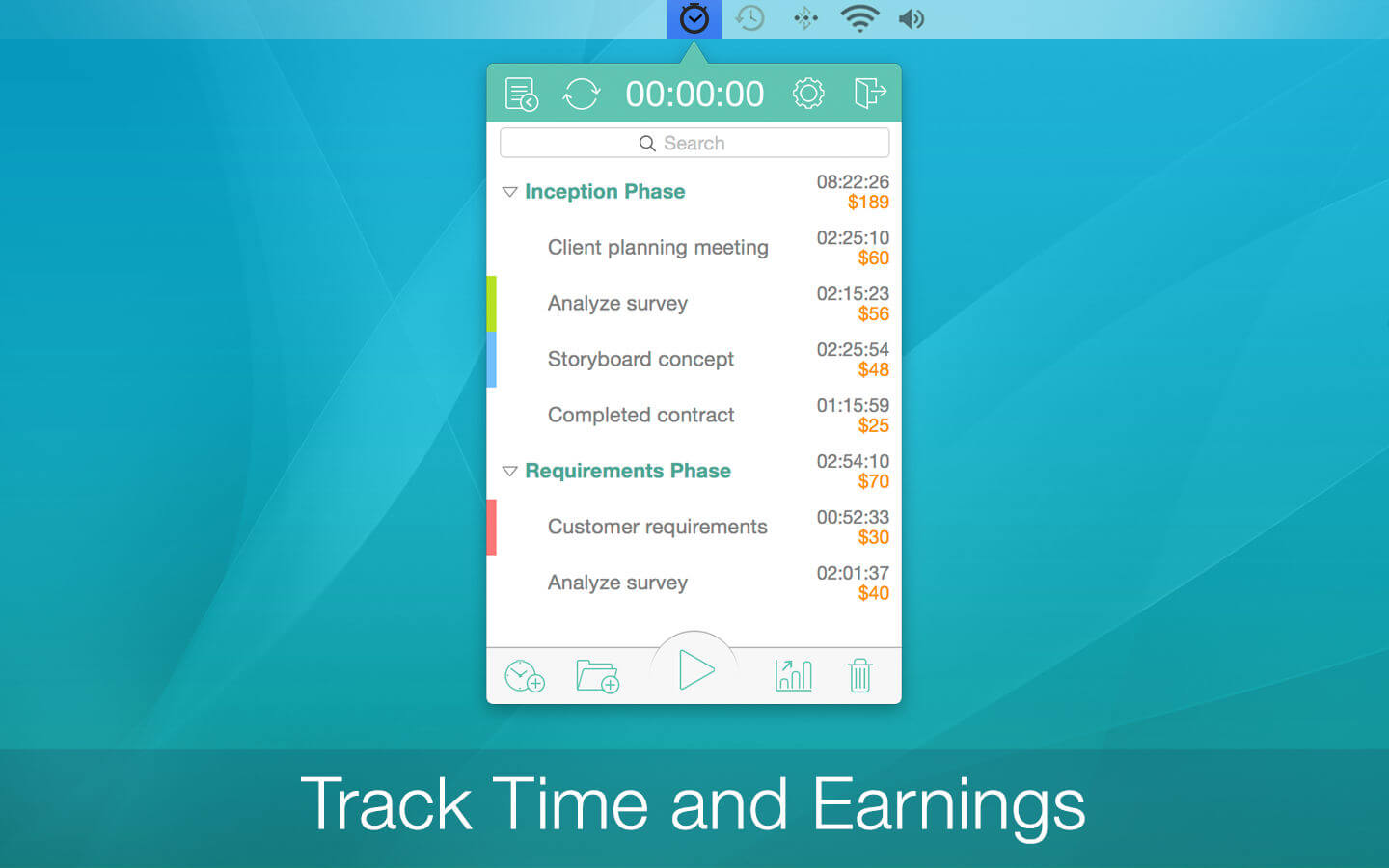
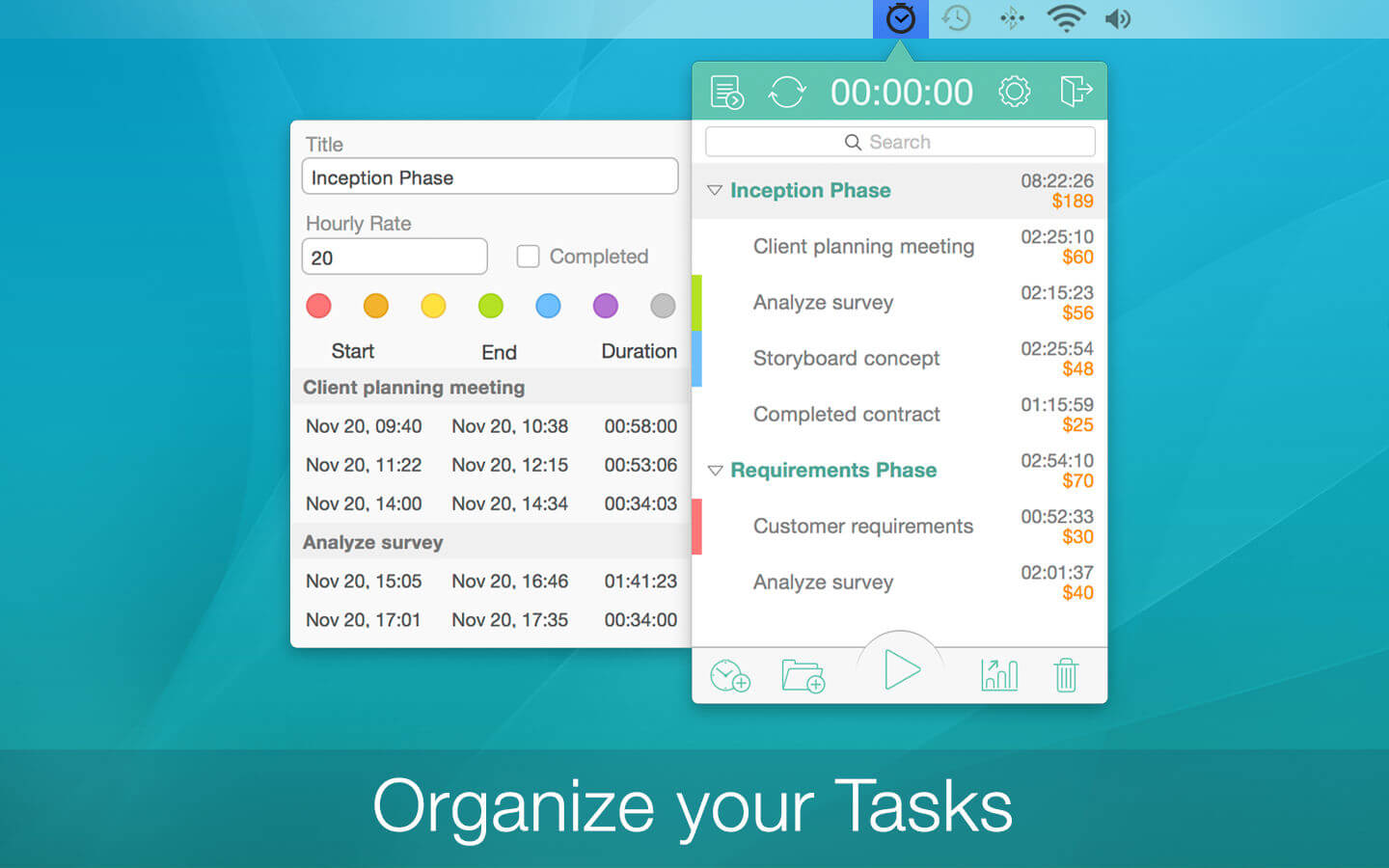
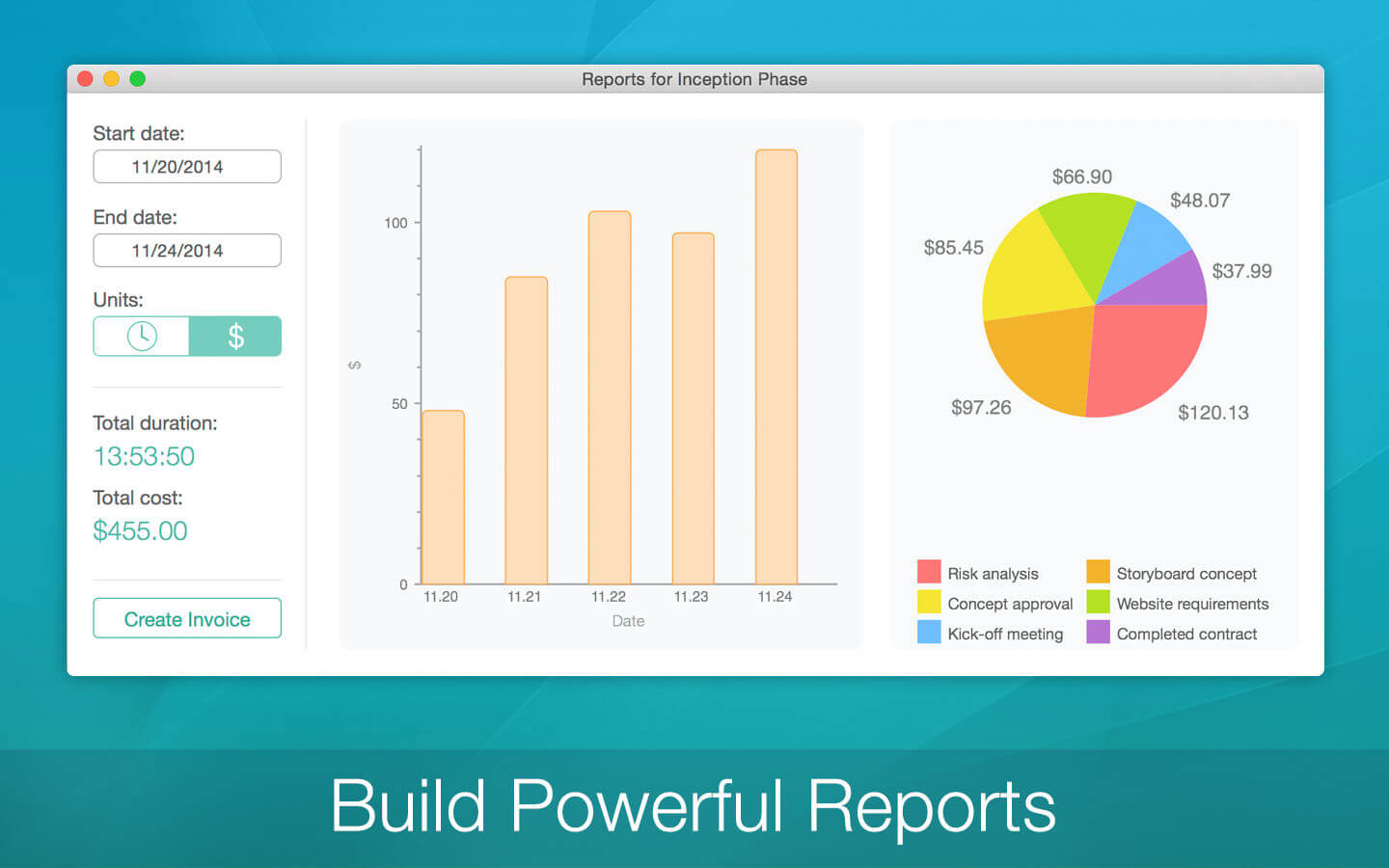
Chrono Plus is a convenient task manager and time tracking tool with a host of handy features. Chrono Plus is suitable for anyone who needs to manage time and tasks more effectively and efficiently. A must-have for any freelancer or professional paid by the hour, it features a sleek, intuitive interface for management of tasks, cost calculation and invoicing. Also available for iPhone and iPad, Chrono Plus keeps all data in sync across computers and mobile devices.
Key Features:
- Easy and fast creation of tasks and subtasks
- Color marking and search for better navigation
- Tracks completion of tasks and projects
- Time and cost tracking
- Idle detection
- Multiple hourly rates
- Built-in invoice generator (formatted in MS Excel)
- Ability to e-mail invoices to clients or save them to external applications
- Project visualization using graphs and charts
- Full synchronization between iPad, iPhone and Mac
- Also available for iPhone and iPad
Version 1.7.1
- Improved synchronization
- Minor fixes and improvements
Frequently asked questions
How do I install the app?
Mount the image, drag the app into the "Applications" folder and launch it. If the system blocks the launch, allow it in "System Settings → Privacy & Security".
The app is damaged or won't launch
Reinstalling from a fresh image usually helps. Make sure your macOS version matches the one listed in the compatibility specs.
How do I update?
Download the new version from the site and install it over the current one — your settings will be preserved.
The download link doesn't work
Try a mirror or a download manager. For large files the browser often drops the connection.
How do I completely remove the app?
Use an uninstaller utility — it cleans up the service files that remain after moving the app to the trash.


Choose a download source
Chrono Plus - Time Tracker 1.7.1 · 9.75 MB