
Tempodo 1.8
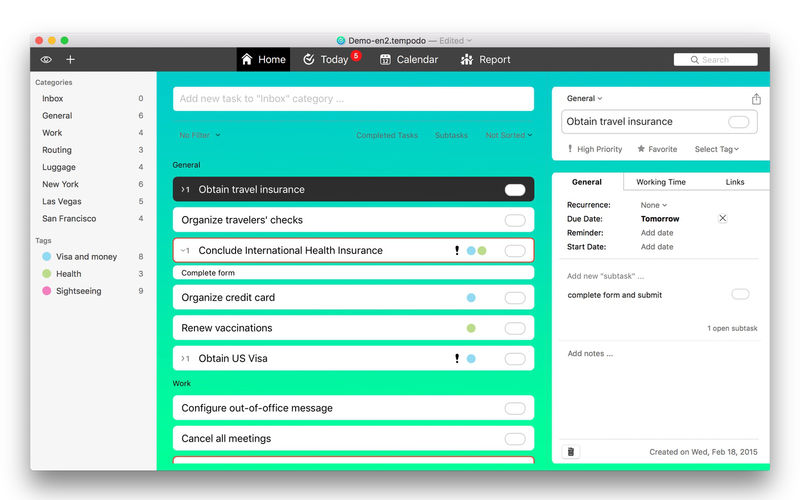
Tempodo is a personal task manager and assists you in getting tasks done in time. Also available for iOS.
The easy-to-use interface and focused design will help you to quickly find your way around. Manage your tasks more efficiently today!
Tempodo is perfectly integrated into the functions and look and feel of your macOS operating system.
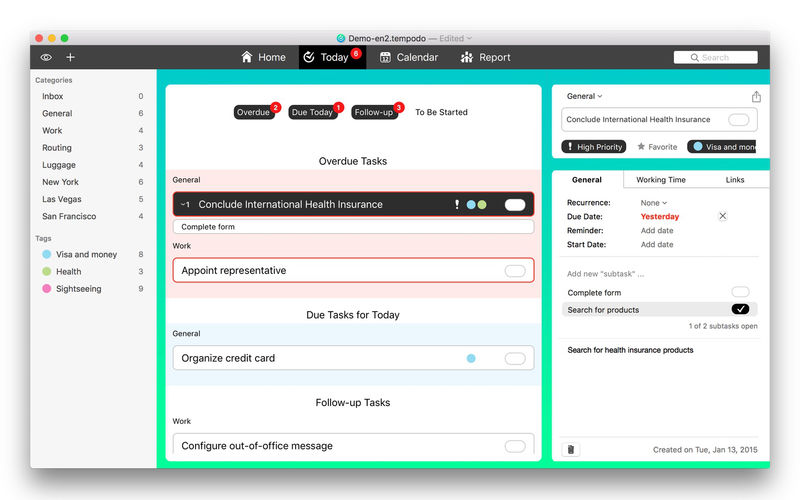
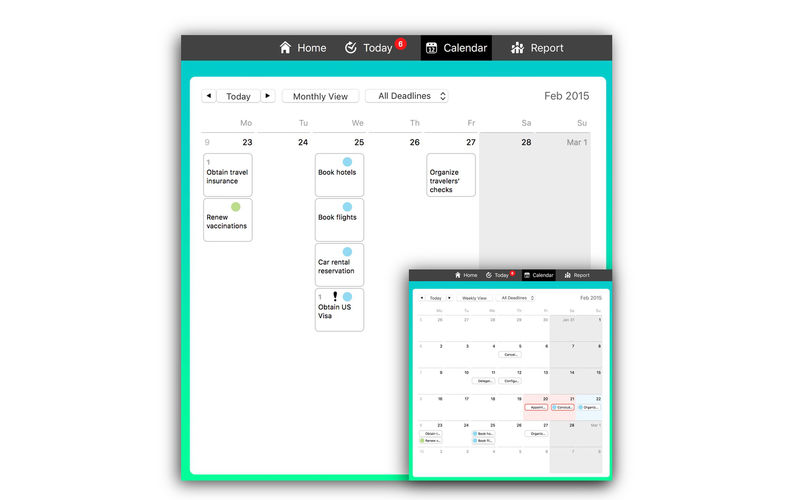
Have all today's tasks under control by using the Today-View and finish them step-by-step - even if they become more and more. Use Tempodo's retrospect feature to review what you did and how much time was needed. A calendar view and time tracking functions are also included.
Features:
- List based management of onetime and repeating, personal tasks
- Task collections support - collections are saved as user-defined documents (files) on the Mac
- Four well-chosen perspectives provide a clear overview (list, today, calendar und reports)
- Evaluation of personal productivity based on created vs. done tasks
- Time tracking with file export
- Export of tasks into macOS Calendar and Reminder application
- Integrated in Notification Center und Spotlight
- Print function for task lists
- Synchronization between iOS and macOS devices
- Supported languages: English, German
- Optimized for Retina displays
- No additional registration needed
Version 1.8
- macOS 10.13 (High Sierra) improvements
Frequently asked questions
How do I install the app?
Mount the image, drag the app into the "Applications" folder and launch it. If the system blocks the launch, allow it in "System Settings → Privacy & Security".
The app is damaged or won't launch
Reinstalling from a fresh image usually helps. Make sure your macOS version matches the one listed in the compatibility specs.
How do I update?
Download the new version from the site and install it over the current one — your settings will be preserved.
The download link doesn't work
Try a mirror or a download manager. For large files the browser often drops the connection.
How do I completely remove the app?
Use an uninstaller utility — it cleans up the service files that remain after moving the app to the trash.
VersionTempodo 1.8
DeveloperDennis Okrent
CompatibilityOS X 10.10 or later, 64-bit processor
LanguageEnglish, German
IncludesK'ed by TNT




Information
Visitors in the group Guests cannot leave comments on this publication.
Choose a download source
Tempodo 1.8 · 12.68 MB