

BatchPhoto Pro 5.1.1
Screenshots
Click to enlarge
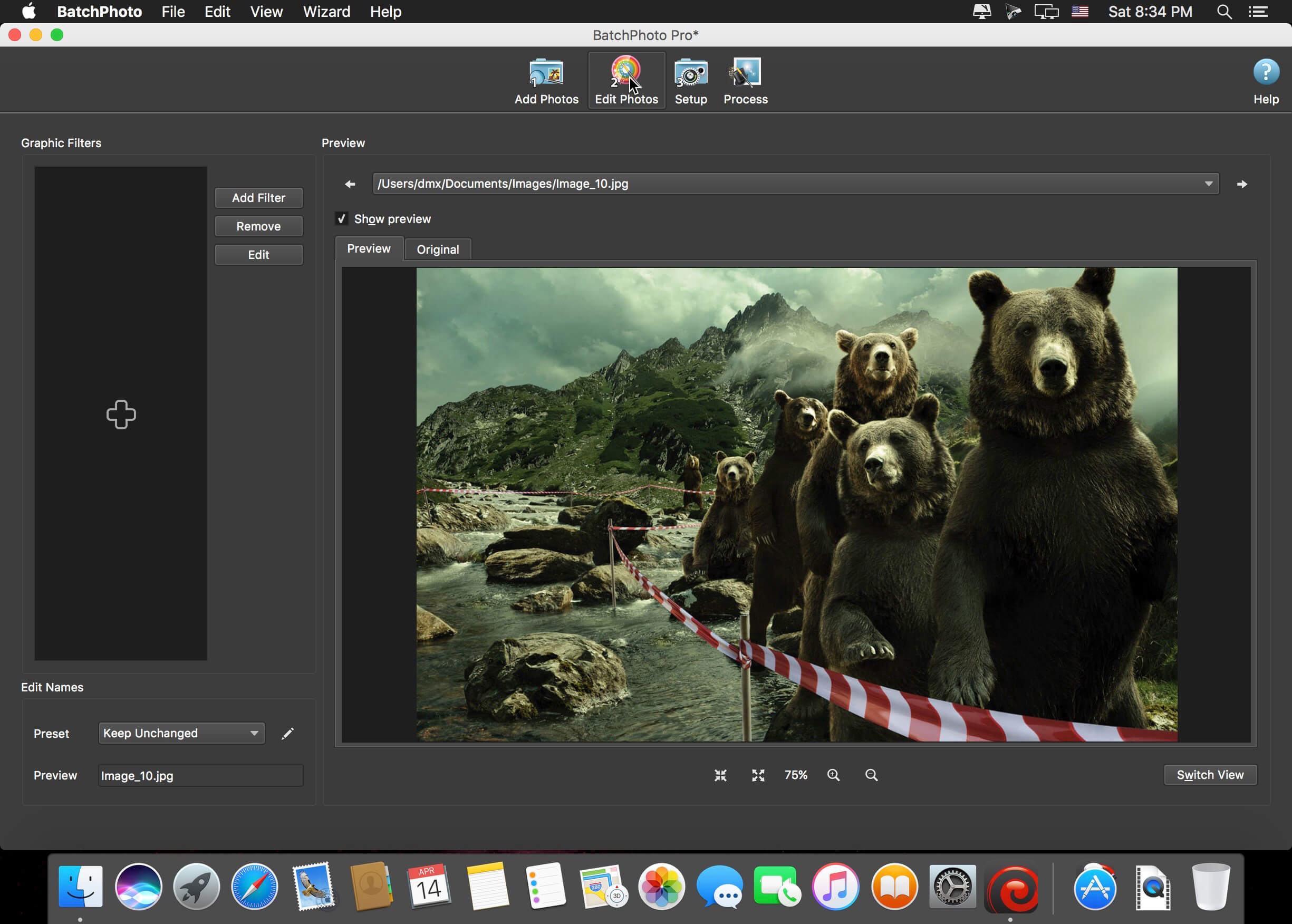
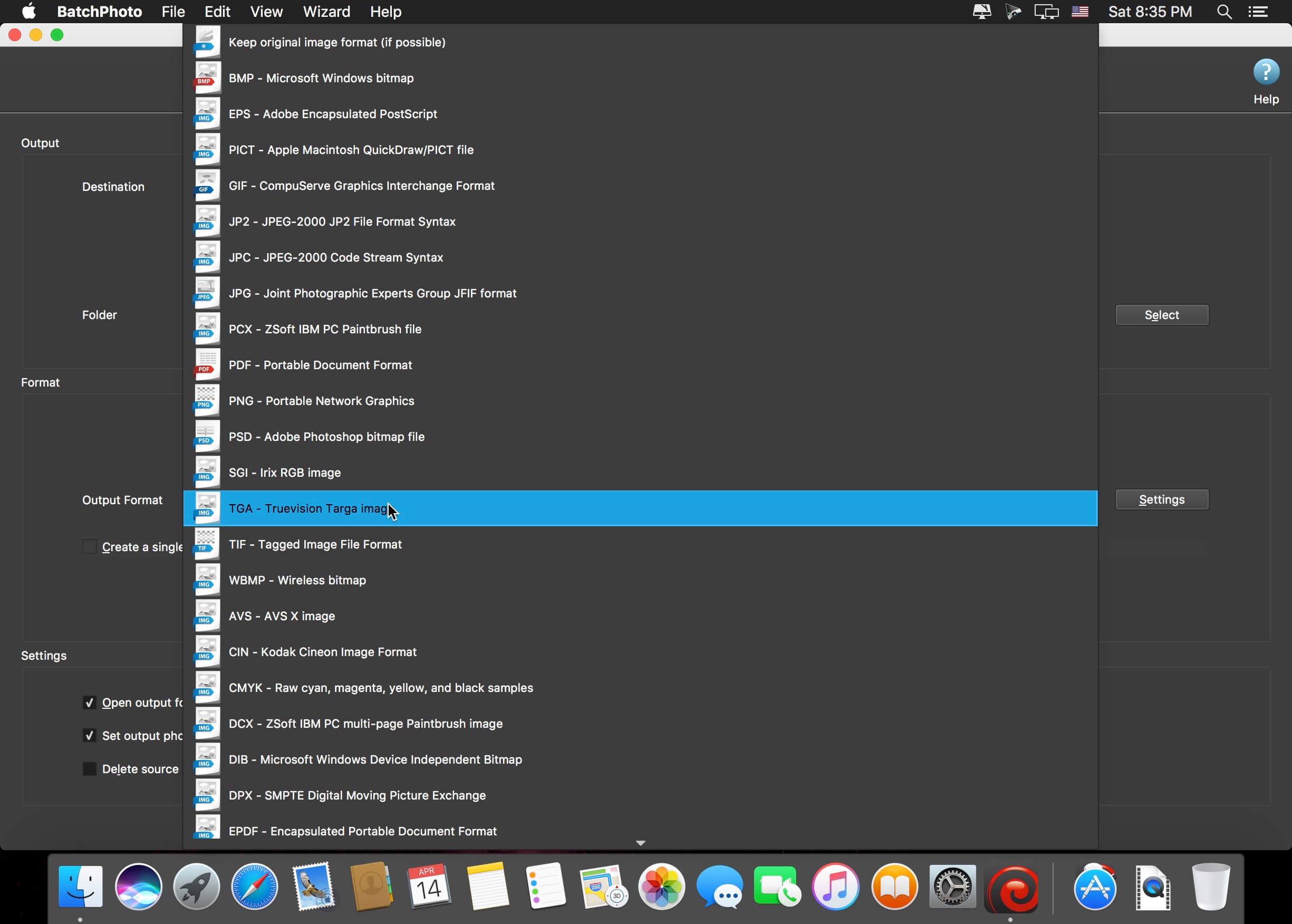
BatchPhoto is a powerful all-in-one photo manipulation program for Mac that lets photographers, Web designers, business people, and families enhance photos quickly and efficiently.
Features
- Transform and Adjust
- Resize hundreds of photos in one step for easy sharing or to save space
- Automatically Rotate dozens of digital photos to portrait or landscape, based on the embedded metadata
- Easily adjust the DPI and the document size in inches
- Replace any color in the image, with another color or with the alpha channel
- Crop a rectangular section from multiple images at once
Convert and Rename
- Convert to and from 170 image formats, including JPEG, PDF, TIFF, GIF, PNG, and more
- Create PDF albums from multiple digital photos for easy sharing
- Support for RAW image formats (digital negatives) from DSLR digital cameras
- Change the cryptic names generated by digital cameras to meaningful names
Annotate and Decorate
- Automatically stamp the original Date/Time (as recorded by the digital camera) on photos
- Protect photos with text and logo Watermarks
- Add single or multi-line Text Comments to pictures in bulk
- Decorate photos with beautifully designed graphical frames like Grunge, Vintage, Picture or Shape
Special Effects and Touch-Ups
- Apply special effects like: Sepia, Black and White, Oil Paint, Charcoal Sketch, and more
- Touch-up photos by adjusting the Brightness, Sharpness, Contrast, and more
- Use the Auto Contrast filter to simply adjust the contrast for multiple pictures
Additional Functionality
- Take advantage of multi-core CPUs to edit and convert thousands of images in one session
- Upload images to Flickr, FTP, or send via email in the same session
- Use predefined or custom defined profiles to improve productivity
- Use scripts to automate tasks and run the app from the command-line
Version 5.1:
Functionality (Win & Mac)
- Introducing a new Light app theme!
- Automatically set the app theme based on OS preferences
- New minimalist toolbar icons for a modern look and feel
- Option to 'Keep original image format' when uploading to SFTP/FTP
Image Formats (Win & Mac)
- WEBP - New option to create a lossless image, and to create a multi-page image
- HEIF, AVIF - New option to create a lossless image
- New option to choice the file extension for each format (ex. JPG or JPEG)
Comments
No comments yet. Be the first.
Information
Visitors in the group Guests cannot leave comments on this publication.