
QuickKey - Text Expansion 2.1
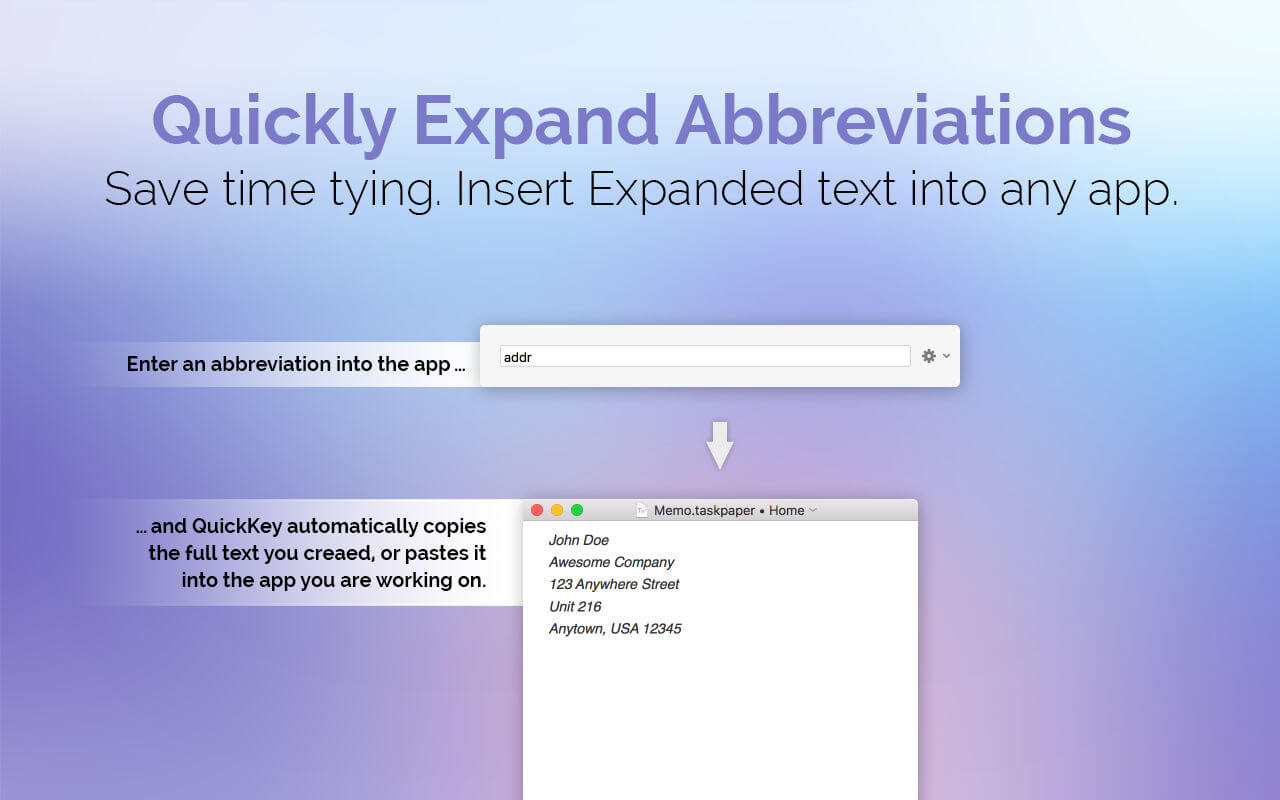
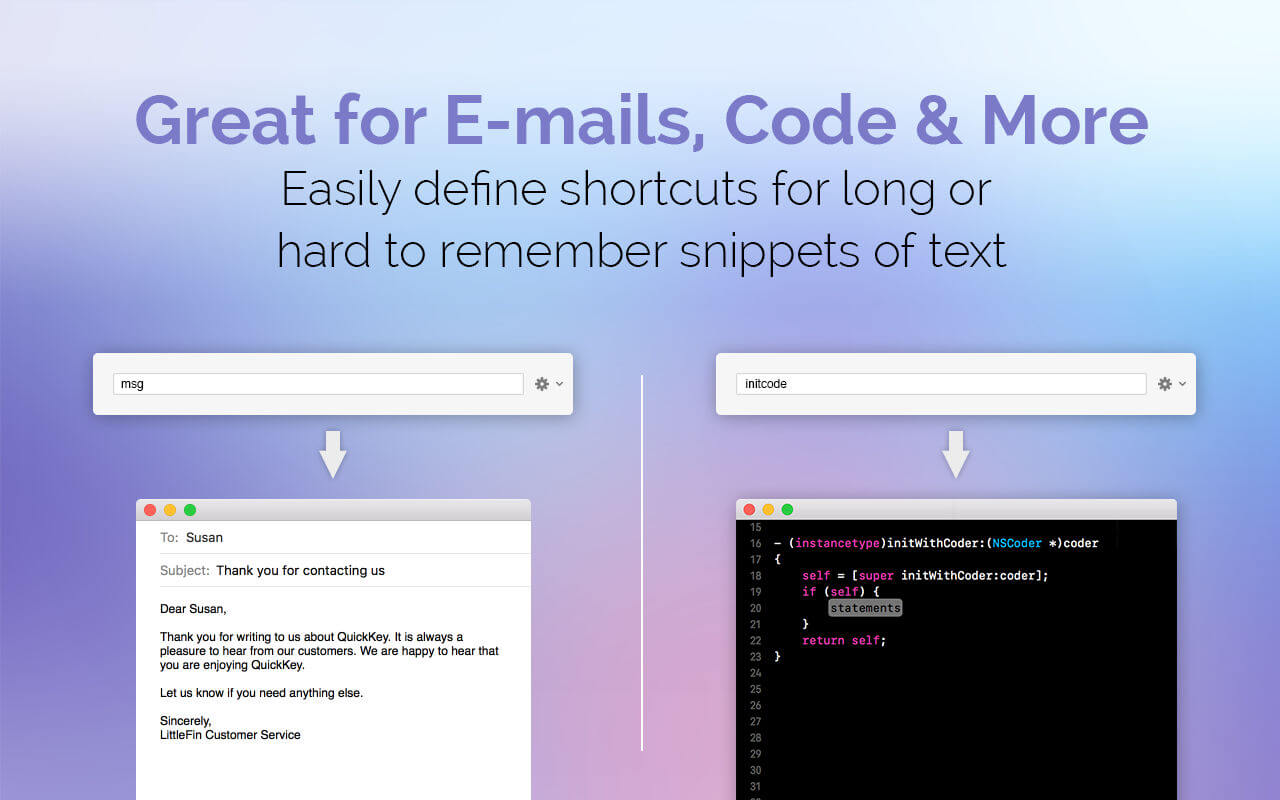
Save time typing by expanding short abbreviations into long phrases, code snippets, or entire e-mails. QuickKey allows you to insert expanded text into any app with a single keyboard shortcut. Stop typing repetitive or hard to remember text over and over, and make your life easier with QuickKey.
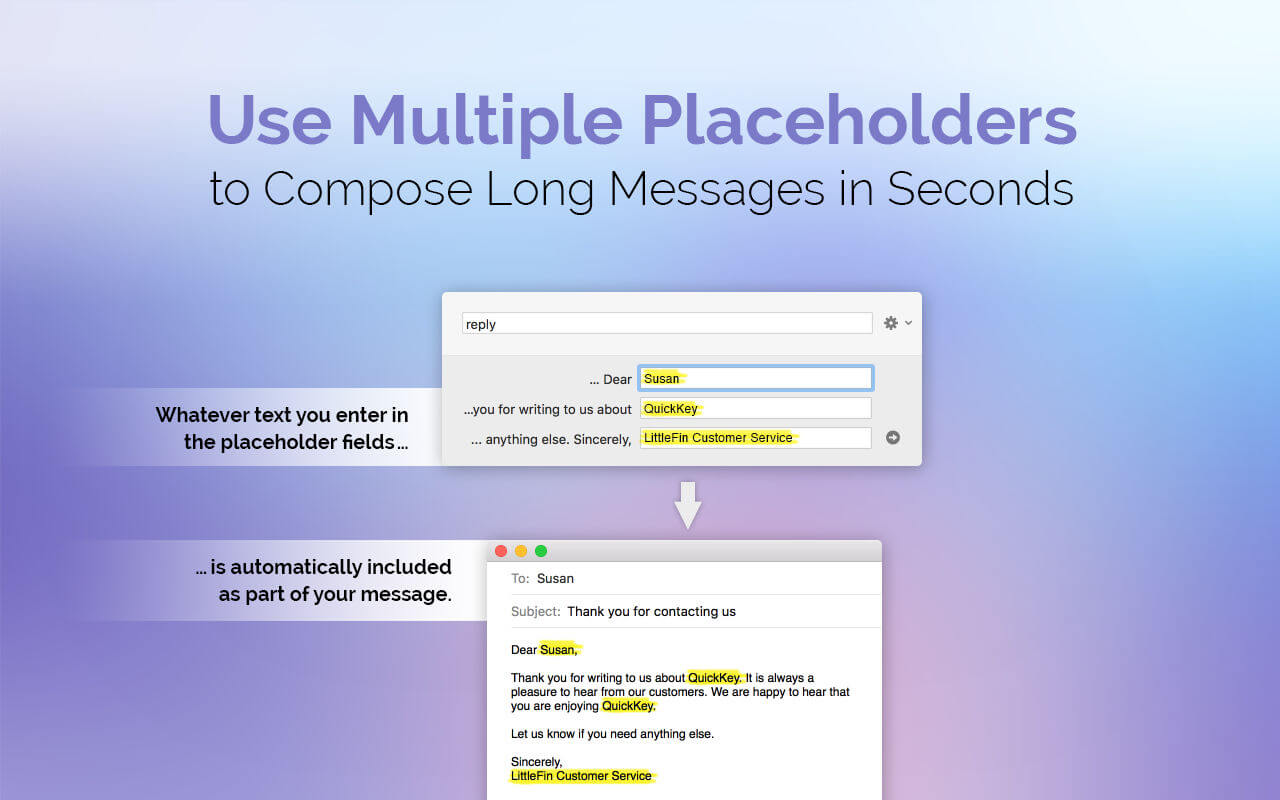
QuickKey 2.0 now supports multiple placeholders—so you can define a block of text with multiple "variables", crafting entire e-mails.
Some ways you can use QuickKey:
- Quickly send common e-mails.
- Set up custom e-mail signatures to insert on demand.
- Quickly respond to e-mails with boilerplate replies.
- Insert snippets of code you use frequently.
QuickKey is the first text expansion app built specifically for complete compatibility with the App Store and all Mac security measures. It is fully compatible with macOS High Sierra and sandboxing. It requires no special permissions to work. Text insertion is faster and easier with our free expansion companion app available at http://quickkey-app.com/extension/ but it is not required.
Version 2.1
- New: Shortcuts auto-fill as you type. Press the return key to accept autofill, or just keep typing to ignore. Typing in a full shortcut will auto-copy like before. You can turn autofill off in QuickKey's preferences.
- Fixed: When inserting a shortcut with variables, variables will not disappear when switching to a new window.
- Minor bug & typo fixes.
Frequently asked questions
How do I install the app?
Mount the image, drag the app into the "Applications" folder and launch it. If the system blocks the launch, allow it in "System Settings → Privacy & Security".
The app is damaged or won't launch
Reinstalling from a fresh image usually helps. Make sure your macOS version matches the one listed in the compatibility specs.
How do I update?
Download the new version from the site and install it over the current one — your settings will be preserved.
The download link doesn't work
Try a mirror or a download manager. For large files the browser often drops the connection.
How do I completely remove the app?
Use an uninstaller utility — it cleans up the service files that remain after moving the app to the trash.
VersionQuickKey - Text Expansion 2.1
DeveloperLittleFin LLC
CompatibilityOS X 10.10 or later, 64-bit processor
LanguageEnglish
IncludesK'ed by TNT





Information
Visitors in the group Guests cannot leave comments on this publication.
Choose a download source
QuickKey - Text Expansion 2.1 · 3.85 MB