
VisualDesigner Pro 4.4
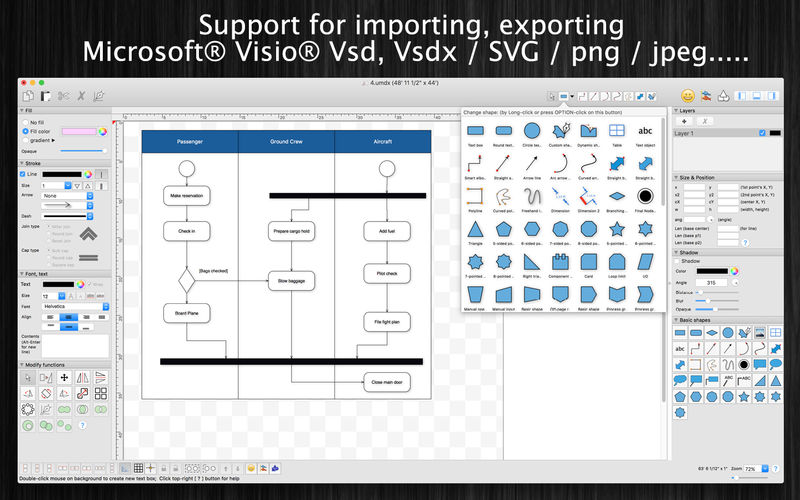
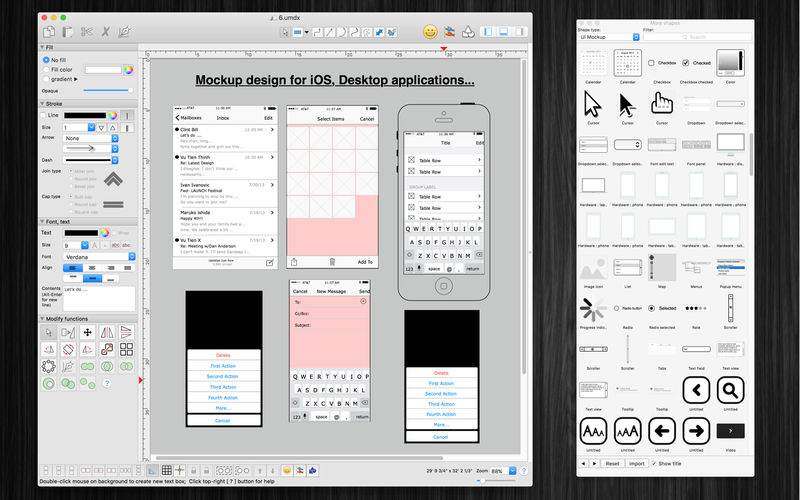
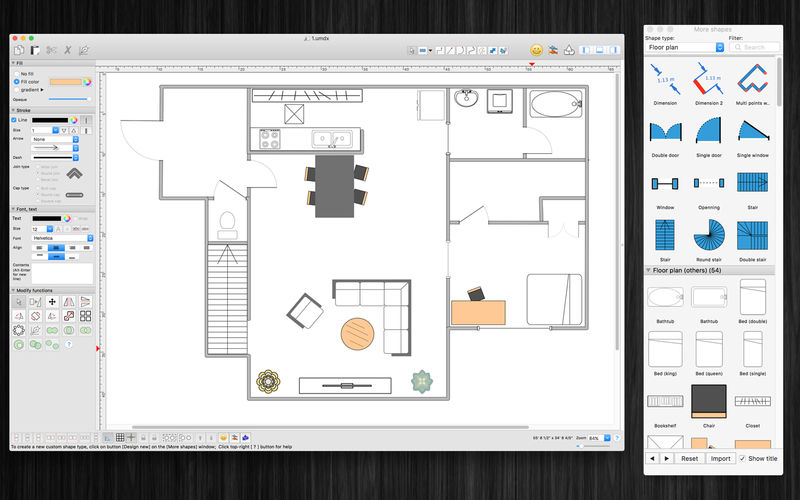
VisualDesigner is a multi-purpose design application. The application help you make diagrams. flow-charts, UML design, floor plan quickly.
(* Number of objects/shapes added to each document is limited, you could upgrade to Pro-Version to remove this limitation. *)
Functions:
- Import/Export VSDX, VSDM (Microsoft Visio Format)
- Import only with VSD, VSS (Microsoft Visio old binary Format)
- Import/Export to svg, png, jpeg, multi-pages tiff, pdf image file
- Unlimited Undo/Redo (shortcut key: Cmd-Z / Shift-Cmd-Z)
- Copy / Paste (shortcut key: Cmd-C / Cmd-V)
- Duplicate select items (shortcut key: Cmd-D)
- Group / Ungroup Items (shortcut key: Cmd-G / Shift-Cmd-G)
- Lock/Unlock items position (shortcut key: Cmd-L / Shift-Cmd-L)
- Rotate left, rotate right (shortcut key: Cmd-J / Cmd-K)
- Press Cmd+T to move, resize group of items temporary
- Short cut key CMD+B, CMD+I to change text to Bold or Italic
- User could drag right mouse on a current shape to create a new attached object with line
- Double click on the canvas to create a new text box item
- Allow to switch current select object to another shape type
- Allow to change selected items display order
- Scale size of select items
- Path boolean operations supported
- Flip select items
- Shadow supported
- Snap to Grid
- Auto Align with another object when resize or move
- Change display order
- Print supported (shortcut key: Cmd-P)
- Customizable color / Font / Size / Line Type
- Support gradient fill to shapes
- Support many measure units (feet-inch, pixel, cm, mm, ...)
- Allow user to select items then save them to Favorites list to reuse later
Version 4.4
Previous updates:
- Fix minor bugs
Previous updates:
- Support sync to iCloud
- Import from Visio's VSD, VSS format
- Import multi-pages tiff format
- Add Thumbnail view
- Fix bugs
Frequently asked questions
How do I install the app?
Mount the image, drag the app into the "Applications" folder and launch it. If the system blocks the launch, allow it in "System Settings → Privacy & Security".
The app is damaged or won't launch
Reinstalling from a fresh image usually helps. Make sure your macOS version matches the one listed in the compatibility specs.
How do I update?
Download the new version from the site and install it over the current one — your settings will be preserved.
The download link doesn't work
Try a mirror or a download manager. For large files the browser often drops the connection.
How do I completely remove the app?
Use an uninstaller utility — it cleans up the service files that remain after moving the app to the trash.
VersionVisualDesigner Pro 4.4
DeveloperTien Thinh Vu
CompatibilityOS X 10.10 or later, 64-bit processor
LanguageEnglish
IncludesK'ed by TNT





Information
Visitors in the group Guests cannot leave comments on this publication.
Choose a download source
VisualDesigner Pro 4.4 · 68.99 MB