
Ninox Database 2.5.8
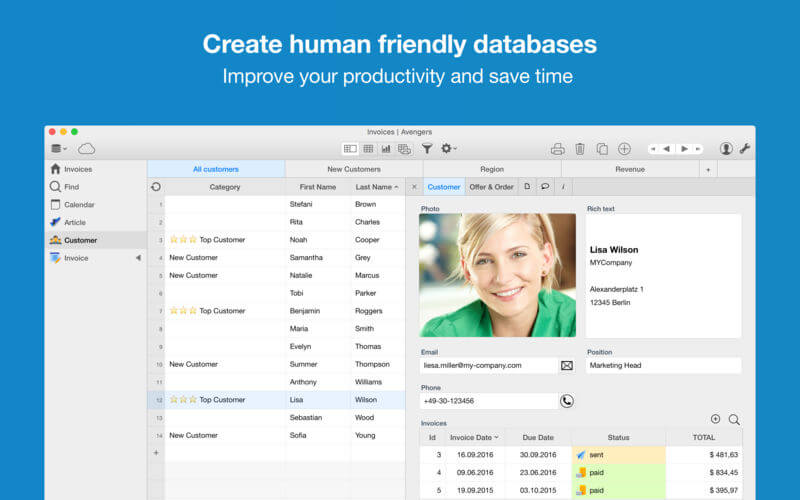
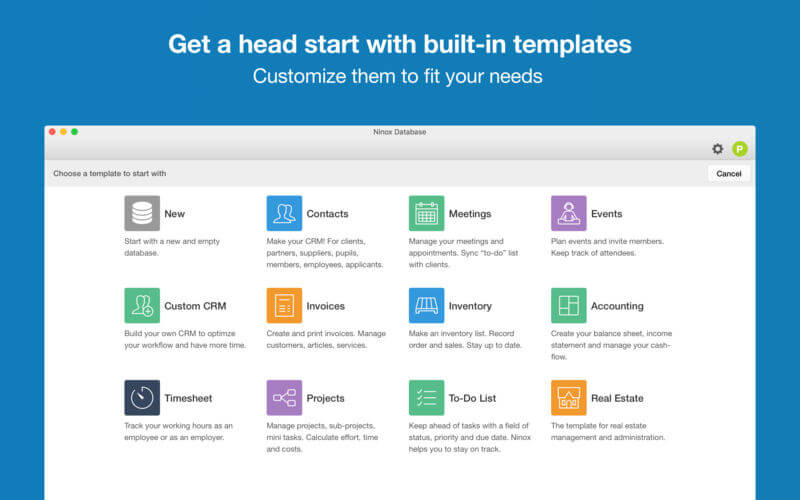
Ninox is an easy to use database app for Mac & iOS. Create custom business apps for you and your team. Organize everything, improve your workflow and become more productive.
Ninox empowers you to build custom apps without a single line of code. Our platform is used by individuals, startups, agencies, small businesses and enterprises in a wide range of industries.
Unlimited use cases: CRM, events, invoicing, inventory, real estates and many more.
- Tables -- With Ninox you manage your data in tables that you can browse, filter, sort and group.
- Data fields -- Ninox offers a variety of data fields, including text, numbers, Yes / No, list, date, time, picture and web address.
- Relations -- Link tables to each other to represent complex situations.
- Forms -- For neat enter data, make simple drag-and-drop forms.
- Find -- The fast full-text search is the very center of Ninox, so you immediately jump to the desired information.
- Calculations -- As in a spreadsheet to make calculations about individual records, or even entire tables linked tables.
- Calendar -- All entries with date reference are clearly displayed in the calendar.
- Diagrams -- Point to a button the current state.
- Export -- Of course, you can also export your data to further process them with Excel.
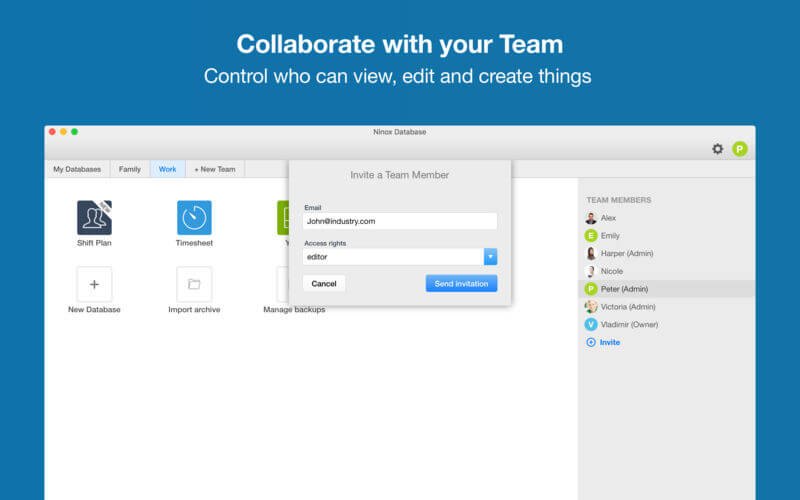
- Roles and rights -- Control exactly who can see or change the data.
Version 2.5.8
- Kanban, GANTT, gallery, fullscreen form view: 4 new ways to visualize your data.
- Kanban charts: Pick a grouping column and let Ninox render your data as Kanban swim lanes.
- GANTT charts: Ninox will automatically render GANTT bars from the first two date fields in the table view.
- Cards view: Let Ninox show your records as nicely rendered cards on a gallery.
- Form view: Displays the form full screen.
- Styled headlines and free text elements
- Tooltips: Help your users with optional tooltips.
- Schema protection: Password-protect your templates from modification.
- Global fucntion definitions: Define reusable functions in the global context.
- Trigger on open: Define actions that will be executed when the database is opened.
Frequently asked questions
How do I install the app?
Mount the image, drag the app into the "Applications" folder and launch it. If the system blocks the launch, allow it in "System Settings → Privacy & Security".
The app is damaged or won't launch
Reinstalling from a fresh image usually helps. Make sure your macOS version matches the one listed in the compatibility specs.
How do I update?
Download the new version from the site and install it over the current one — your settings will be preserved.
The download link doesn't work
Try a mirror or a download manager. For large files the browser often drops the connection.
How do I completely remove the app?
Use an uninstaller utility — it cleans up the service files that remain after moving the app to the trash.
VersionNinox Database 2.5.8 MAS + iCloud
DeveloperNinox Software GmbH
CompatibilityOS X 10.10 or later, 64-bit processor
LanguageMultilangual
IncludesK'ed by TNT



Information
Visitors in the group Guests cannot leave comments on this publication.
Choose a download source
Ninox Database 2.5.8 · 8.82 MB