Records 1.6.13
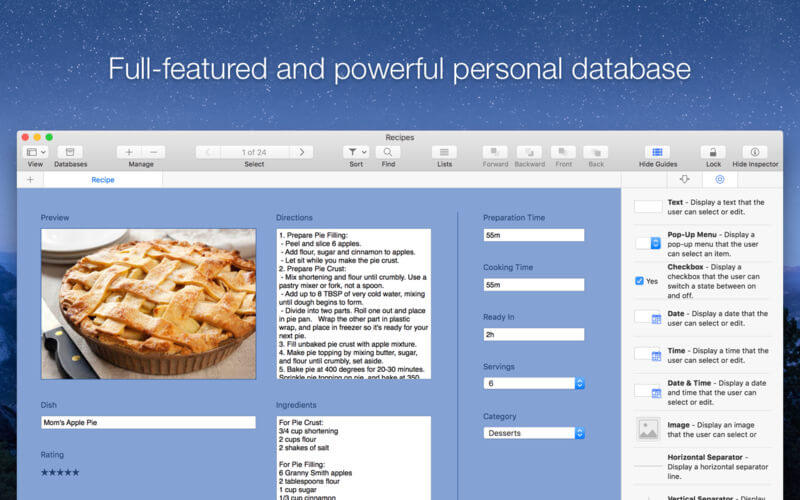

Full-featured and powerful personal database app for the Mac.
Records is a delightful and easy to use personal database. It's the perfect companion for everything you want to collect and organize in life, from your favorite movies to your customer invoices, offering a great balance between easy of use and powerful features.
Top-notch features
- Incredibly easy, drag & drop form and database creation
- Canvas editor lets you customize the layout and design of your forms
- Table view lets you display, edit and sort data in a single view
- 30+ templates ready to use lets you start using Records in seconds
- 15+ fully-configurable form fields, including images, contacts, URLs and ratings
- Powerful alignment guides help you design visually appealing forms
- Use one of several pre-filled lists, such as countries, currencies, or credit card vendors
- Build your own forms and choose your favorite eye-candy color theme
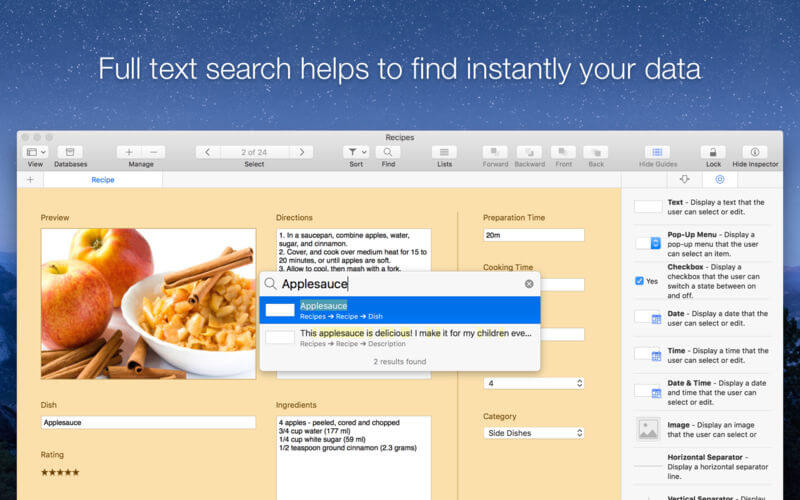
- Full text search help to find instantly your data
- Easily import, export and backup your data in CSV/TSV formats (Bento's users are welcome)
- Import, export and share templates with friends, family and colleagues
- No prior database design or coding knowledge required
Version 1.6.13
- Improves the user interface, icons and artworks optimized for the latest macOS release
- Various improvements and performance enhancements
Frequently asked questions
How do I install the app?
Mount the image, drag the app into the "Applications" folder and launch it. If the system blocks the launch, allow it in "System Settings → Privacy & Security".
The app is damaged or won't launch
Reinstalling from a fresh image usually helps. Make sure your macOS version matches the one listed in the compatibility specs.
How do I update?
Download the new version from the site and install it over the current one — your settings will be preserved.
The download link doesn't work
Try a mirror or a download manager. For large files the browser often drops the connection.
How do I completely remove the app?
Use an uninstaller utility — it cleans up the service files that remain after moving the app to the trash.
VersionRecords 1.6.13
DeveloperAndrea Gelati
CompatibilityOS X 10.10 or later, 64-bit processor
LanguageEnglish
IncludesK'ed by TNT



Information
Visitors in the group Guests cannot leave comments on this publication.
Choose a download source
Records 1.6.13 · 12.11 MB
Previous versions
Records 1.6.13
Previous versions are available to registered users.