
Video Converter Movavi 19.1.0
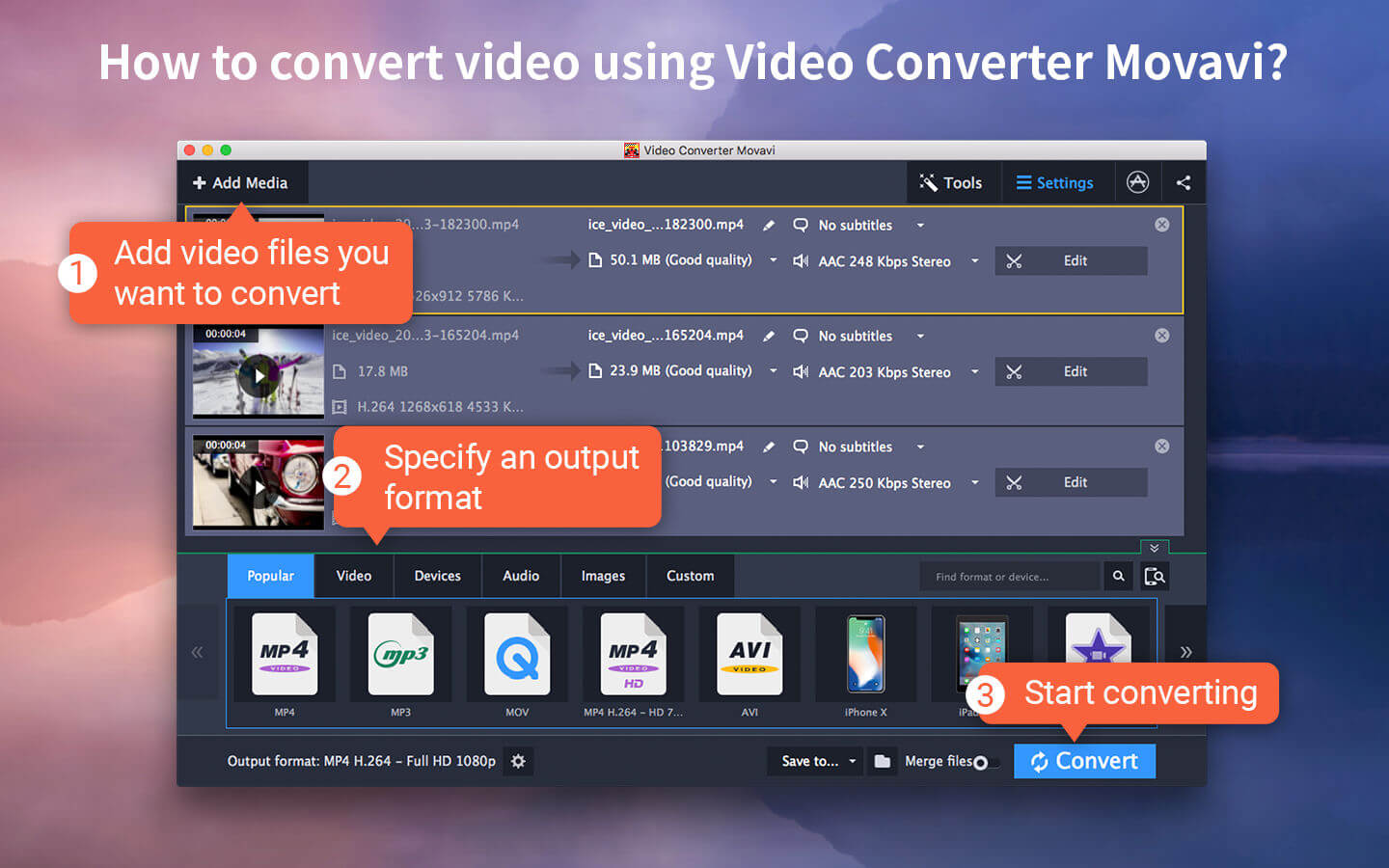
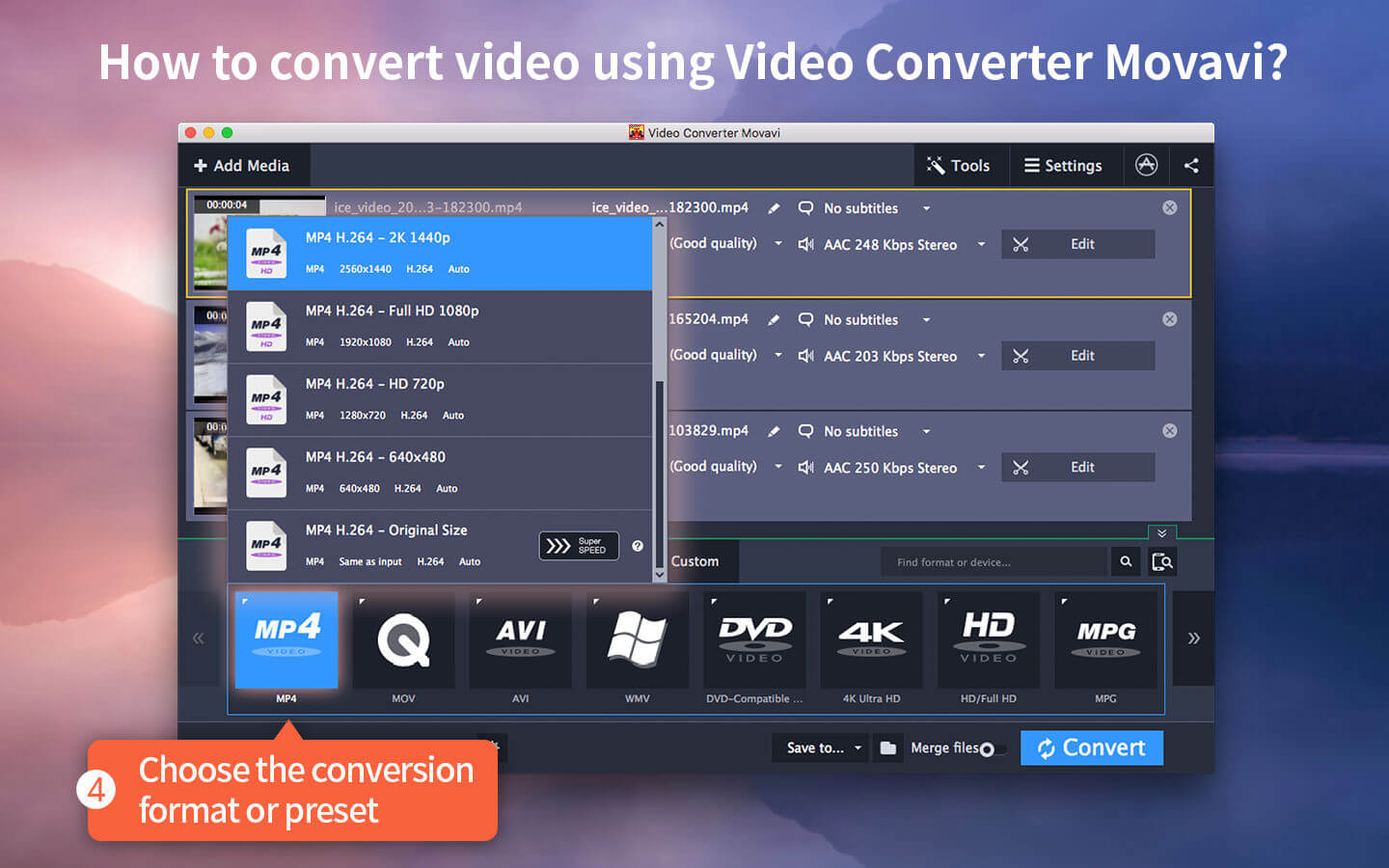
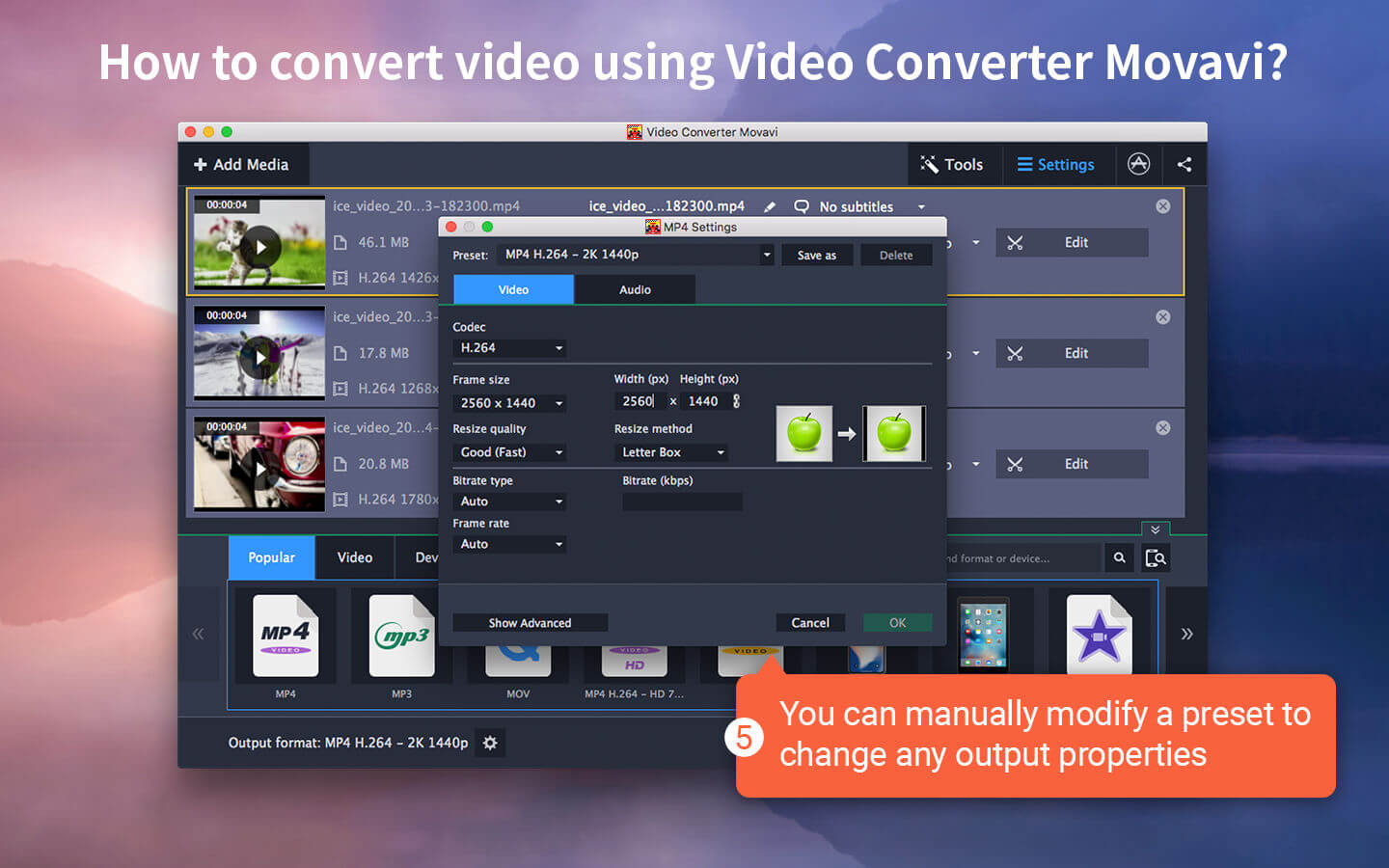
The Number ONE video converter in your language!
Video Converter Movavi is a powerful yet easy-to-use video and audio file converter that’s specifically designed for the Mac. It’s the perfect tool for fast multimedia conversion between popular formats and has no negative impact on the quality.
Choose Video Converter Movavi if you want to:
- Convert video between hundreds of popular formats, including HD
- Convert files in seconds with ZERO quality loss – the revolutionary SuperSpeed mode is up to 81x faster than regular conversion
- Automate the conversion process with the handy Watch Folder feature
- Export multimedia for viewing on mobile devices using smart presets and resize options
- Extract soundtracks and convert between audio formats
- Convert between image formats and convert video to GIF
- Grab screenshots from video and save them in popular graphics formats
- Adjust sound volume and normalize sound in video clips
- Do minor editing: trim, join, crop, rotate, stabilize, enhance, add captions and watermarks, synchronize subtitles with video
- Create your own iPhone ringtones and optimize your videos for Instagram
The innovative SuperSpeed conversion mode lets you change video formats with no loss of quality as quickly as just copying files between folders.
Smart format and device conversion presets speed up the process even more. Plus, you can batch-convert your media, and choose different parts of your videos to convert if you don't need the entire file encoded. With Video Converter Movavi, you can select any part of the video to convert. The conversion will be completed even faster, and the video or audio fragment will be saved as a separate file.
Convert video, audio, and even images between most popular formats:
Input formats
- Video: 3G2, 3GP, AVI, ASF, DVD, DivX, FLV, MKV, MTS, TS, M2TS, M2T, MOV, QT, M4V, MP4, MXF, MPEG, MPG, M1V, MPE, DAT, VOB, TOD, VRO, MOD, OGV, RMVB, RM, SWF, WMV, WTV, WebM
- Audio: AIF, AIFF, AAC, AC3, AU, SND, APE, FLAC, MP3, M4A, M4B, Opus, OGG, WMA, WAV
- Images: APNG, GIF, JPEG (.jpg, .jpeg, .jls, .jp2), BMP, DPX, PTX, PNG, PCX, SGI, TIFF, TGA, WebP, XWD, XBM
Output formats
- Video: 3G2, 3GP, AVI, FLV, MKV, M2TS, MP4, MOV, MPG, VOB, OGV, SWF, WMV, WebM
- Audio: AC3, AAC, FLAC, MP3, M4A, OGG, WMA, WAV
- Images: GIF, BMP, JPEG (.jpg), TIFF, PNG
Version 19.1.0
- When adding multiple files, a progress bar now appears with the number of files left to upload to the program
- The app window now automatically adjusts to 720p and lower-resolution screens
- You can adjust the quality of your files when converting them to the JPG format
- An enhanced trimming tool: set the exact time frame of the desired segment, trim away even fractions of a second with new markers
- Minor bug fixes and improvements
Frequently asked questions
How do I install the app?
Mount the image, drag the app into the "Applications" folder and launch it. If the system blocks the launch, allow it in "System Settings → Privacy & Security".
The app is damaged or won't launch
Reinstalling from a fresh image usually helps. Make sure your macOS version matches the one listed in the compatibility specs.
How do I update?
Download the new version from the site and install it over the current one — your settings will be preserved.
The download link doesn't work
Try a mirror or a download manager. For large files the browser often drops the connection.
How do I completely remove the app?
Use an uninstaller utility — it cleans up the service files that remain after moving the app to the trash.
VersionVideo Converter Movavi 19.1.0
DeveloperMovavi
CompatibilityOS X 10.9 or later 64 bit
LanguageEnglish
IncludesK'ed by TNT


Information
Visitors in the group Guests cannot leave comments on this publication.
Choose a download source
Video Converter Movavi 19.1.0 · 58.28 MB
Previous versions
Video Converter Movavi 19.1.0
Previous versions are available to registered users.