
TextExpander 5.1
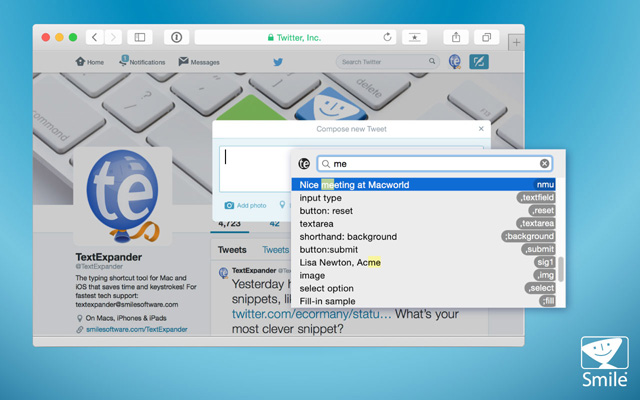
TextExpander saves your fingers and your keyboard, expanding custom keyboard shortcuts into frequently-used text and pictures. Type more with less effort!
Here are a few examples for what you can do with TextExpander:
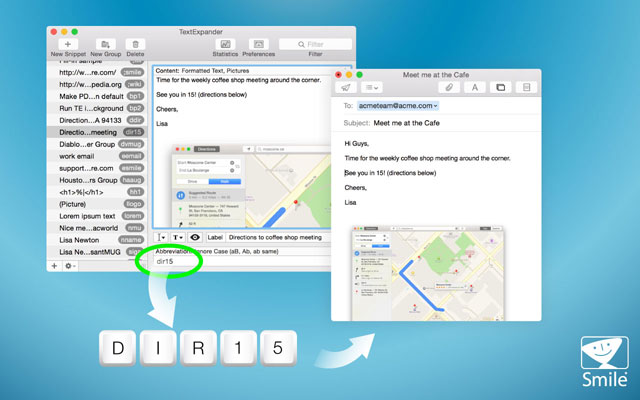
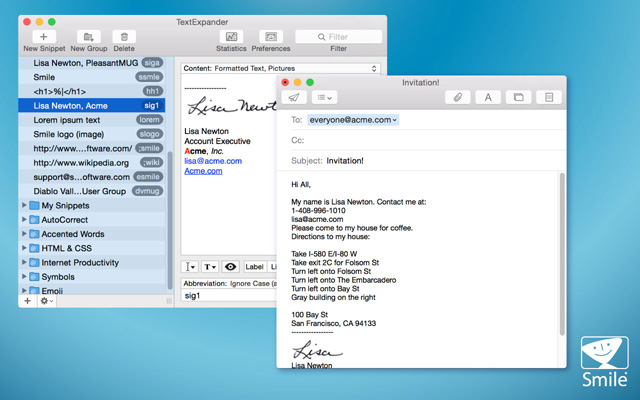
- Insert standard greetings, phrases, boilerplate paragraphs, and signatures – including formatted text and pictures.
- Correct typos automatically
- Organize snippets into groups
- Add predefined snippet groups, including HTML, CSS, Autocorrect, Accented Words, and Symbols groups.
- Shorten long URLs automatically with the Internet Productivity snippet group
- Insert the current date and time in any format you prefer.
- ync snippets via MobileMe
TextExpander is controlled from its own preference pane inside your System Preferences. Designed for easy handling, TextExpander blends in perfectly with your operating system.
WHAT’S NEW
- Suggested snippets exclude most single dictionary words
- Adds new notification preference for snippet suggestions
- Fixes secure input notifications for Chrome
- Adds Korean support for Create Snippet from Selection… [1182]
- Correctly rejects suggestions containing Tab or Return [1176]
- Creates new group if all groups are deleted [1109]
- Fixes issue with group level app exclusion [1175]
- Improves French and German localizations [1190]
- Opens links in fill-in windows in default web browser [1119]
- Other minor fixes and improvements
Screenshots
Frequently asked questions
How do I install the app?
Mount the image, drag the app into the "Applications" folder and launch it. If the system blocks the launch, allow it in "System Settings → Privacy & Security".
The app is damaged or won't launch
Reinstalling from a fresh image usually helps. Make sure your macOS version matches the one listed in the compatibility specs.
How do I update?
Download the new version from the site and install it over the current one — your settings will be preserved.
The download link doesn't work
Try a mirror or a download manager. For large files the browser often drops the connection.
How do I completely remove the app?
Use an uninstaller utility — it cleans up the service files that remain after moving the app to the trash.
VersionTextExpander
DeveloperSmileOnMyMac, LLC dba Smile
CompatibilityOS X 10.9 or later, 64-bit processor
LanguageEnglish
IncludesPre-K'ed





Information
Visitors in the group Guests cannot leave comments on this publication.
Choose a download source
TextExpander 5.1 · 16.12 MB