
Favorite Text 1.9
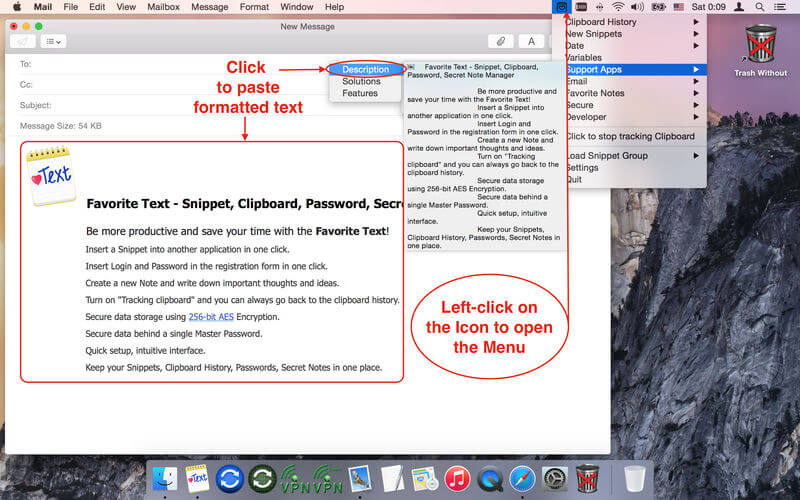
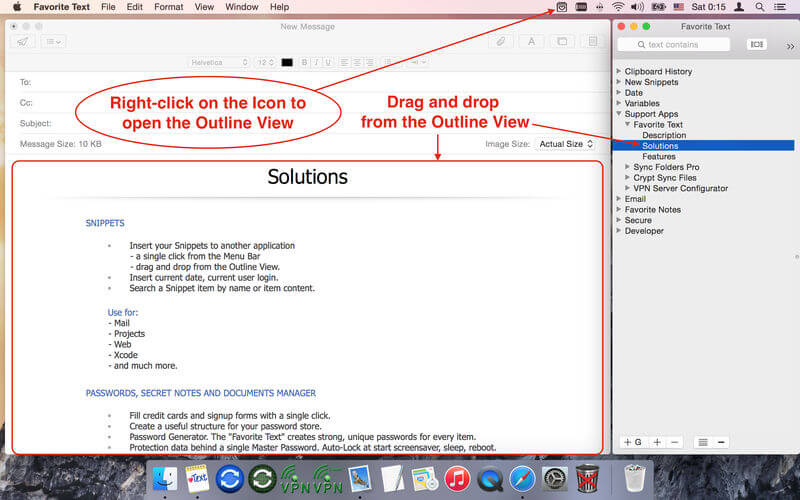
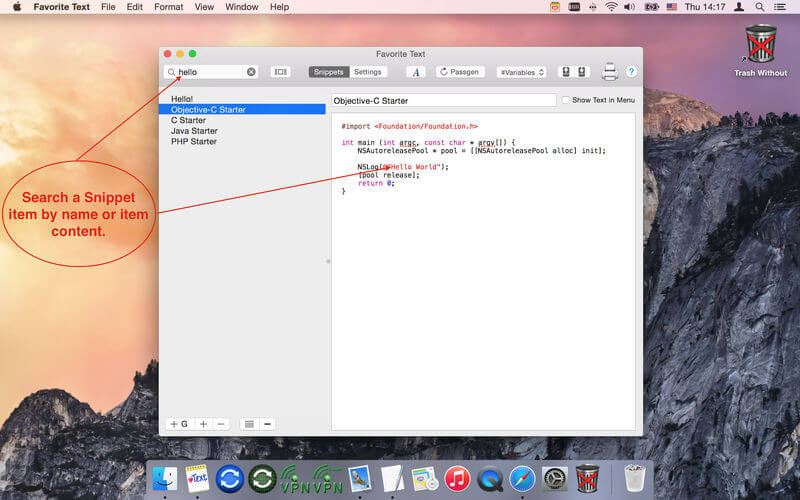

Favorite Text lets you save time and be more productive. Insert a snippet into another application in one click. Insert login and password in the registration form in one click. Create a new Note and write down important thoughts and ideas. Turn on "Tracking clipboard" and you can always go back to the clipboard history. Secure data storage using 256-bit AES encryption. Secure data behind a single master password. Quick setup, intuitive interface. Keep your snippets, clipboard history, passwords, secret notes in one place.
Version 1.9
- Improved compatibility with macOS 10.13 (User Settings).
- Improved support for "dark menu bar" mode.
- Search snippets by name & text.
- Possibility to find the snippets in selected group.
- Possibility to paste formatted / plain text.
- Possibility to drag and drop a snippet to Finder to save as formatted text file (.rtfd).
- Improved to insert a snippet to another application.
Frequently asked questions
How do I install the app?
Mount the image, drag the app into the "Applications" folder and launch it. If the system blocks the launch, allow it in "System Settings → Privacy & Security".
The app is damaged or won't launch
Reinstalling from a fresh image usually helps. Make sure your macOS version matches the one listed in the compatibility specs.
How do I update?
Download the new version from the site and install it over the current one — your settings will be preserved.
The download link doesn't work
Try a mirror or a download manager. For large files the browser often drops the connection.
How do I completely remove the app?
Use an uninstaller utility — it cleans up the service files that remain after moving the app to the trash.
VersionFavorite Text 1.9
DeveloperVADIM ZYBIN © GreenWorldSoft
CompatibilityOS X 10.7 or later, 64-bit processor
LanguageEnglish
IncludesK'ed by HCiSO





Information
Visitors in the group Guests cannot leave comments on this publication.
Choose a download source
Favorite Text 1.9 · 8.58 MB